Blocking gambling sites is different from blocking YouTube. The stakes are money, the sites are built to get around a block, and the urge comes at 2am. So the honest advice is not “install one tool”. It is to stack several, each covering what the others miss. Here is what each layer does, where it stops, and how a FocusMe plan fits in.
The layers that work together
Self-exclusion schemes
In the UK, GamStop is free and excludes you from every licensed online operator for six months to five years. It cannot be reversed early, which is the point. Many other countries run a similar national or state register. It covers licensed sites only: unlicensed offshore sites are outside it, and that is the gap the other layers close.
Bank gambling blocks
Most UK banks and many elsewhere can block gambling transactions on your card from the app, with a cooling-off period before the block can be lifted. Turn it on. It stops the money, not the browsing, and prepaid cards and cryptocurrency sit outside it.
Gambling-specific blockers
Gamban and BetBlocker block known gambling sites and apps across devices. BetBlocker is free; Gamban is a paid subscription, free through some support services. They are good at what they do and only at that: a general blocker is still needed for the forum, the tipster channel and the odds comparison site that start the evening.
The hosts file and Screen Time
A hosts-file list of gambling sites is undone by the same edit, has no schedule and misses the phone. Screen Time and Digital Wellbeing app limits run on a passcode you set. Neither is enough on its own for this.
Block gambling sites with FocusMe
FocusMe is a general website and app blocker for Windows, Mac and Linux, and for Android and iPhone. Its place in the stack is the sites and apps around gambling, the 2am browser, and the protection that holds when a moment of weakness arrives.
Build the list
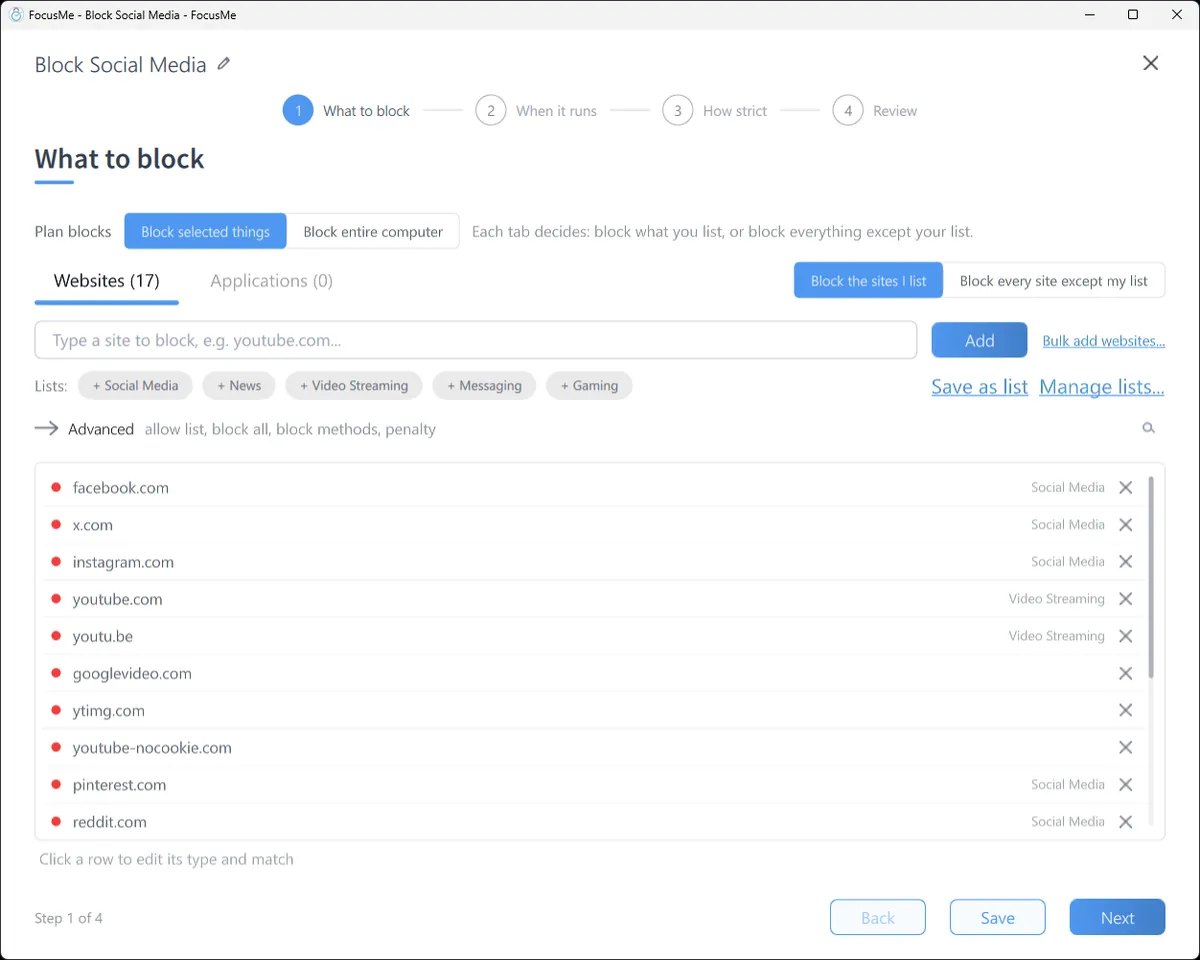
Click Add a Plan and on What to block add the sites you use and the ones you know you would go to next, plus the forums, odds sites and tipster pages around them. Then add words as Address or page title entries: casino, betting, poker, slots, bookmaker, odds. Any page with one of those in its address or title is blocked, including sites you have never heard of.
Or block everything except what you need
For the hours that matter, flip the switch beside the tabs to Block every site except my list and allow only the sites you need: email, work tools, banking. Nothing else loads. Many people run this from 10pm to 7am, when the urge is strongest and the need for the open internet is weakest.

The apps
Betting apps on the phone are the usual route. On Android, pick each one from the app list, and add the sites so the browser version is blocked in Chrome, Samsung Internet, Firefox and the rest. On iPhone, pick the apps and add the sites; iOS Screen Time enforces the plan, so it keeps working when FocusMe is closed. On Windows and Mac, add any betting or casino desktop app on the Applications tab.
The schedule
For gambling, most people choose 24/7 on the weekly schedule with no end date, so the plan is simply always on. If you want the computer open for work, use the allow list rather than a gap in the schedule.
Make it stick
This is the layer that matters most, and the reason to use a blocker built for it.
Pick how strict. Gentle Guidance asks for five random characters before a plan stops. Firm but Flexible adds a wait and a few pauses a day. Lock it Down means 25 characters typed perfectly and a ten-minute wait, no pauses. For gambling, start at Lock it Down.

Commit. Enforced Mode means the plan runs to its end; while it runs it cannot be stopped or weakened, only made stricter. With a 24/7 schedule, FocusMe warns you that the plan will not be stoppable, and that is the setting people in this position choose. An accountability partner, a partner or a counsellor, can be the only person able to approve a stop. A Master Password held by someone you trust keeps the settings out of reach as well.
Put it everywhere. One licence covers 5 computers and 2 mobile devices, and the plan syncs between them. A block that lives on one device is a block with a gap.
Frequently asked questions
Is FocusMe enough on its own to stop gambling?
No single tool is. Use self-exclusion for licensed sites, a bank block for the money, and FocusMe for the sites, apps and hours around them. Support is free and confidential: in the UK, GamCare’s helpline is 0808 8020 133.
Can I block sites I have not thought of yet?
Yes. Address or page title entries for words like casino, betting and slots catch new sites, and “Block every site except my list” catches everything during the hours you choose.
Can someone else hold the key?
Yes. An accountability partner can approve a stop instead of a typing challenge, and a Master Password can be set by someone you trust.
Does it work on my phone?
Yes. FocusMe for Android and iPhone block apps and websites on a schedule, and sync with your computer when you sign in.
Related: Gambling addiction: how FocusMe helps, FocusMe for parents, The FocusMe website blocker.