Blocking adult sites has a particular problem: there are millions of them, new ones every day, and the person who set the block is usually the person who wants past it at 2am. A list of sites is not enough, and neither is a tool whose off switch you hold. Here are the manual ways, what each cannot do, and a FocusMe plan built for exactly this.
The manual ways, and where they fall down
Screen Time’s “Limit adult websites”
On an iPhone or a Mac, Screen Time, under Content & Privacy, can limit adult websites and keep a never-allow list. It uses Apple’s own filter, so it catches sites you have not listed, and it is the best of the built-in options. It is also protected by a passcode you set yourself. For a child’s device where a parent holds the passcode, it works. For your own, it works until you decide it should not.
DNS filters
A family-filter DNS service, set on the router or on one device, refuses to resolve adult domains for everything that uses it. It is free, covers every device on the home network, and catches new sites. The limits: a phone on mobile data is outside it, and the setting is one screen away from being changed back.
SafeSearch
Google, Bing and DuckDuckGo can filter explicit results. Turn it on. It filters search results, not the sites themselves, and it is a toggle.
The hosts file
Fine for one site. Useless here: the list is endless, and the next site is one search away.
Block adult sites with FocusMe
FocusMe blocks websites and apps on Windows, Mac and Linux, and on Android and iPhone. Four parts of it matter for this: the ready-made list, word matching, blocking everything except an allow list, and protection that holds when you do not want it to.
Load the list, then add words
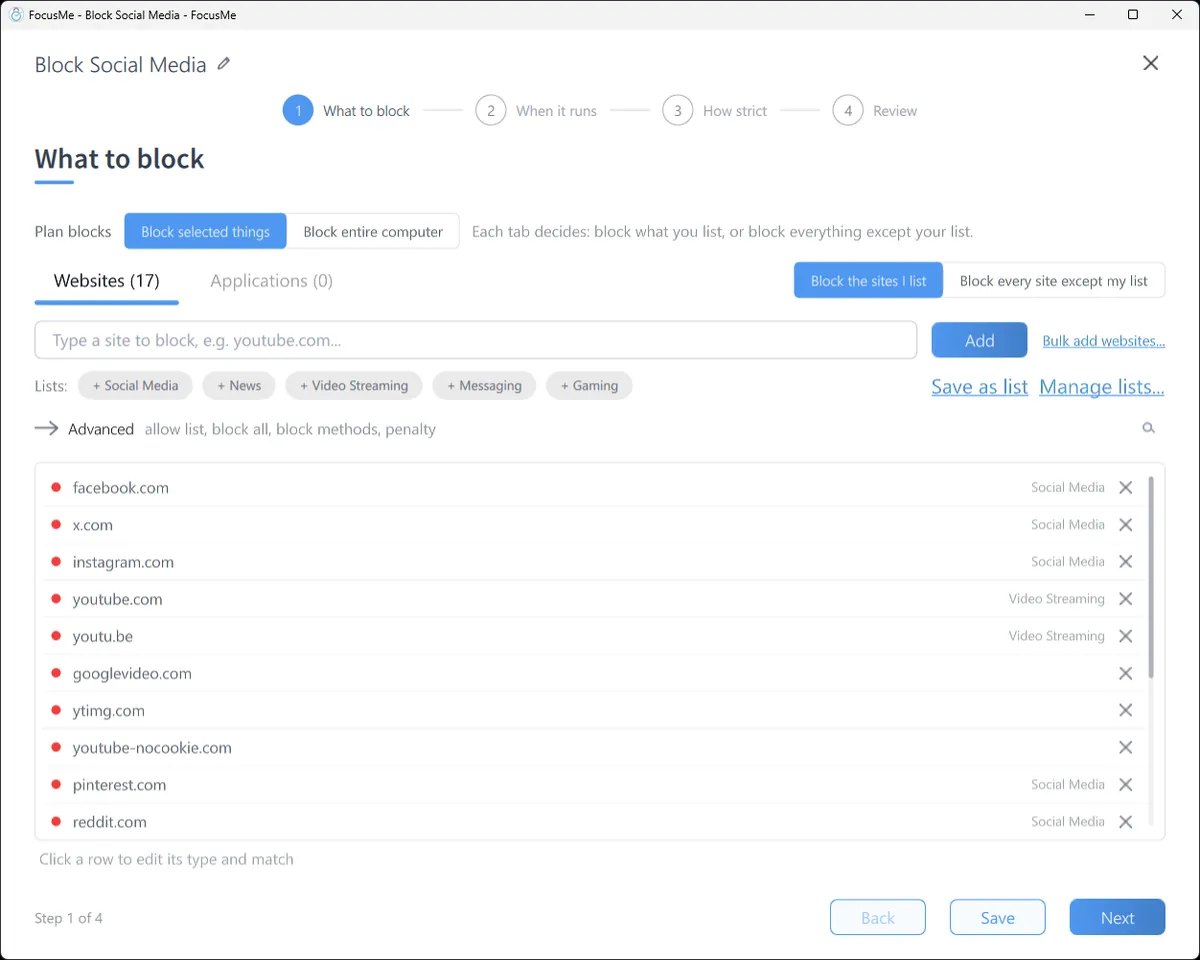
Click Add a Plan and on What to block click the Adult content chip in the Lists row to load FocusMe’s ready-made list. Then add words as Address or page title entries: the dozen terms you would type into a search bar. Any page with one of them in its address or title is blocked, including sites nobody has listed yet. Tick Block image and video search on the same tab and the Images and Videos results on Google, Bing and DuckDuckGo are blocked while normal search keeps working.
Block everything at night
For the hours that matter, make a second plan: flip the switch beside the tabs to Block every site except my list and allow only what you need, such as email and a streaming service. Nothing else loads between, say, 10pm and 7am. The urge has nowhere to go, and the plan ends by itself in the morning.

On your phone
On Android, add the sites and the words; the block holds in Chrome, Samsung Internet, Firefox, Edge, Opera and Brave, and in the browsers built into Facebook, Messenger and Instagram. For the night, a plan that blocks the browser apps themselves from 10pm leaves nothing to search with. On iPhone, add the sites to a plan, and iOS Screen Time enforces it so it keeps working when FocusMe is closed; keep Apple’s own adult filter on as well, since the two cover different things.
Make it stick
This is the part the other methods lack, and the reason to use a blocker built for it.
Choose Lock it Down. Stopping takes 25 random characters typed perfectly, then a ten-minute wait, and there are no pauses. Ten minutes is longer than most urges last.

Then commit. Enforced Mode means the plan runs to its end; while it runs it cannot be stopped or weakened, only made stricter. On a 24/7 schedule with no end date FocusMe warns you that the plan will not be stoppable, and that is what many people in this position choose. If you want a human in the loop, an accountability partner can be the only person able to approve a stop, and a Master Password set by someone you trust keeps FocusMe’s settings out of reach.
Put it on every device. One licence covers 5 computers and 2 mobile devices, and the plan syncs between them. A block that lives on one device is a block with a gap.
Frequently asked questions
Can FocusMe block sites I have not listed?
Yes. The ready-made Adult content list covers the common ones, Address or page title entries catch any page with the words you choose, and “Block every site except my list” catches everything during the hours you set.
Does it block private or incognito windows?
Yes. A FocusMe plan applies to every browser on the computer, private windows included.
Can I make it impossible to turn off?
Enforced Mode means a plan cannot be stopped or weakened while it runs. With a 24/7 schedule and no end date it runs indefinitely. An accountability partner can approve a stop if you want one.
Does this work on my phone?
Yes. FocusMe for Android and iPhone block sites and apps on a schedule, with the same strictness levels, and sync with your computer.
Related: NoFap reboot: how FocusMe helps, FocusMe for parents, Stop scrolling at night.