

Focused lessons on every school PC
FocusMe for Schools & Families blocks distracting apps and websites on your school’s Windows PCs during lessons, and lets parents and guardians set their own rules after school. Nothing is recorded during school hours.
For school Windows PCs, with Chrome and Edge.
What your school controls
Block apps and websites for each class, or allow only the sites a lesson needs.
How FocusMe for Schools works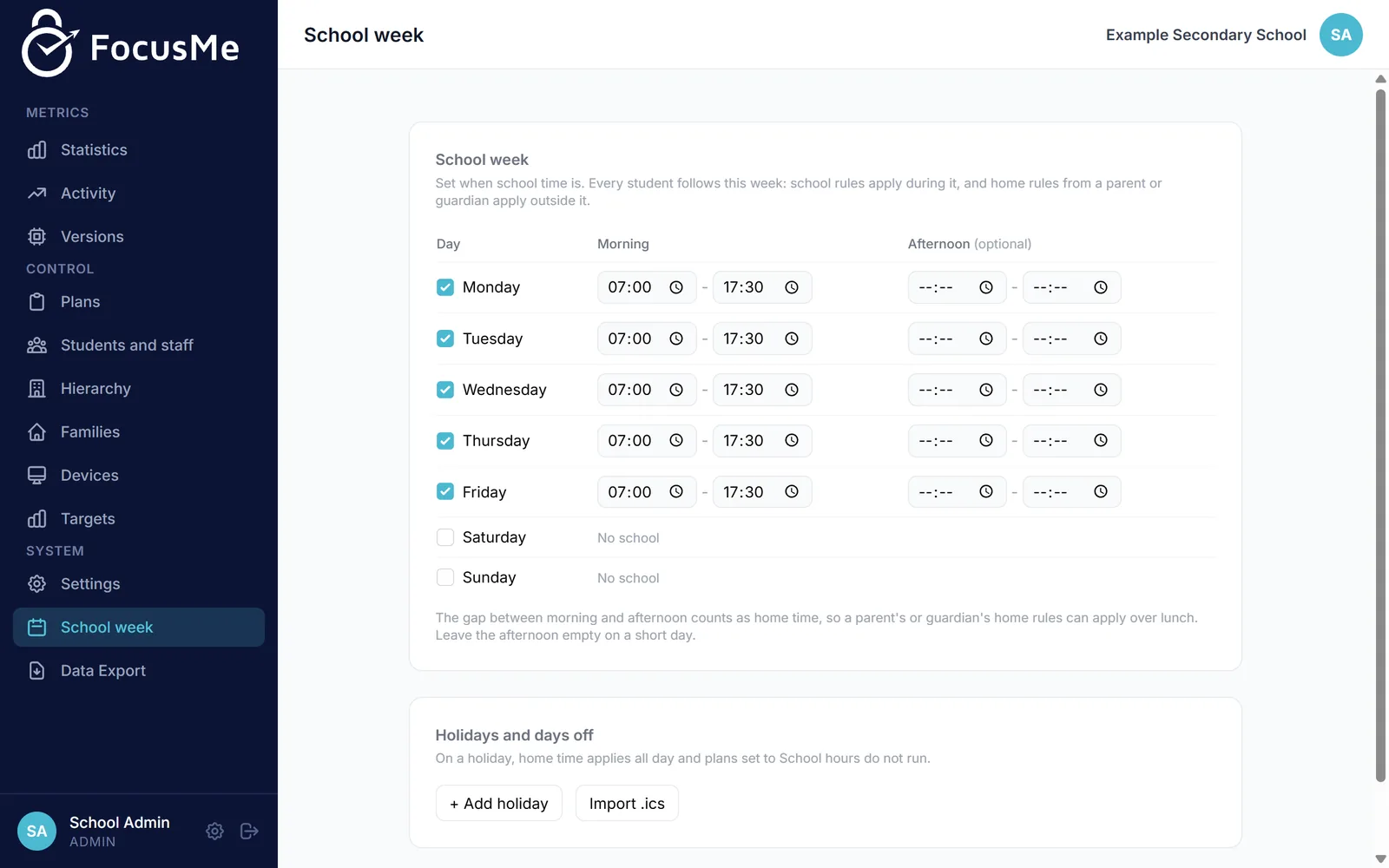
Parents and guardians, after school
Your school can invite each student’s parents or guardians to FocusMe for Families. They sign in on the web from any phone or computer and add home rules for the same PC, such as an evening screen-time limit.
For parents and guardians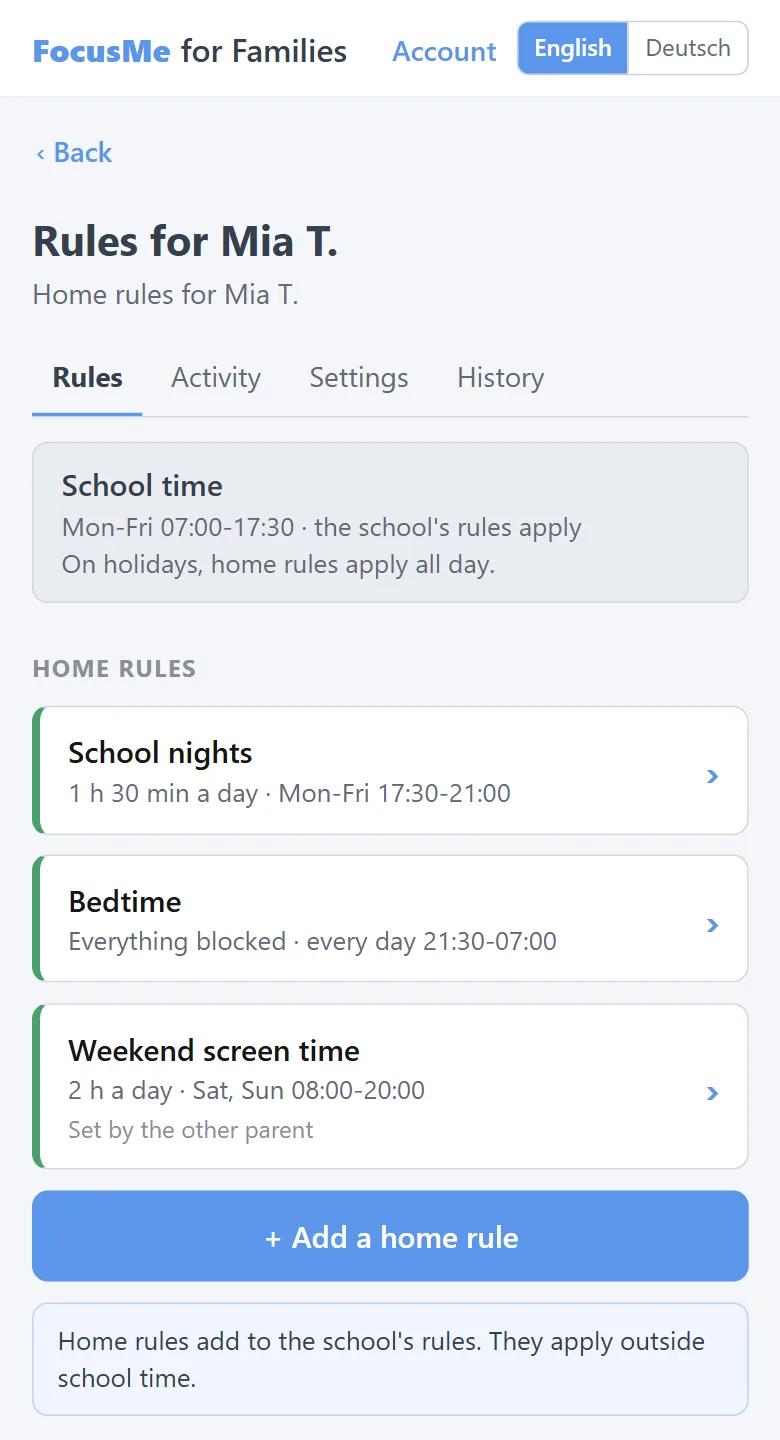
A school day on the PC
School dayMon-Fri, hours the school sets
Holiday or weekendfrom the school calendar
- School rules: set in the school dashboard
- Home rules: set by a parent or guardian in FocusMe for Families, if the school invites them
What your school controls
Block or allow, by class
Block apps and websites for each class, or allow only the sites a lesson needs.
Your school week
Rules follow your school’s hours for each day of the week, with time limits where you want them.
Holidays
Add holiday dates, or import your school calendar, and school rules step aside on those days.
Staff access by role
Give each member of staff the access their role needs, from full control to view only. Every dashboard sign-in is logged.
No extra passwords for students
Students are recognized by the account they sign in to Windows with, such as their school Microsoft 365 account.
Chrome e Edge
The FocusMe for Schools browser extension is installed by your IT policy in Chrome and Edge.
Parents and guardians, after school
Your school can invite each student’s parents or guardians to FocusMe for Families. They sign in on the web from any phone or computer and add home rules for the same PC, such as an evening screen-time limit.
Home rules apply outside school hours and on holidays, and can never weaken the school’s rules during school hours. The school sees whether a parent or guardian has joined and how many home rules they have, never the rules themselves.
The parent and guardian pages and the invitation emails come in English and German.
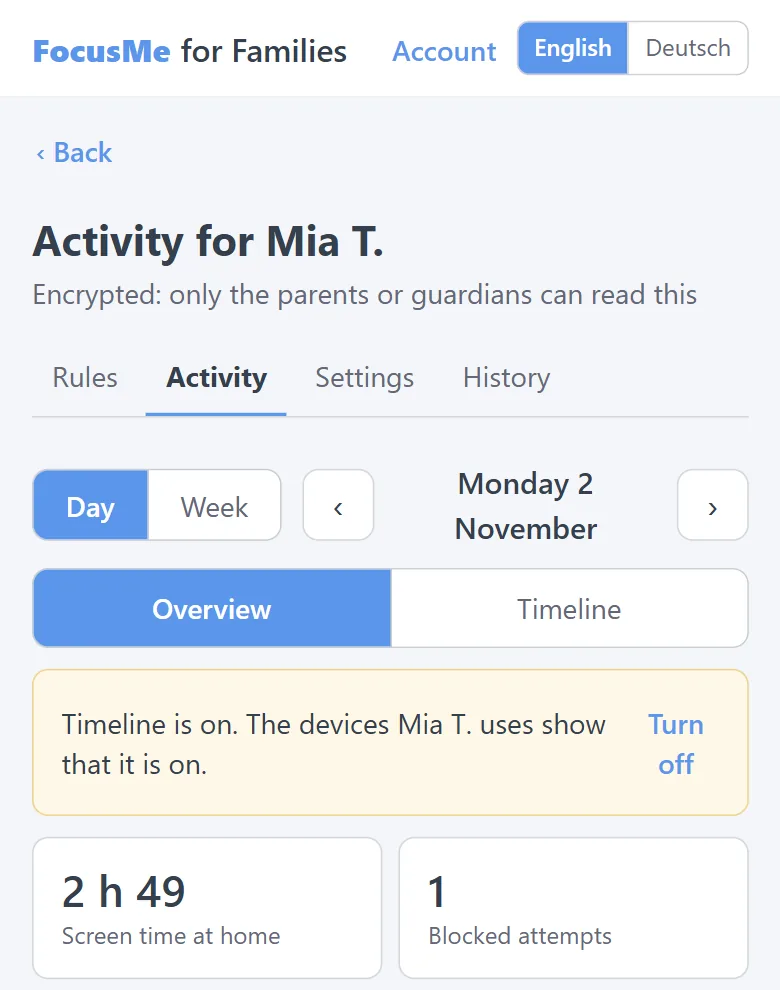
Private by design
- No activity is recorded during school hours: no apps, websites or times of use.
- Outside school hours, activity is recorded only once a parent or guardian has set up FocusMe for Families. It is encrypted on the device, and only that parent or guardian can read it: not the school, not FocusMe.
- FocusMe never records keystrokes, screenshots, window titles, full web addresses, or the camera, microphone or location.
- Student data is never sold, never used for advertising or marketing, and never used to train AI.
- The service’s database runs on a dedicated server in Europe, and the school dashboard and parent pages are hosted in Nuremberg, Germany.
- We sign a data processing agreement with each school.
How it works
Set up your school
We set up your school’s dashboard with you, and your IT team installs FocusMe on each PC with your school’s enrollment code.
Add classes and rules
Put students into classes and choose what each class can use, and when.
Invite parents and guardians
If you want home rules too, upload a list of students and parent or guardian emails, and each one gets an invitation.
Questions schools ask
Which devices does it work on?
Windows PCs, with the Chrome and Edge browsers.
What does it cost?
Every school can start with a free pilot of up to 5 students for 60 days. Talk to us for a price for your school.
Can students change the rules?
Rules are managed from your school’s dashboard, and students cannot change the school’s rules on the PC.
Do we have to give student names?
No. Each student is shown by the name or code your school chooses. A code such as “S7K2Q9” works.
Is it GDPR and Swiss FADP ready?
The school is the controller and Reclaim Time Ltd, the company behind FocusMe, is the processor, under a data processing agreement we sign with each school. Our privacy notice for schools covers the Swiss Federal Act on Data Protection and the UK and EU GDPR.
Do parents have to take part?
No. FocusMe works in school without any parent accounts. Inviting parents and guardians is your school’s choice, and each one decides whether to set home rules.
Every school can start with a free pilot of up to 5 students for 60 days.
Talk to us for a price for your school.
Start a free pilot