

Your child’s school uses FocusMe
FocusMe for Schools & Families keeps lessons free of distractions on your child’s school PC. If the school invites you, you can set your own rules for evenings, weekends and holidays.
Your child’s school day
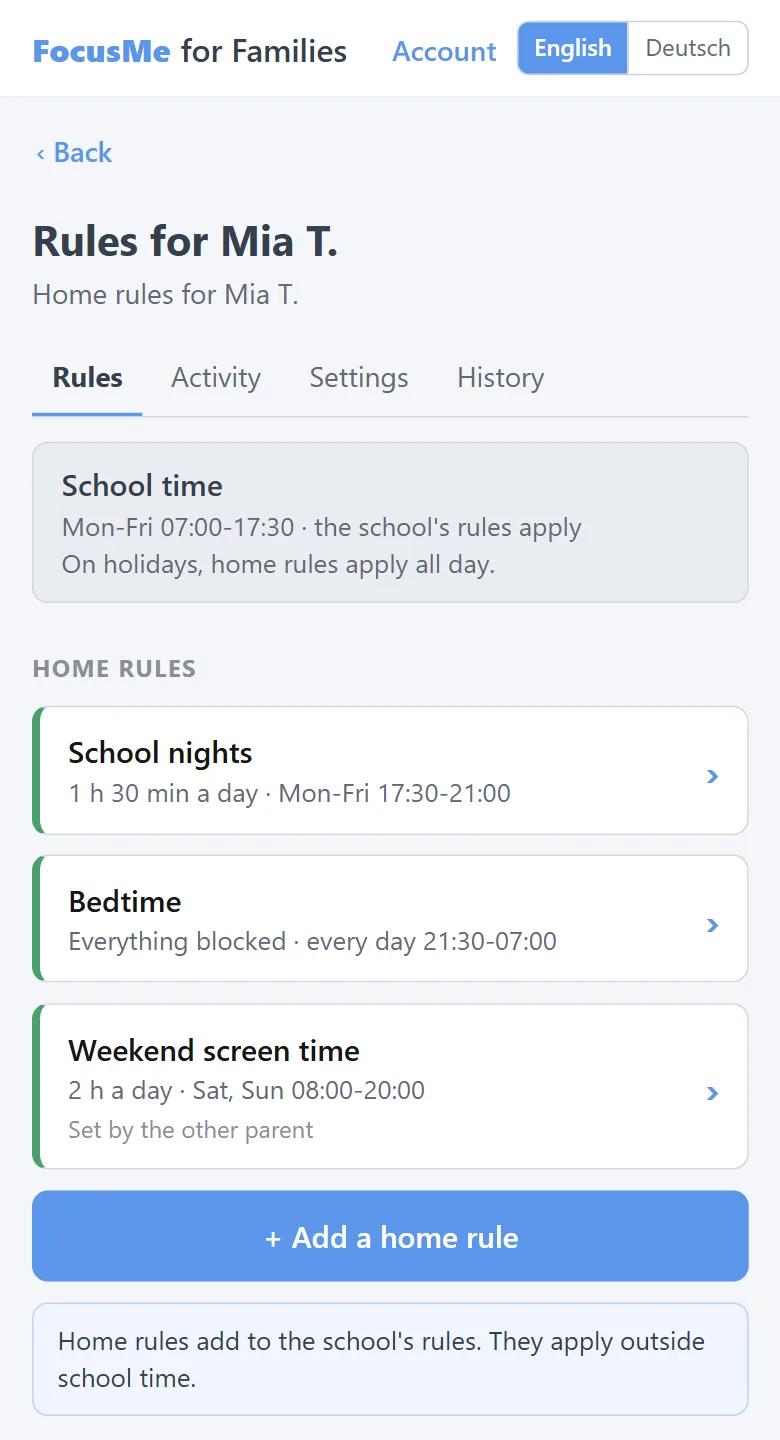
School dayMon-Fri, hours the school sets
Holiday or weekendfrom the school calendar
- School rules: set in the school dashboard
- Home rules: set by a parent or guardian in FocusMe for Families, if the school invites them
During school hours
- The school’s rules block or limit apps and websites on the school PC.
- No activity is recorded: no apps, websites or times of use.
Ce que vous pouvez faire
When the school invites you, you get an email from FocusMe with a link to set up your access. You then use FocusMe for Families on the web, from any phone or computer, in English or German.
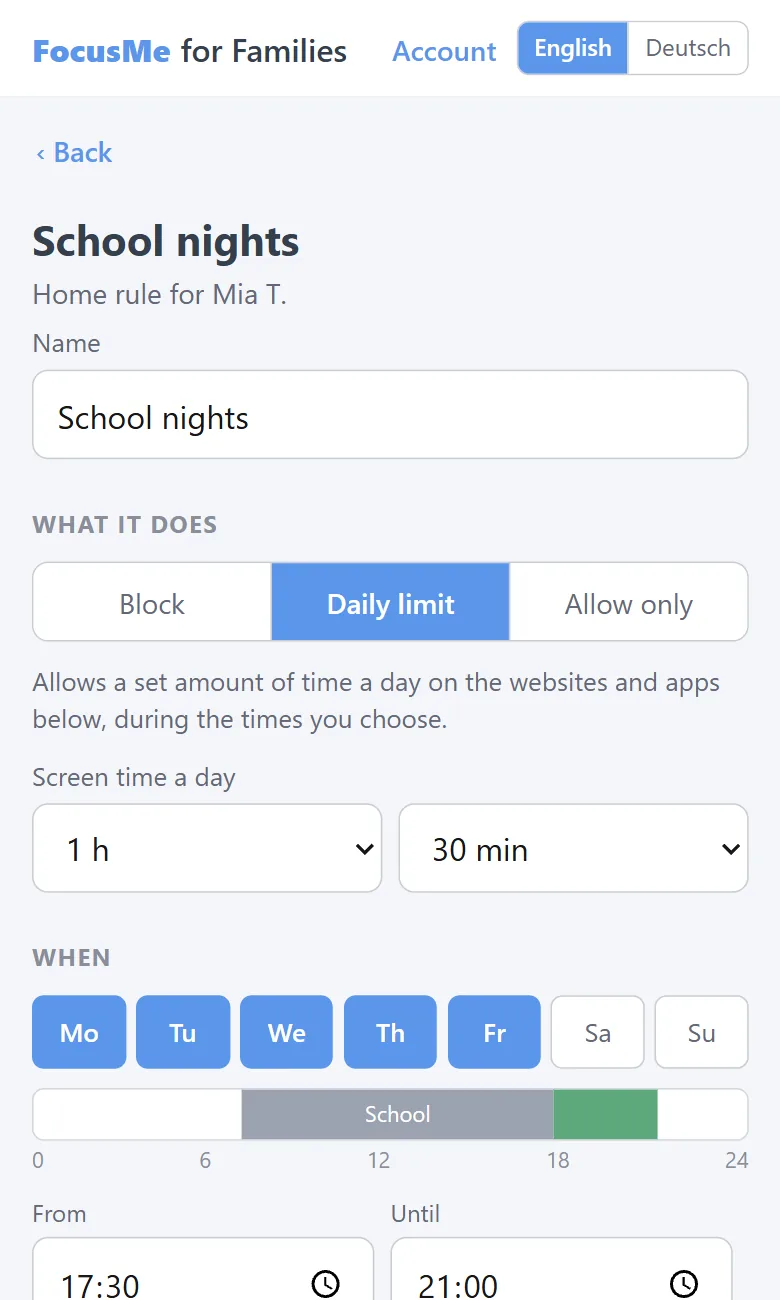
- Set home rules for the same PC: block apps and websites, set a daily limit, or allow only chosen sites, on the days and times you pick outside school hours, and all day on holidays.
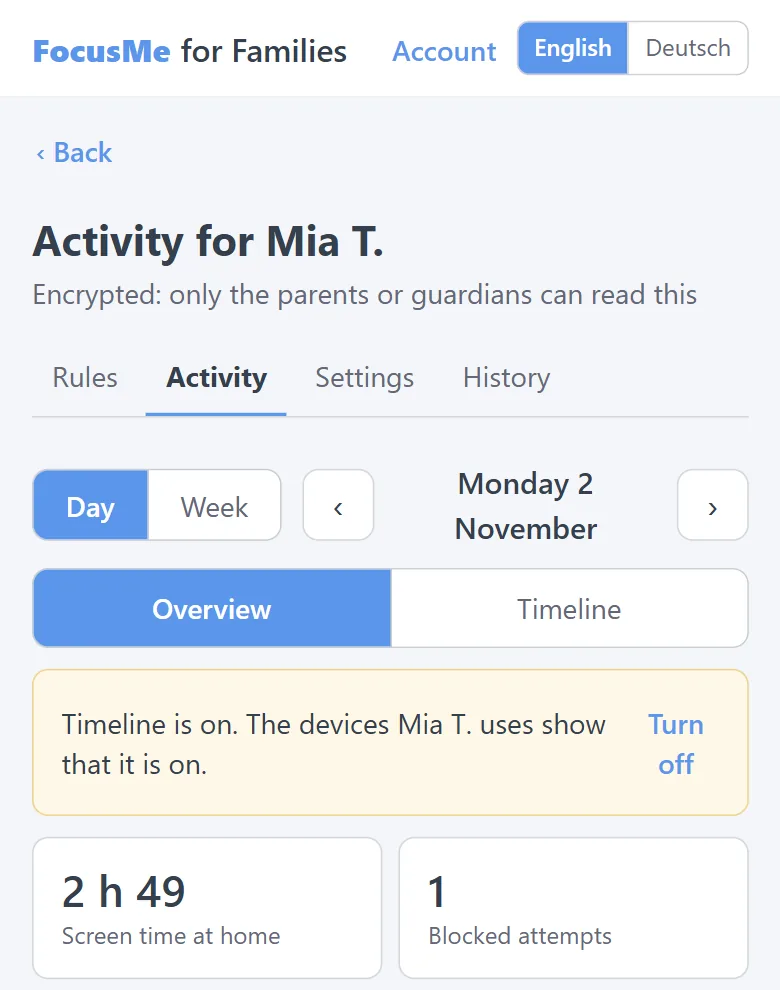
- See activity, if you want to. Daily totals for each app and website, screen time and blocked attempts, plus a timeline of the day if you switch it on.
- Get a weekly email, if you want one. It carries only a link, never activity.
- Switch activity off at any time.
Only you can read it
- Activity is encrypted on your child’s PC before it is sent. Only you, and any other parent or guardian linked to your child, can read it, in your own browser.
- The school cannot read it, and neither can FocusMe.
- The school sees only whether you have joined and how many home rules you have, never the rules themselves.
- Your child’s PC shows a notice while activity is on.
- Your key is protected by a recovery code that only you hold. Keep it somewhere safe.
Questions parents ask
I haven’t had an invitation.
Invitations come from your child’s school. Ask the school to invite you, or to send it again if the link has expired.
Can both parents take part?
Yes. Each parent or guardian is invited and signs in separately.
Does it work on my child’s own phone or home computer?
FocusMe for Families works with the school PC your child uses.
Can the school switch activity on?
No. The school can switch home activity off for any student, but never on.