
Comment fonctionne FocusMe

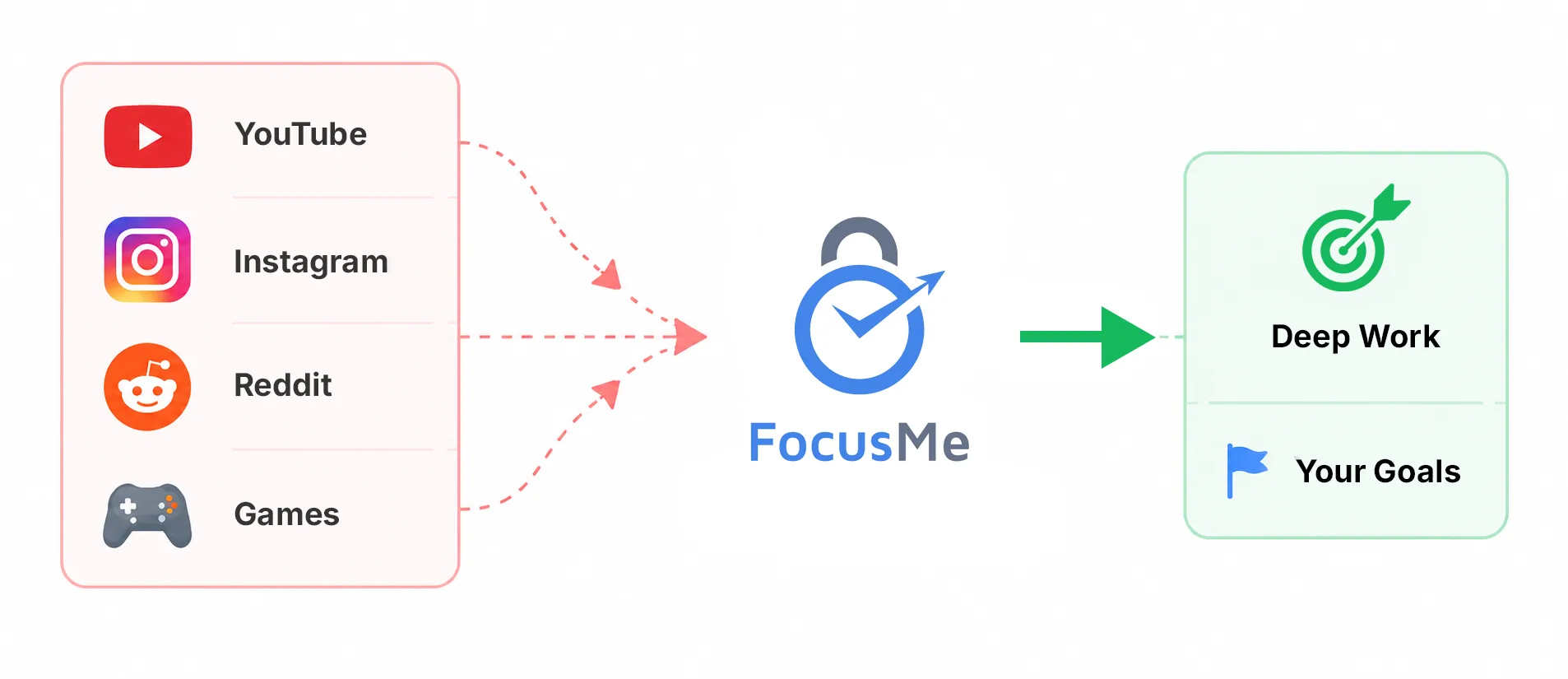
Créez des limites, restez concentré et continuez
Améliorez-vous grâce à un système conçu autour de vos objectifs.

  • Blocage de sites web et d'applications
  • Coach de productivité en IA
  • Plans de concentration flexibles

How it works, step by step

Every FocusMe plan is built the same way: say what to block, when, and how strict. The wizard walks you through it in four steps, and Quick Setup on first run builds your first plans from two questions. The Plan Library has ready-made plans for social media, games, news, study and sleep if you would rather start from one of those.

Que bloquer

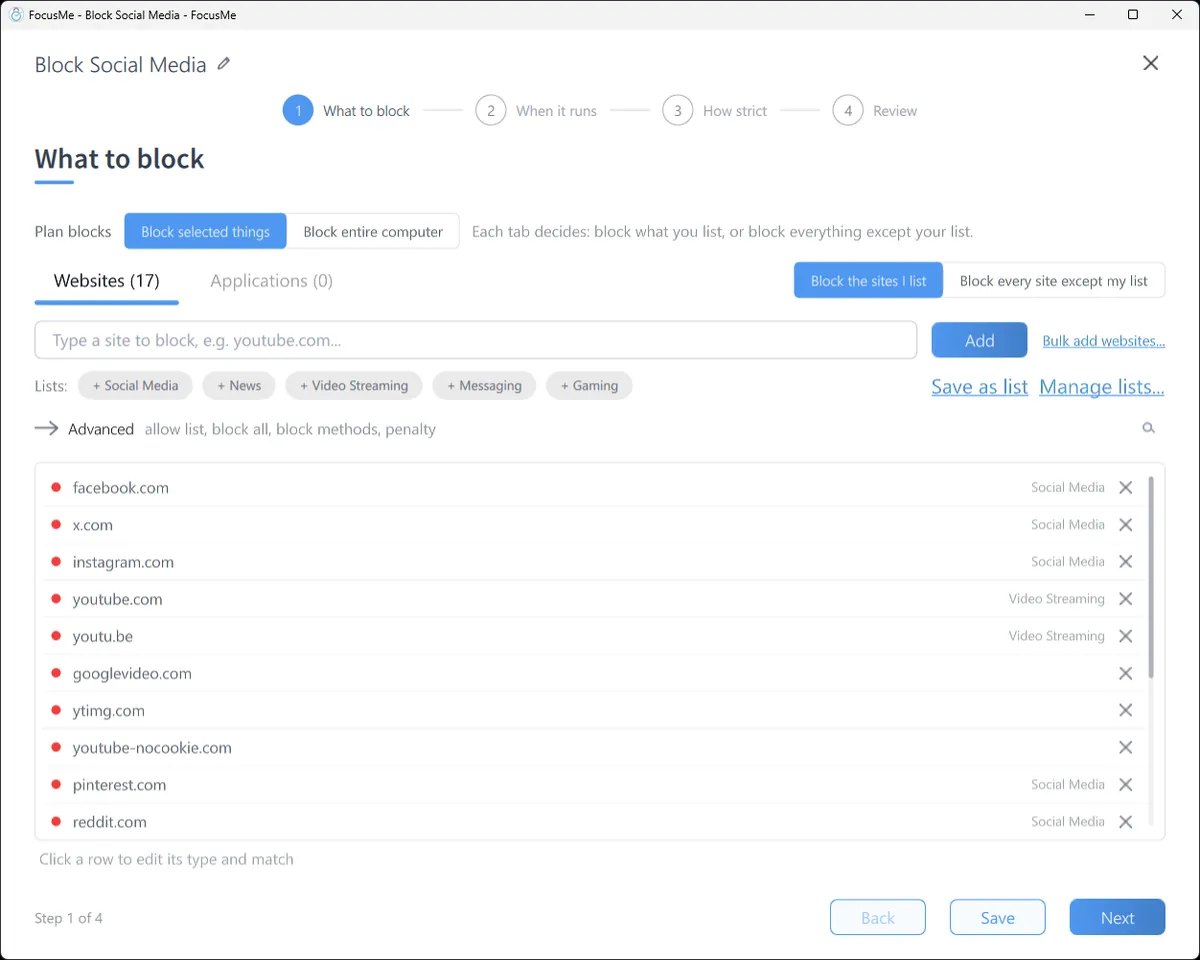
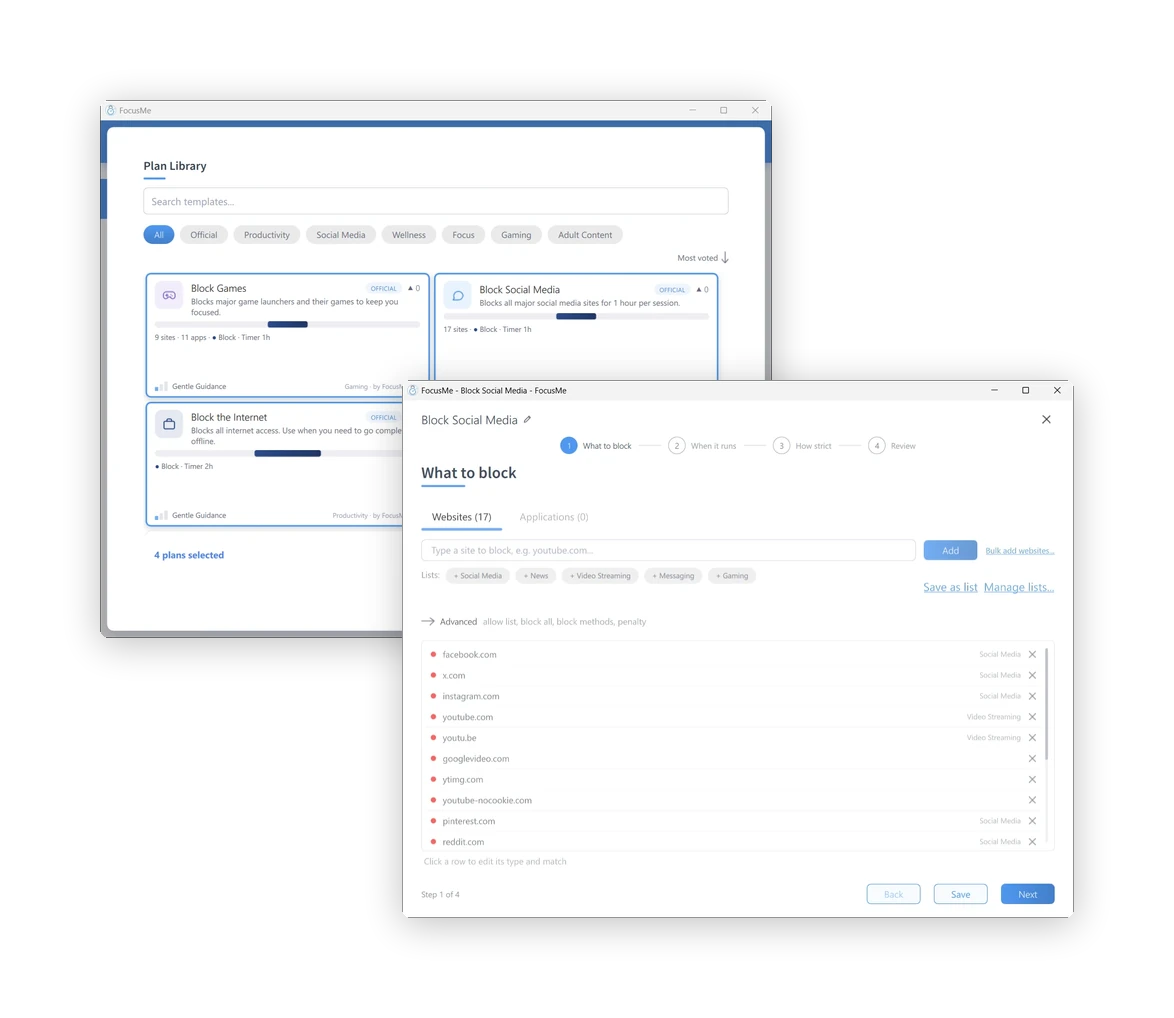
Type a site, click a ready-made list (Social Media, News, Video Streaming, Messaging, Gaming), or block every site except the ones you allow. Switch to the Applications tab for apps and games: pick from what is installed, or type a name. A path such as youtube.com/shorts blocks one part of a site and leaves the rest open.

Step 1, What to block: the Websites tab with a block list

Quand il fonctionne

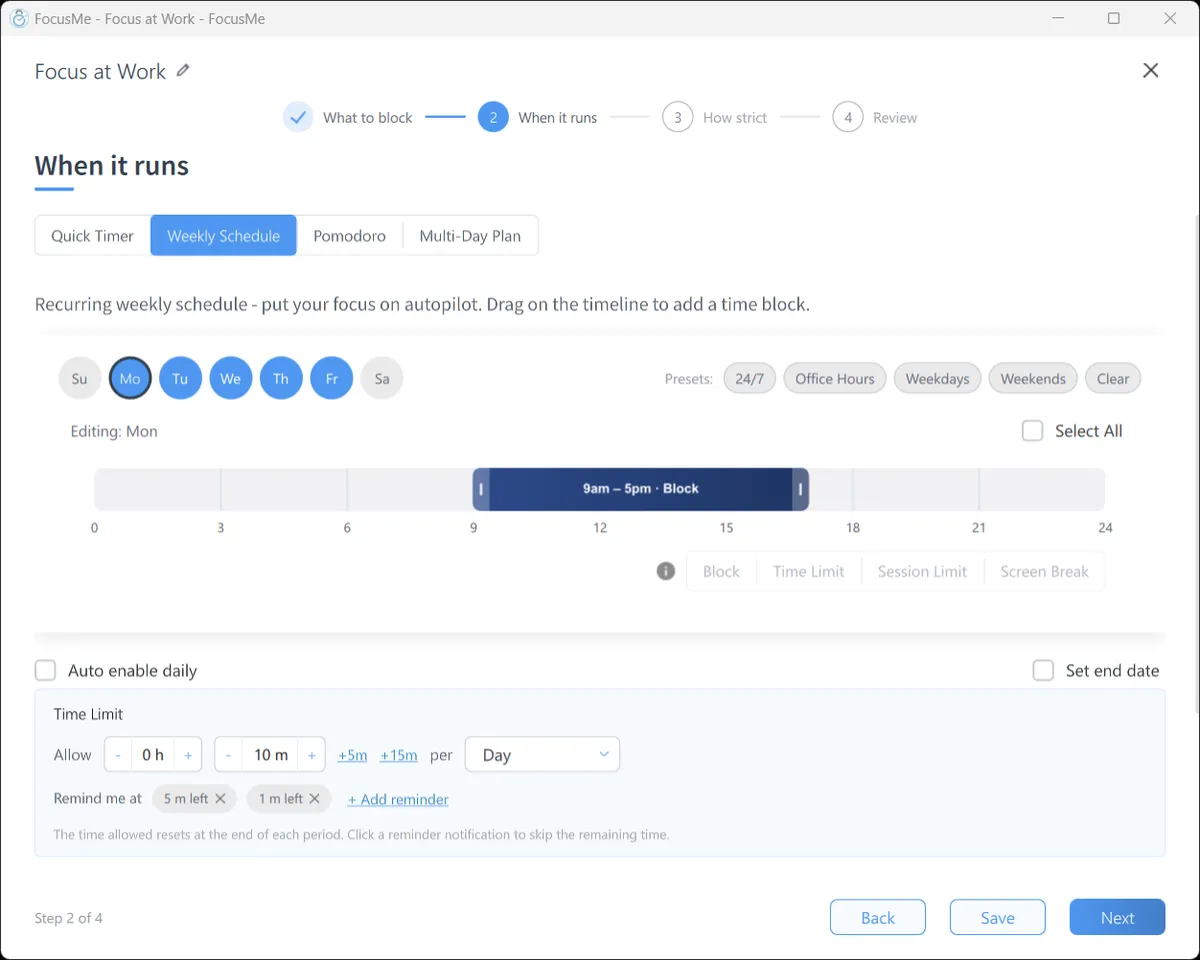
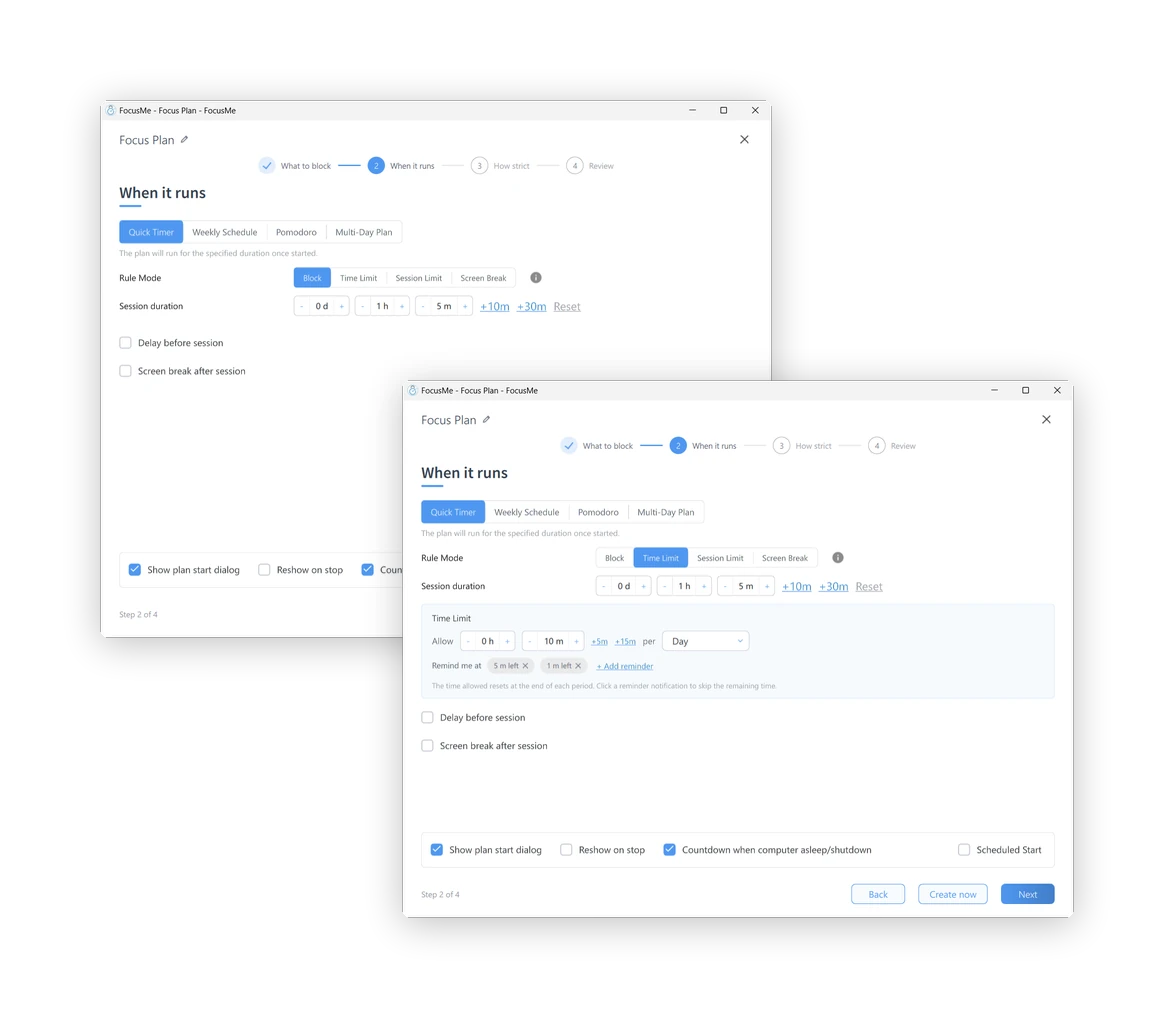
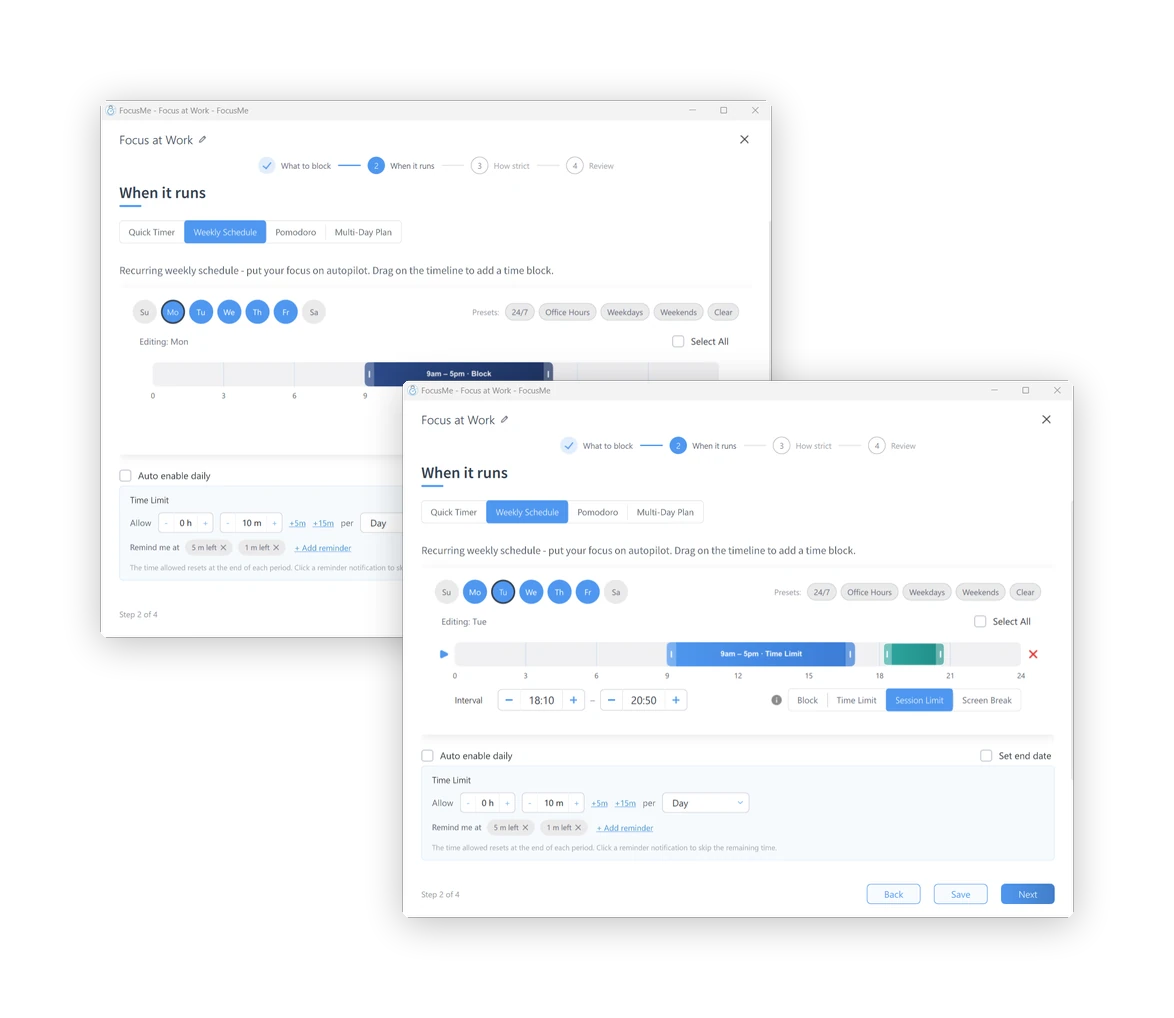
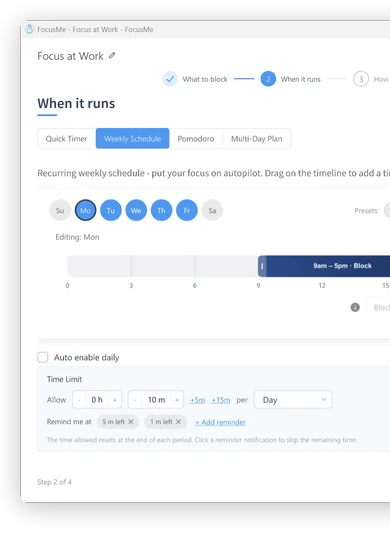
A Quick Timer for the next hour. A Weekly Schedule that runs itself: 9 to 5 on weekdays, or 11pm to 7am every night. A Pomodoro cycle. A Multi-Day Plan for exam week. Each interval can block outright, allow a time budget, allow a few short sessions, or enforce a screen break.

Step 2, When it runs: a weekly schedule on the timeline

Quelle rigueur

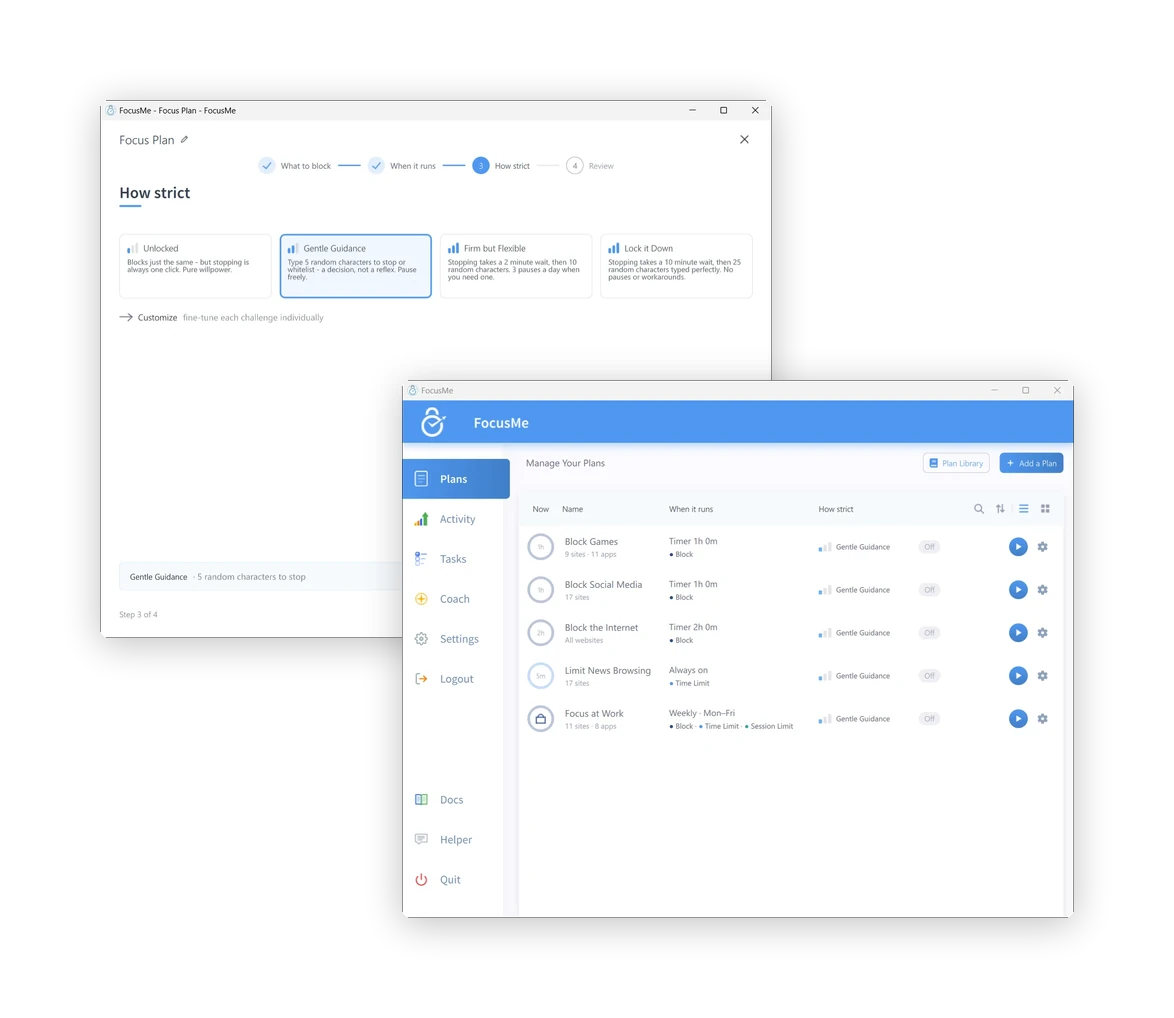
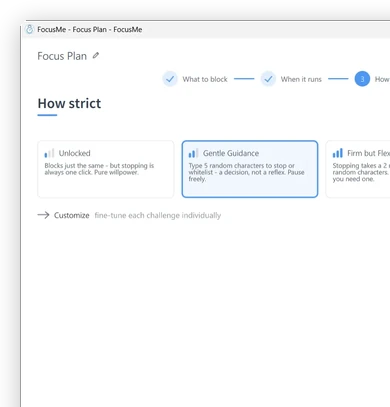
Unlocked blocks just the same, but stopping is one click. Gentle Guidance asks for five random characters: a decision, not a reflex. Firm but Flexible adds a wait and three pauses a day. Lock it Down means 25 characters typed perfectly, then a wait, and no pauses. Enforced Mode, under Customize, means the plan runs to its end and can only be made stricter.

Step 3, How strict: the four presets

Review and go

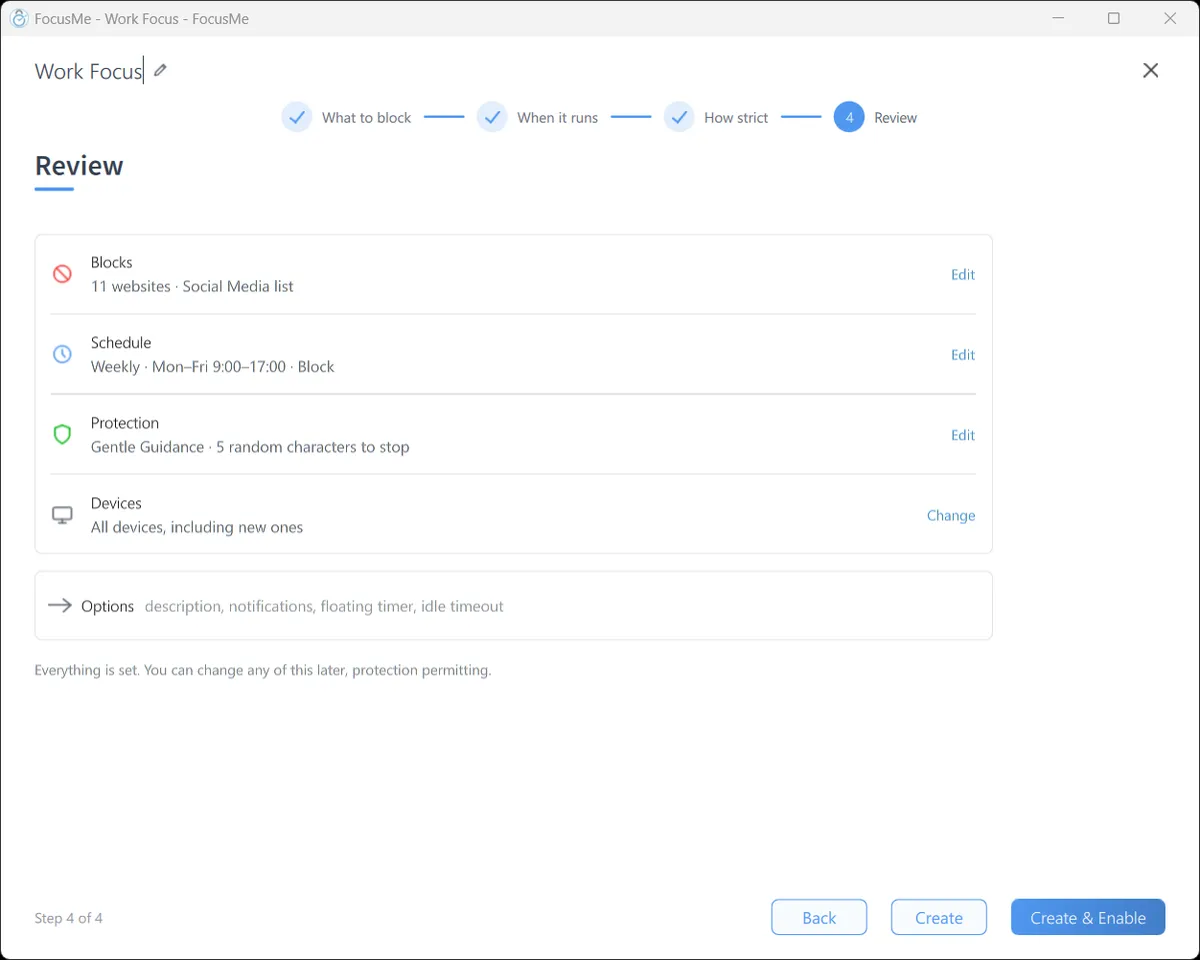
One page shows what the plan blocks, when it runs and what it takes to stop it. Click Create & Enable and it starts. Blocked sites show the FocusMe block page in every browser; a blocked app closes the moment it opens, with a message that says which plan did it.

Step 4, Review: the plan summary before it is enabled

Then see what changed

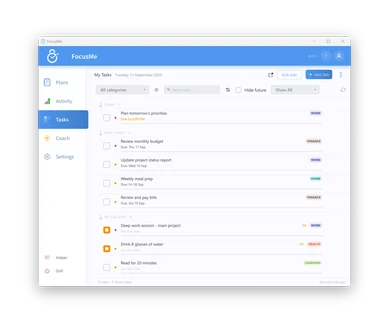
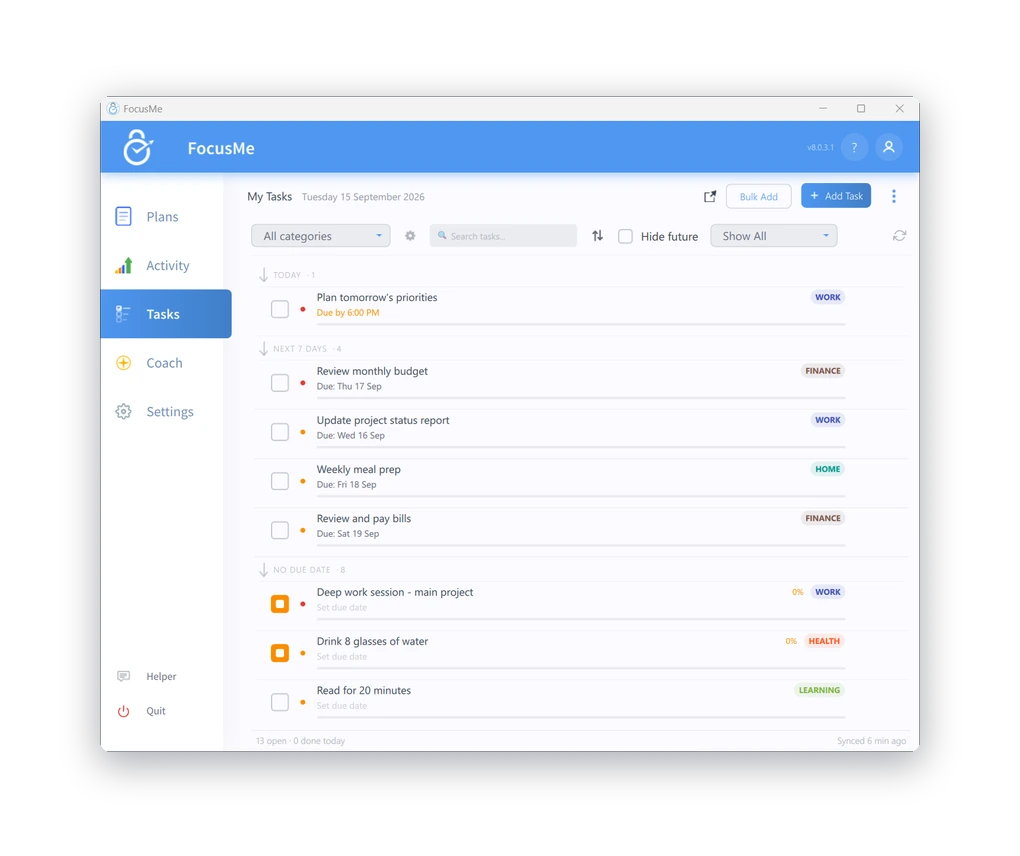
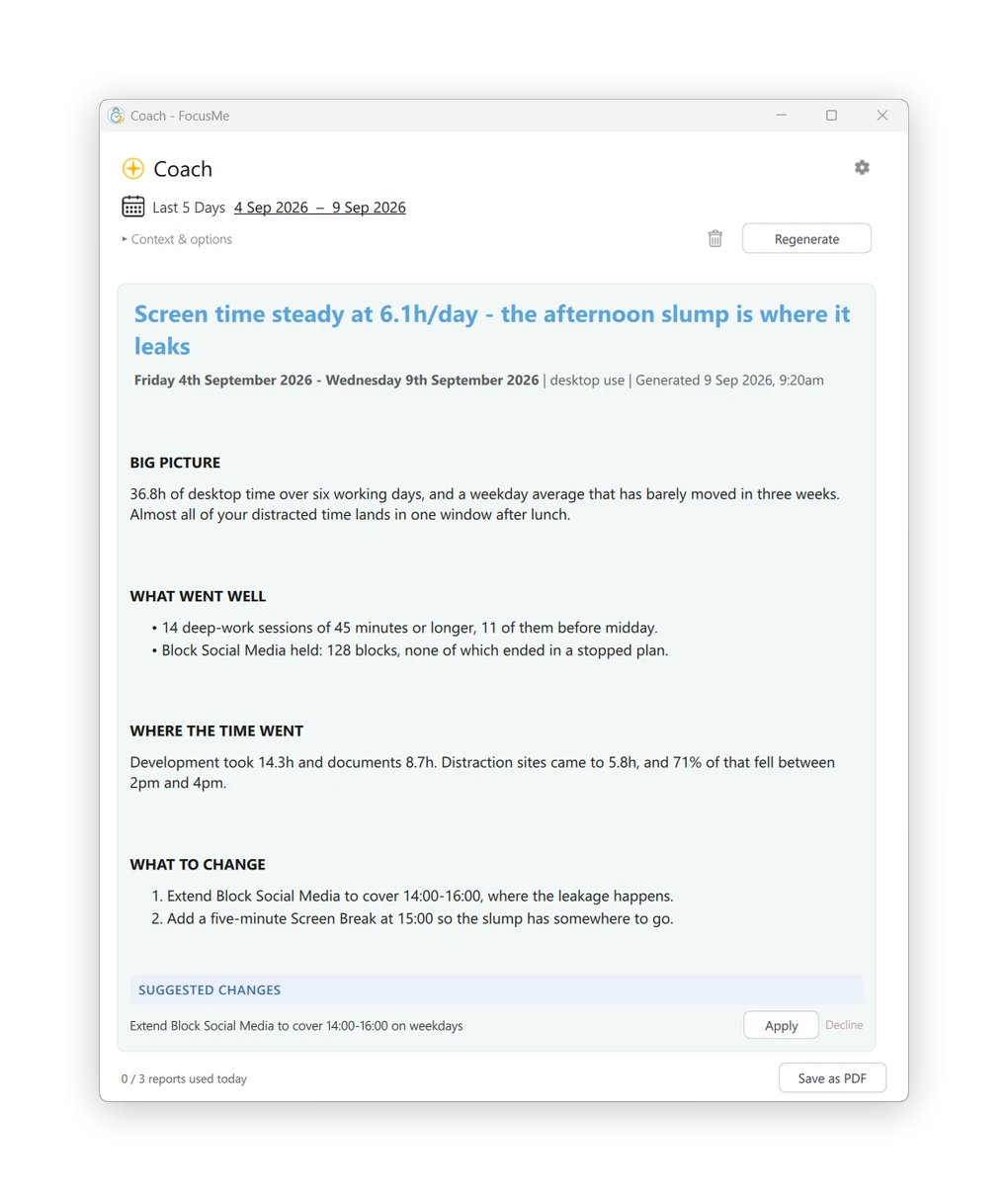
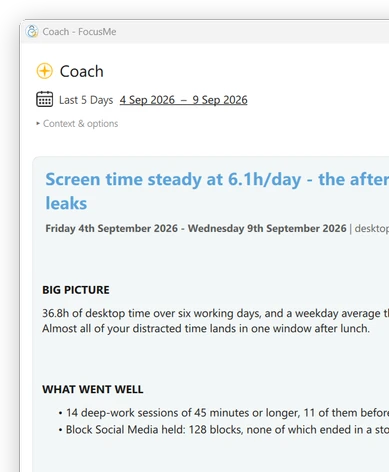
Activity shows active time per app and site, the distractions blocked and the time reclaimed, for today or the last seven days. Tasks keeps a to-do list beside your plans. The Coach IA reads your week and suggests concrete changes to your plans, applied in one click.

The Activity tab: last 7 days, active time, distractions blocked

Bloquez ce qui vous distrait

Bloquer des sites web, des applications, des mots-clés ou des catégories
sur plus de 15 navigateurs.

Besoin d'un contrôle plus strict ? Utilisez le mode Liste blanche.
n'autoriser que ce dont vous avez besoin.

Choisissez sur quel aspect vous souhaitez vous concentrer.

Des formules différentes pour des besoins différents. Vous avez le contrôle.

Bloc

Blocage complet
distractions.

Limites de temps

Défini quotidiennement
ou des budgets horaires.

Limites de session

Limiter les lancements et
Faire respecter les pauses.

Écran cassé

Prenez du recul et
recharger.

Protection supplémentaire lorsque c'est nécessaire

Restez fidèle aux limites que vous avez fixées grâce à des options de protection performantes.

Mot de passe
Protection

Gardez vos plans
sécurisé.

Aléatoire
Défis

Réponse aléatoire
questions pour apporter des changements.

Appliqué
Mode

Une protection plus stricte pour
Concentration profonde.

Responsabilité
Partenaires

Invitez quelqu'un à vous garder
responsable.

Mot de passe
Protection

Gardez vos plans
sécurisé.

Aléatoire
Défis

Réponse aléatoire
questions pour apporter des changements.

Appliqué
Mode

Une protection plus stricte pour
Concentration profonde.

Responsabilité
Partenaires

Invitez quelqu'un à vous garder
responsable.

Planifiez votre temps de concentration

Mettez en place une routine qui vous convient.
Créer des calendriers, des cycles et
Des programmes adaptés à votre vie.

Parcourez la bibliothèque de plans et commencez
avec des configurations éprouvées.

Transformer les objectifs en habitudes

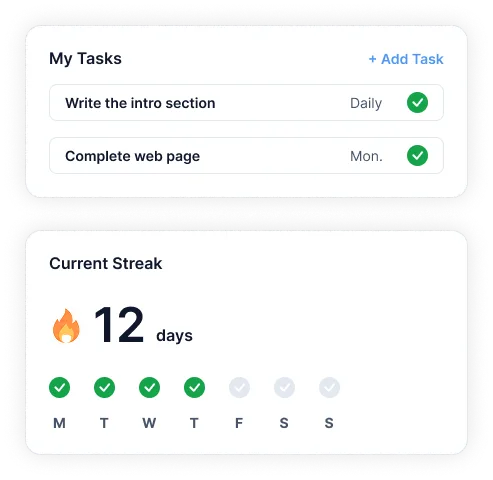
Gérez les tâches, enchaînez les réussites et créez des routines récurrentes.
à l'intérieur de FocusMe.

Restez concentré et suivez vos progrès au même endroit.

Objectifs et progrès FocusMe sur téléphone

S'améliorer chaque semaine

Votre coach IA analyse vos progrès
et vous donne des informations claires et
des actions qui vous aident à progresser.

Travaillez sur tous vos appareils

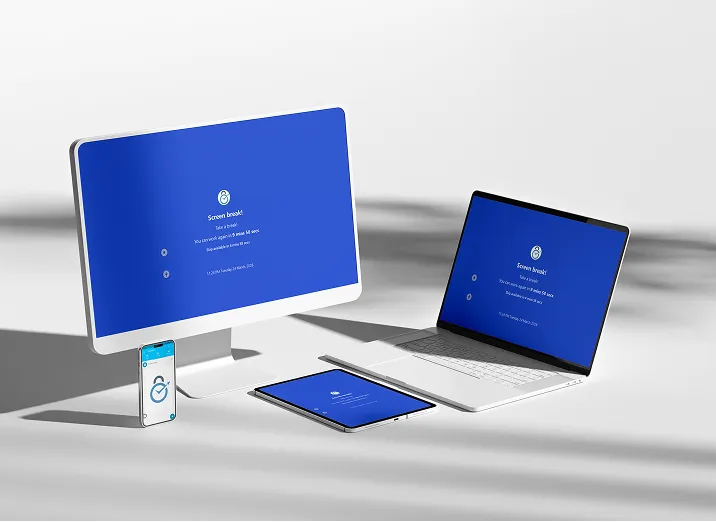
Vos forfaits se synchronisent automatiquement sur tous vos appareils.

Exécutez plusieurs plans simultanément et suivez votre progression.
des progrès grâce à des analyses approfondies.

FocusMe sur Windows, Mac, Android et iPhone
  • Windows
  • macOS
  • Linux
  • Androïde
  • iOS

Prêt à reconquérir votre attention ?

Rejoignez plus de 100 000 personnes qui utilisent FocusMe pour consacrer plus de temps à ce qui compte vraiment.

Vous utiliserez cette adresse e-mail et ce mot de passe dans l'application FocusMe.

  • Essai gratuit de 14 jours
  • Aucune carte de crédit requise