

Table of Contents
YouTube Shorts and Facebook Reels are designed to steal time. Not in obvious ways, but through endless scroll loops that feel harmless until thirty minutes disappear. Even disciplined users struggle because these features bypass traditional website blocks and show up inside platforms people genuinely need for work, learning or communication.
This is exactly why FocusMe introduced a new feature that allows you to block YouTube Shorts & Facebook Reels specifically. Without blocking YouTube or Facebook entirely.
If you want your focus back without going extreme, this step by step guide walks you through exactly how to do it.
Why Blocking Shorts and Reels Matters
Short-form video content is engineered for compulsion. The fast pacing, instant rewards, and infinite feed make it difficult for the brain to disengage. Unlike long videos, Shorts and Reels don’t require intention. They pull you in automatically.
What this really means is that productivity doesn’t usually fail because of laziness. It fails because attention is constantly being fragmented.
Blocking YouTube Shorts & Facebook Reels removes one of the biggest modern focus leaks while still letting you use these platforms intentionally.
What You’ll Need Before You Start
Before setting this up, make sure you have:
- The latest version of FocusMe is installed
- The FocusMe Chrome add-on is enabled
- A FocusMe plan where you can define block rules
Now let’s walk through the setup.
Step 1: Update FocusMe to the Latest Version
To block Shorts and Reels correctly, you must be running FocusMe version 7.6.4.2 or newer.
Here’s how to update:
- Open FocusMe
- Go to Settings – General
- Click Check for Updates
Or download the latest version directly from:
https://focusme.com/download/
This update includes backend fixes required for Shorts and Reels blocking to work properly. Without it, the restrictions may not apply consistently.
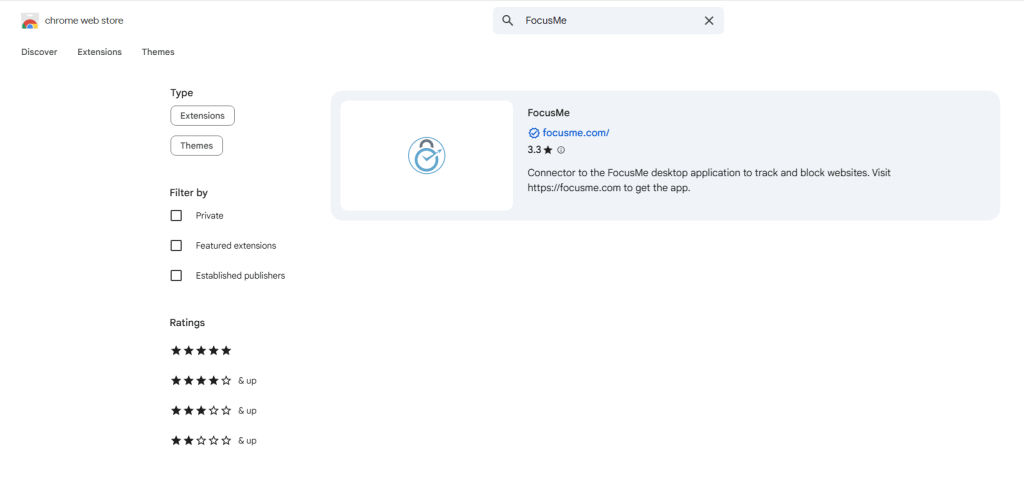
Step 2: Install or Update the FocusMe Chrome Add-on
YouTube Shorts and Facebook Reels are browser-based features. That means FocusMe relies on its browser add-on to control them. Make sure you’re using the FocusMe Chrome Extension version 4.7.
You can install or update it here:
https://focusme.com/download/addon/
Why this step matters:
- Shorts and Reels load dynamically inside the browser
- Traditional site blocks don’t always catch them
- The add-on allows us to target these features at the URL level
Without the add-on, Shorts and Reels may still slip through.
Step 3: Create a FocusMe Plan That Blocks Specific URLs
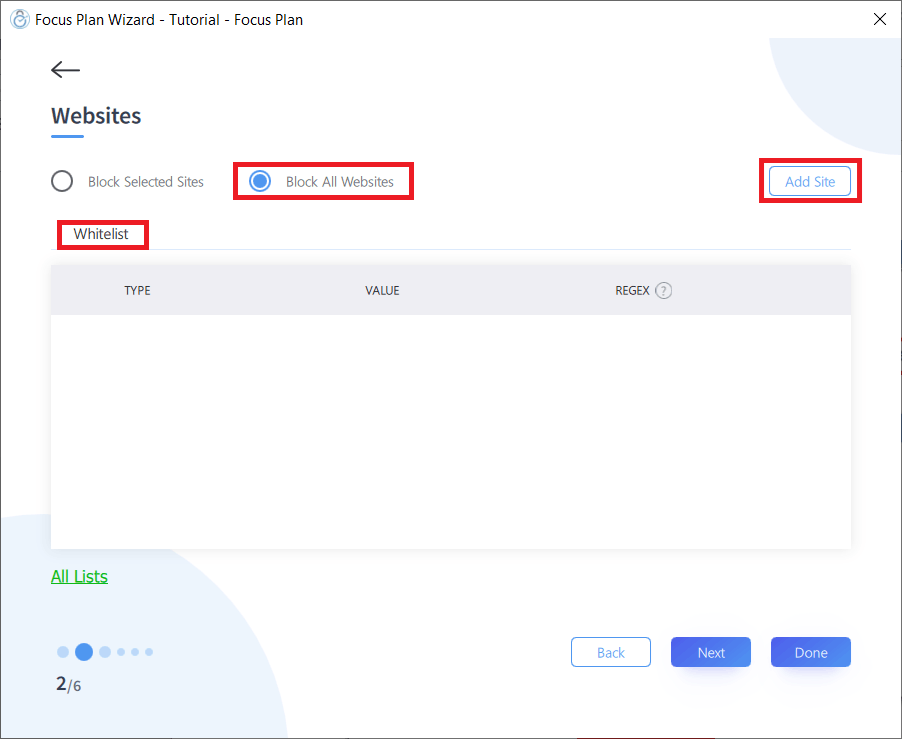
Now comes the key step. Inside FocusMe, open the plan you want to use (or create a new one). Go to the Block List and add the following URLs:
youtube.com/shorts/
facebook.com/reel
What this does:
- Blocking youtube.com/shorts/ prevents YouTube Shorts from loading
- Blocking facebook.com/reel targets Facebook Reels specifically
Once these URLs are blocked, the browser will force the restriction. Shorts and Reels won’t load, even if you try to access them directly.
This is the cleanest way to block YouTube Shorts & Facebook Reels without blocking full platforms.
Step 4: Enable the Safety Setting
This step prevents bypassing the system.
Go to:
- Settings – Browsers
Turn on:
- Block Browser If Addon Not Installed
Why this matters:
- If someone disables or removes the FocusMe Chrome add-on
- FocusMe will automatically block the browser itself
- This prevents accidental or intentional workarounds
In other words, this enforces the rule even if discipline slips.
What Happens After Setup?
Once everything is configured:
- YouTube still works, but Shorts won’t load
- Facebook still works, but Reels won’t appear
- Your attention stays intact
- Scrolling loops are removed from your daily routine
This setup is especially useful for:
- Remote workers
- Students
- Creators
- Anyone trying to reduce mindless screen time without quitting platforms completely
Why This Feature Is Different
Most blockers take an all-or-nothing approach. They block entire websites, which often isn’t realistic.
We solve this by letting you block specific attention traps, not useful tools. That’s the difference between restriction and control.
You’re not avoiding YouTube or Facebook. You’re removing the parts designed to hijack your focus.
Final Thoughts
Blocking YouTube Shorts & Facebook Reels isn’t about productivity hacks. It’s about protecting mental space. Short-form video trains the brain to seek constant novelty. FocusMe helps reverse that pattern by removing the trigger altogether.
Once Shorts and Reels are gone, focus feels quieter. Work feels less resistant. And time starts behaving again.
If you’ve tried willpower and it didn’t stick, this feature does the heavy lifting for you.
FAQs (Frequently Asked Questions)
Yes. FocusMe lets you block only the Shorts URL so regular YouTube videos still work.
Yes. Your feed, messages, and pages remain accessible. Only Reels are blocked.
Shorts and Reels load dynamically inside platforms, which allows them to bypass basic site-level blocks.
Yes. The add-on is required because Shorts and Reels are controlled at the browser level.
If the safety setting is enabled, FocusMe will block the browser to prevent bypassing.
Yes. The blocking applies regardless of which YouTube or Facebook account you’re using.
This setup blocks Shorts and Reels in browsers where the FocusMe add-on is installed.
Yes. FocusMe plans allow you to set time-based rules for when blocking is active.
No. You must update to FocusMe version 7.6.4.2 or newer for this to work correctly.
Anyone who needs YouTube or Facebook for work but wants to eliminate endless scrolling loops.