iPhone, iOS 16 or later

The app and website blocker for iPhone

Block distracting apps and websites on your iPhone, on a schedule you set, enforced by iOS Screen Time so it keeps working when FocusMe is closed.

Free to download. No account needed. iOS 16 or later.

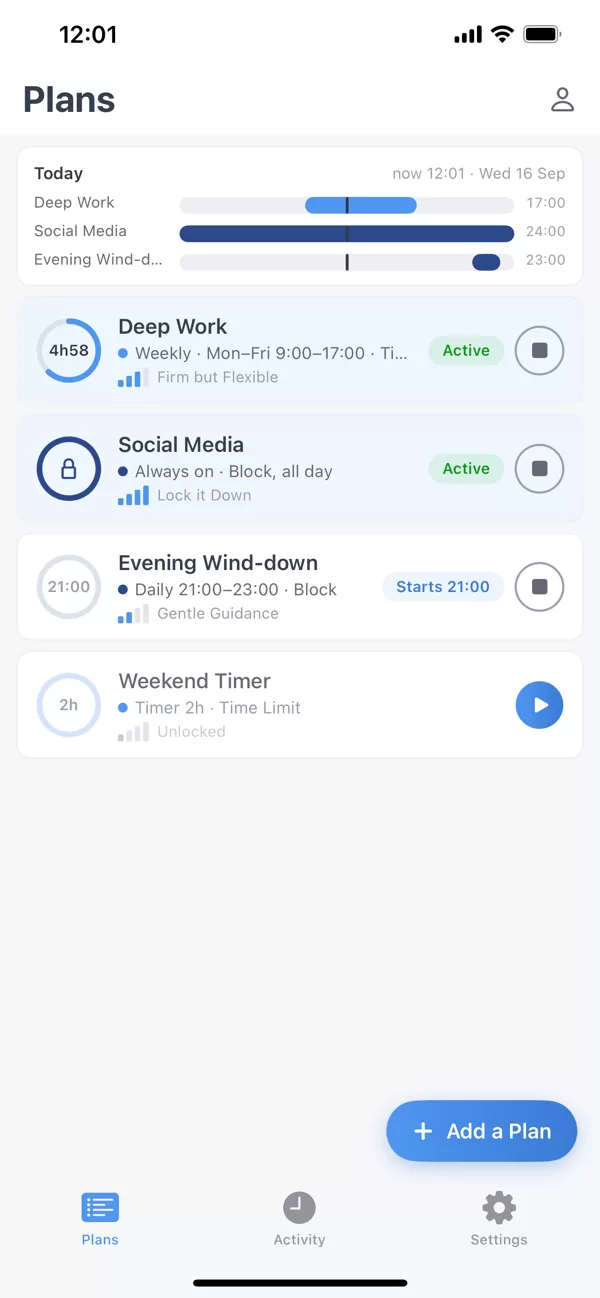
FocusMe on iPhone: the Plans screen.
1

要屏蔽什么

Apps and whole categories

Pick apps one by one, or a whole category such as Social or Games in one tap. Open a blocked app and you see FocusMe’s shield with the name of the plan that is running, not a bare system message.

Websites

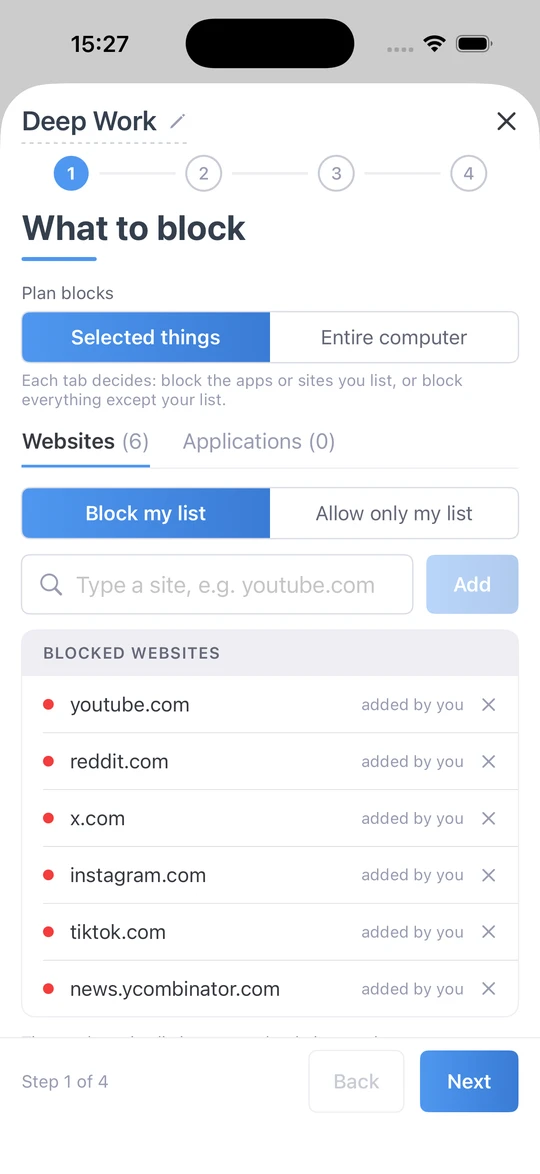
Type the sites you want gone and they are blocked in Safari and the other browsers on the phone. Everything on the list stays blocked while the plan runs, enforced by Screen Time rather than by FocusMe staying open, so closing the app changes nothing.

You set a schedule once and the plan starts and stops on time whether you remember or not. The Today bar at the top of Plans shows what is running now and what starts next, so the evening holds no surprises.

What to block on iPhone: a plan blocking youtube.com, reddit.com, x.com, instagram.com, tiktok.com and news.ycombinator.com.
2

当它运行时

自动运行的日程安排和时间限制

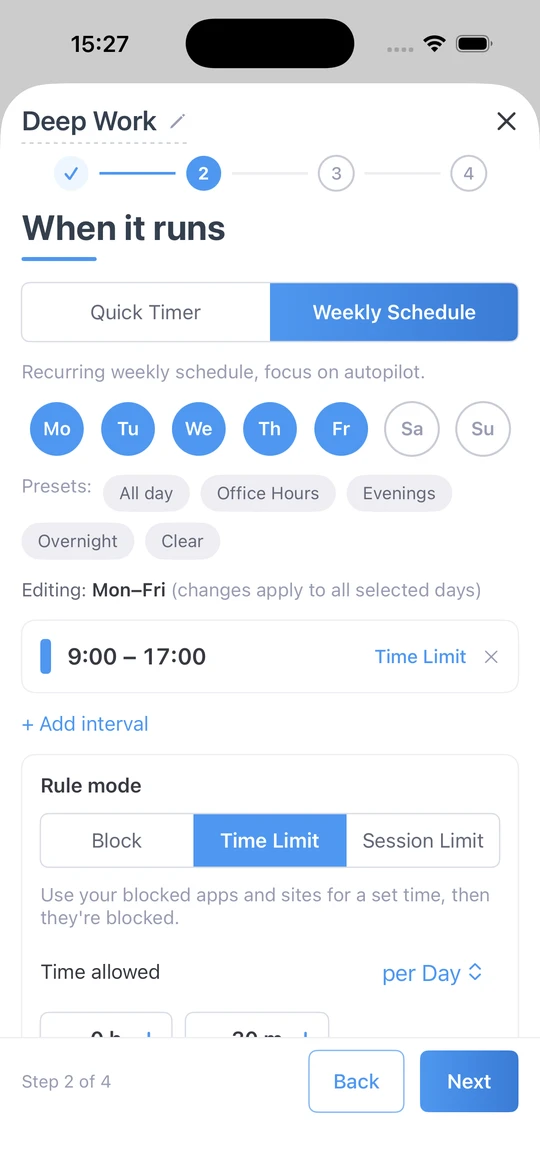
A Quick Timer for the next hour. A weekly schedule, overnight included: Deep Work from 9 to 5 on weekdays, an Evening Wind-down from 9pm. Or a budget instead of a ban: use your blocked apps for a set time each day or hour, or a few short sessions with breaks between, and then they are blocked until the next period.

When it runs on iPhone: a weekly schedule, Monday to Friday, 9:00 to 17:00, with a daily time limit.
3

有多严格

From a nudge to Lock it Down

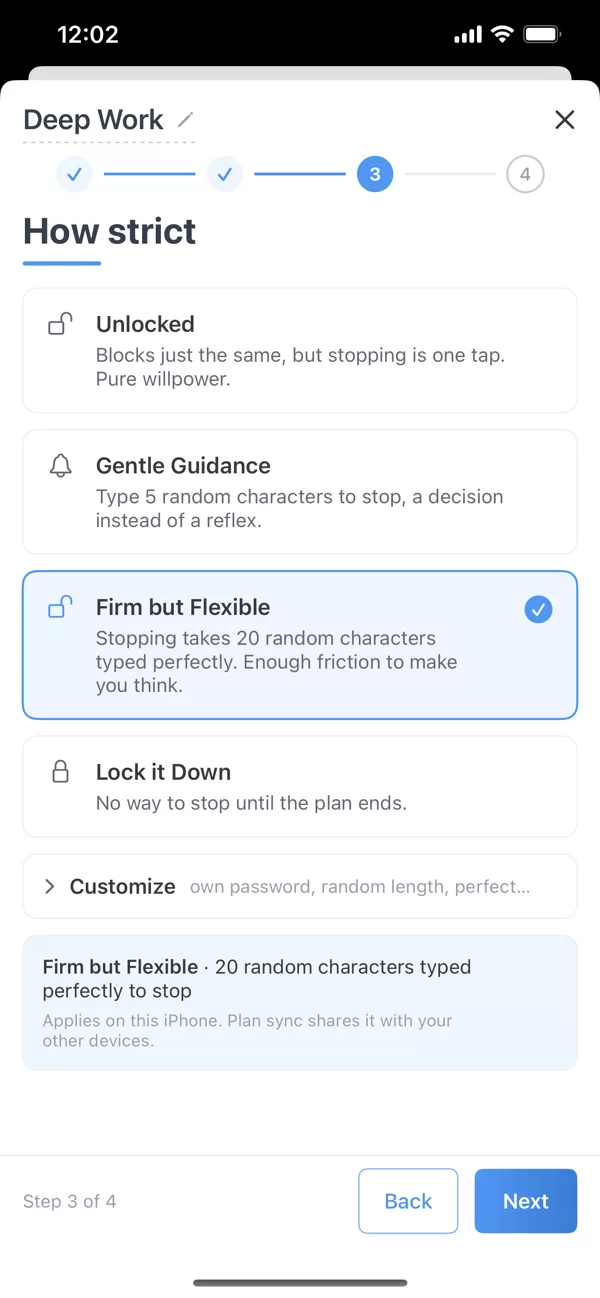
Four levels. Unlocked blocks just the same, but stopping is one tap. Gentle Guidance asks you to type five random characters before a plan stops: a decision, not a reflex. Firm but Flexible asks for 20 characters typed perfectly. Lock it Down gives you no way to stop until the plan ends. Plan sync shares the setting with your other devices.

How strict on iPhone: the strictness levels.

Built for iPhone

Built on Screen Time

Apple’s own framework enforces your plans. Swipe FocusMe away and the blocking carries on.

Your data stays on your iPhone

Apple keeps Screen Time usage on the device. FocusMe shows it to you; it never leaves your phone.

品牌屏蔽屏

The FocusMe shield and the plan’s name, every time.

Categories in one tap

Block Social, Games or Entertainment as a whole, then add exceptions.

可离线使用

Blocking does not need a connection.

Plans that sync

With Premium, the plan you set on your Mac or PC runs on your iPhone too.

看看时间都去哪儿了

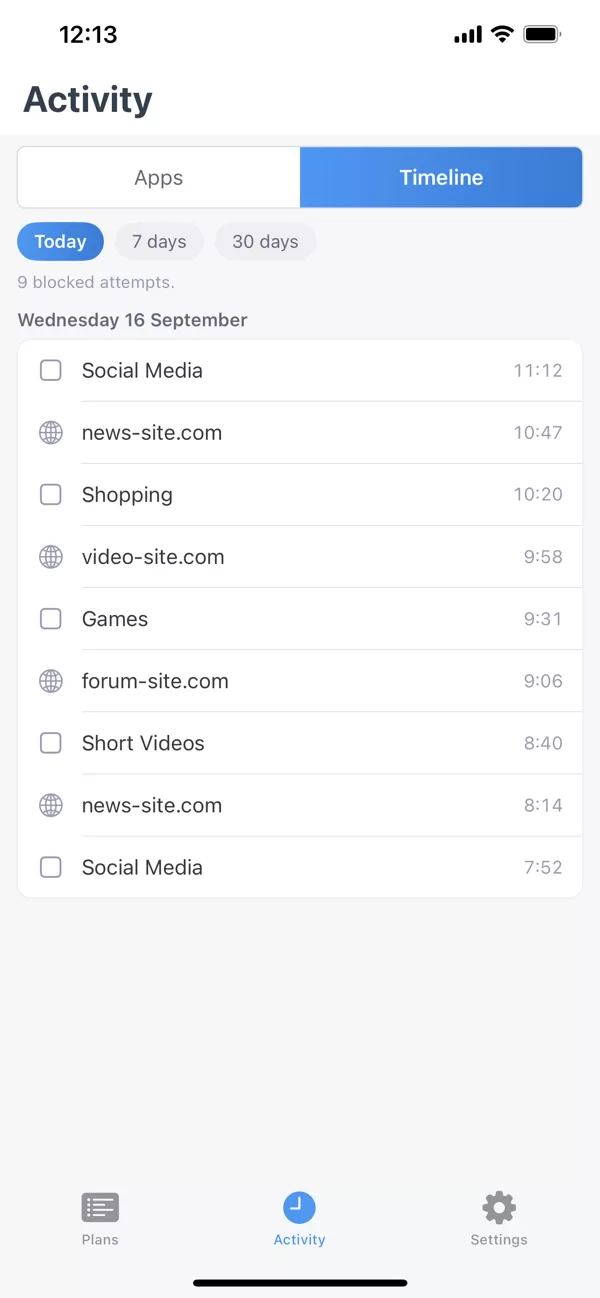
The Activity tab shows your app usage and the apps FocusMe blocked, so you can see the habit before you change it.

Activity on iPhone: app usage and blocked apps.

One account, your iPhone and your computer

Sign in with the same account to sync your plans and activity between your iPhone and your Windows or Mac computer, with FocusMe Premium. Premium is included with every desktop licence, for up to 2 mobile devices. No computer? Subscribe to Premium in the app. Blocking, schedules and time limits need no account.

  • 视窗
  • 苹果
  • Linux
  • 安卓
  • iPhone

要求和下载

iOS
16 or later, on iPhone.
Get it
App Store. Free to download.
Permission
Screen Time access, asked once when you create your first plan.
Premium
Plan sync with your computer. Included with every desktop licence (2 mobile devices), or subscribe in the app.

常见问题解答

Does FocusMe for iPhone work without a computer?

Yes. Blocking, schedules, time limits and strictness levels all work on the phone alone, with no account. A computer or Premium adds sync.

Why does it ask for Screen Time permission?

Because iOS Screen Time is what enforces the plan. That is why blocking keeps working when FocusMe is closed, and why your usage data stays on the phone.

Is there a limit on how many apps and websites I can block?

iOS allows 50 apps and websites in active blocks at a time, shared across the plans that are running. Categories count as one each, so blocking Social covers every social app in one slot. FocusMe tells you if a list goes over.

我可以限制时间而不是屏蔽时间吗?

Yes. Use your blocked apps for a set time each day or hour, or a few short sessions with breaks between; then they are blocked until the next period.

如果我试图提前终止计划会发生什么?

It depends on the strictness you chose. Unlocked stops in one tap. Gentle Guidance and Firm but Flexible ask for a typing challenge. Lock it Down has no way to stop until the plan ends.

Is FocusMe free on iPhone?

Free to download, and blocking, schedules and time limits need no account or payment. Premium adds sync with your computer; it is included with a desktop licence or available in the app.

准备好掌控你的iPhone了吗?

在 App Store 下载
  • 免费下载
  • 无需注册
  • iOS 16 或更高版本