

Table of Contents
Most people don’t actually struggle with working itself. The harder part is getting started and holding their attention in place. This is where Digital Minimalism becomes important, helping people reduce distractions and create a calmer, more focused work environment.
You sit down to do something important, but your space is already pulling you in different directions. The laptop is open, the phone and multiple tabs are sitting there waiting for attention.
Notifications keep flashing in, even before you properly start. So your mind doesn’t feel like it is starting fresh work; it already feels scattered.
And it is not always the workload that creates pressure. More often, it is the way everything around you is designed to demand attention at the same time.
Too many apps, too many open tabs, too many small interruptions. Even when you are not interacting with them, your brain is still registering them in the background.
Digital minimalism means keeping only what you truly need and removing everything else that distracts you. Let’s break it down in a simple way.
What Is Digital Minimalism?
Digital minimalism is not about deleting everything or avoiding technology.
It simply means:
- Using fewer applications
- Maintaining a clean working environment
- Minimizing distractions
- Concentrating only on what is essential
Think of it like cleaning your room. If your desk is messy, it is harder to concentrate. But when everything is neat and organized, you feel calmer and more focused. Your digital space works the same way.
Why Your Work Environment Feels Overwhelming
Most people work in a cluttered digital space without realizing it.
You might have:
- 15+ tabs open
- Constant notifications
- Multiple apps running
- Emails popping up
- Messages coming in
- Social media one click away
Even if you ignore them, your brain doesn’t.
This creates:
- Mental clutter
- Slow thinking
- Frequent distractions
- Low productivity
It becomes harder to stay focused because your attention is pulled in too many directions.

What a Simple Digital Workspace Looks Like
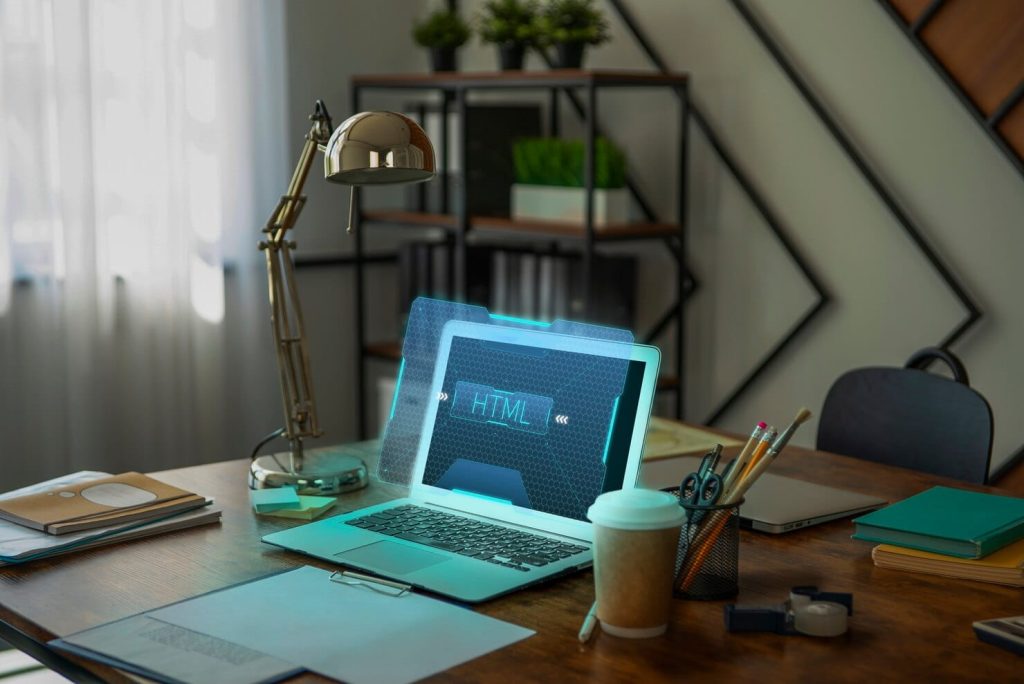
A minimalist digital setup feels calm and easy to work with.
Here’s what it looks like:
- Only 1- 3 tabs open
- Only the apps you need
- No unnecessary notifications
- A clean desktop
- Clear task in front of you
When the screen isn’t crowded, your mind feels lighter.
You’re not constantly deciding what to click next or what to check first. You just get into the work.
Steps Simplify Your Work Environment
1. Clean Your Desktop and Files
Start with the basics. Look at your desktop. Is it full of random files, screenshots and folders?
Clean it.
- Delete what you don’t need
- Move files into folders
- Keep only essential items visible
This small step makes a big difference. A clean screen reduces visual stress and helps you focus faster.
2. Close Unnecessary Tabs
Too many tabs = too many distractions.
Each open tab is a reminder of something else you could be doing.
Instead:
- Keep only the tabs you need right now
- Bookmark the rest
- Close everything else
This helps your brain stay on one task instead of jumping between ideas.
3. Turn Off Unnecessary Notifications
Notifications are one of the biggest focus killers.
Every ping breaks your attention.
Start by turning off:
- Social media alerts
- Unnecessary app notifications
- Promotional emails
- Keep only important alerts.
When your screen is quiet, your mind becomes quieter too.
4. Limit the Apps You Use
You don’t need 10 tools for one task.
Too many apps create confusion and slow you down.
Try this:
- Use one note-taking app
- One communication tool
- One task manager
The fewer tools you use, the easier your workflow becomes.
5. Create Focus Time Blocks
Even with a clean setup, distractions can still sneak in.
That’s why it helps to create focused work periods.
For example:
- 9 AM – 11 AM: Work only
- No social media
- No random browsing
- Only essential tools open
During this time, your only job is to focus.
Instead of trying to avoid distractions manually, FocusMe lets you block distracting apps and websites during your work hours.
6. Keep Work and Leisure Separate
One big mistake people make is mixing work and entertainment in the same space.
You work in the same browser where you watch videos. You study on the same device where you scroll social media.
This makes it harder for your brain to switch modes.
Instead:
- Use different browsers or profiles
- Create “Work Mode” and “Leisure Mode” browser profiles
- Block work apps after work hours
With FocusMe, you can automate this switch. Your work apps can stay active during office hours, while distractions stay blocked. Later, your leisure apps become available again.
This helps your brain clearly understand when it’s time to focus and when it’s time to relax.
7. Keep Your Task List Simple
A long to-do list can feel overwhelming.
Instead of writing everything, focus on:
- 2–3 important tasks per day
This keeps your day simple and manageable.
When your goals are clear, your mind doesn’t feel scattered.
What Happens When You Simplify Your Digital Space
When you apply digital minimalism, you’ll start noticing changes:
- You feel less overwhelmed
- You start tasks faster
- You stay focused longer
- Your work feels easier
- Your mind feels calmer
You’re not doing more work. You’re just removing what was getting in the way.

A Simple Example of Digital Minimalism in Action
Let’s say you start your day like this:
Before:
- 20 tabs open
- Notifications popping up
- Social media in the background
- Switching tasks every few minutes
After:
- Only 2 tabs open
- Notifications off
- Distractions blocked
- One clear task
Final Thoughts
You don’t need more tools, more apps, or more hacks to be productive. You need less.
Digital minimalism is about removing the noise so you can focus on what actually matters.
And when you combine this approach with tools like FocusMe, it becomes much easier to maintain. Instead of constantly managing distractions, you create a system where distractions are already under control.
With a simpler digital environment, focus becomes easier. Work feels lighter. And your day becomes more manageable.
You don’t have to control everything. Just control what’s in front of you.
FAQs (Frequently Asked Questions)
Too many tabs, apps and notifications overload your brain. Even if you ignore them, they still take your attention, making it harder to focus and complete tasks efficiently.
You don’t need to remove everything. The goal is to keep what is useful and limit what causes distraction, especially during work or study time.
Start small. Clean your desktop, close extra tabs and turn off unnecessary notifications. These simple steps can make a big difference.
Try to keep only 1–3 tabs open at a time. This helps your brain stay focused on one task instead of switching between multiple things.
A clean and simple digital space reduces mental clutter, which helps you feel calmer and more in control of your work.
FocusMe helps by blocking distracting apps and websites during your work hours. This keeps your digital environment clean and focused without relying on willpower.
Yes, it helps a lot. Using different modes or profiles for work and leisure makes it easier for your brain to switch between focus and relaxation.
A quick cleanup once a week is usually enough. Regularly organizing files and closing unused tabs helps maintain a simple and distraction free setup.
When you reduce distractions consistently, your brain gets used to working in a cleaner environment, making it easier to stay focused for longer periods.
That’s normal in the beginning. Start with small focus sessions and gradually increase your time. Using tools like FocusMe can also help by blocking distractions and keeping your environment under control.