
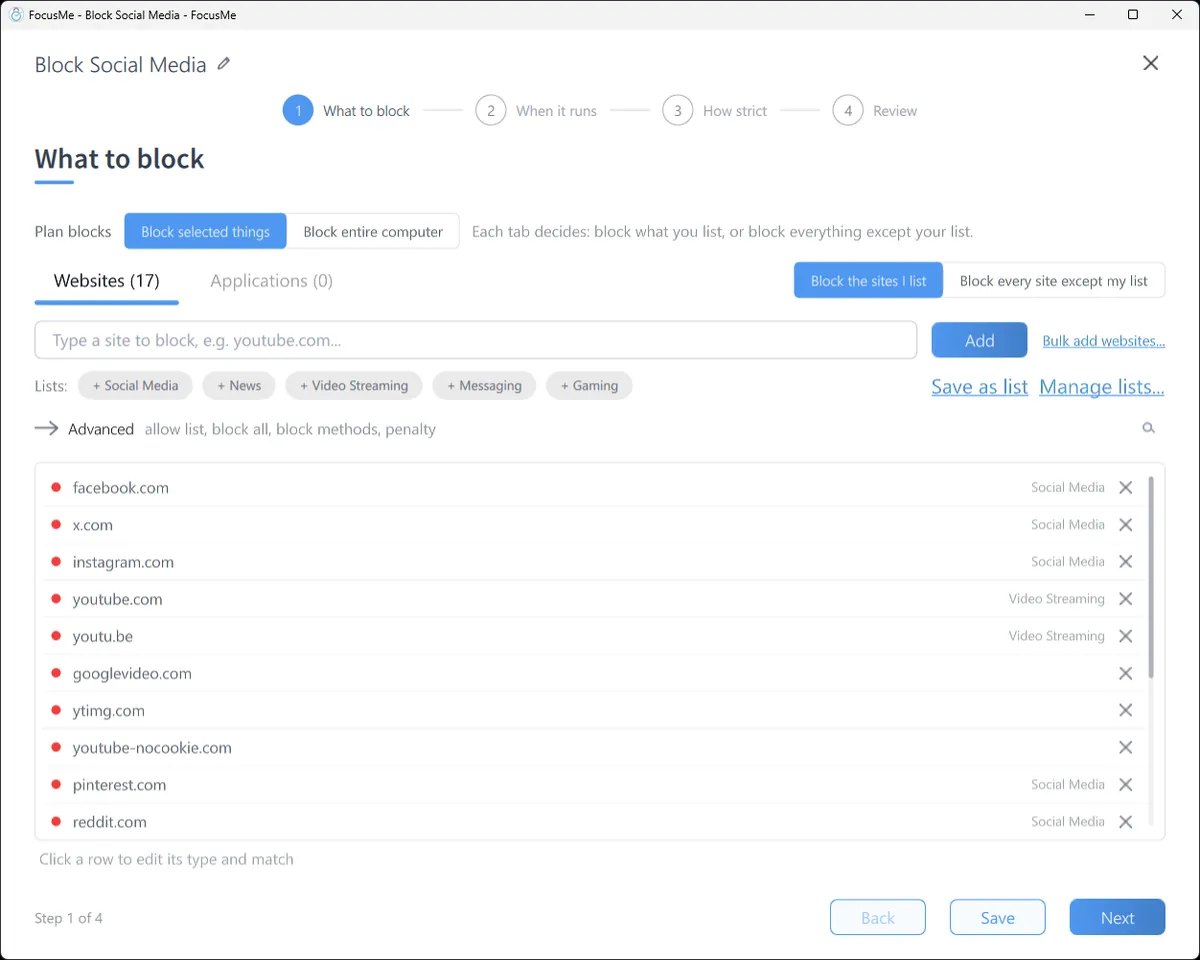
何をブロックするか
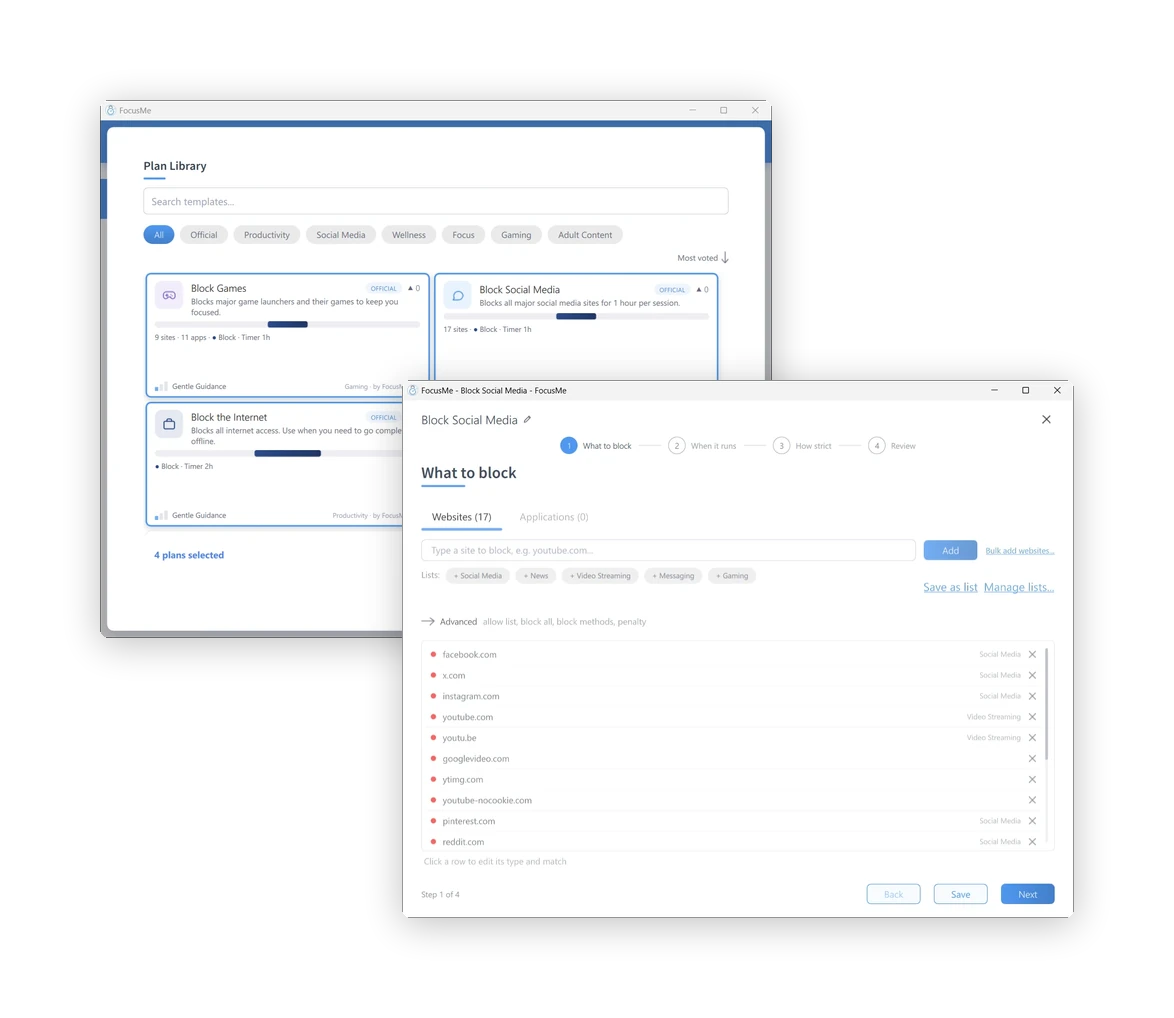
サイト名を入力するか、既成のリスト(ソーシャルメディア、ニュース、動画配信、メッセージング、ゲーム)をクリックするか、許可するサイト以外をすべてブロックします。アプリやゲームについては、「アプリケーション」タブに切り替えて、インストールされているものから選択するか、名前を入力します。例えば、youtube.com/shorts のようなパスを入力すると、サイトの一部がブロックされ、残りの部分は開いたままになります。.

境界線を設定し、集中力を維持し、継続的に
あなたの目標に合わせて設計されたシステムで改善しましょう。.
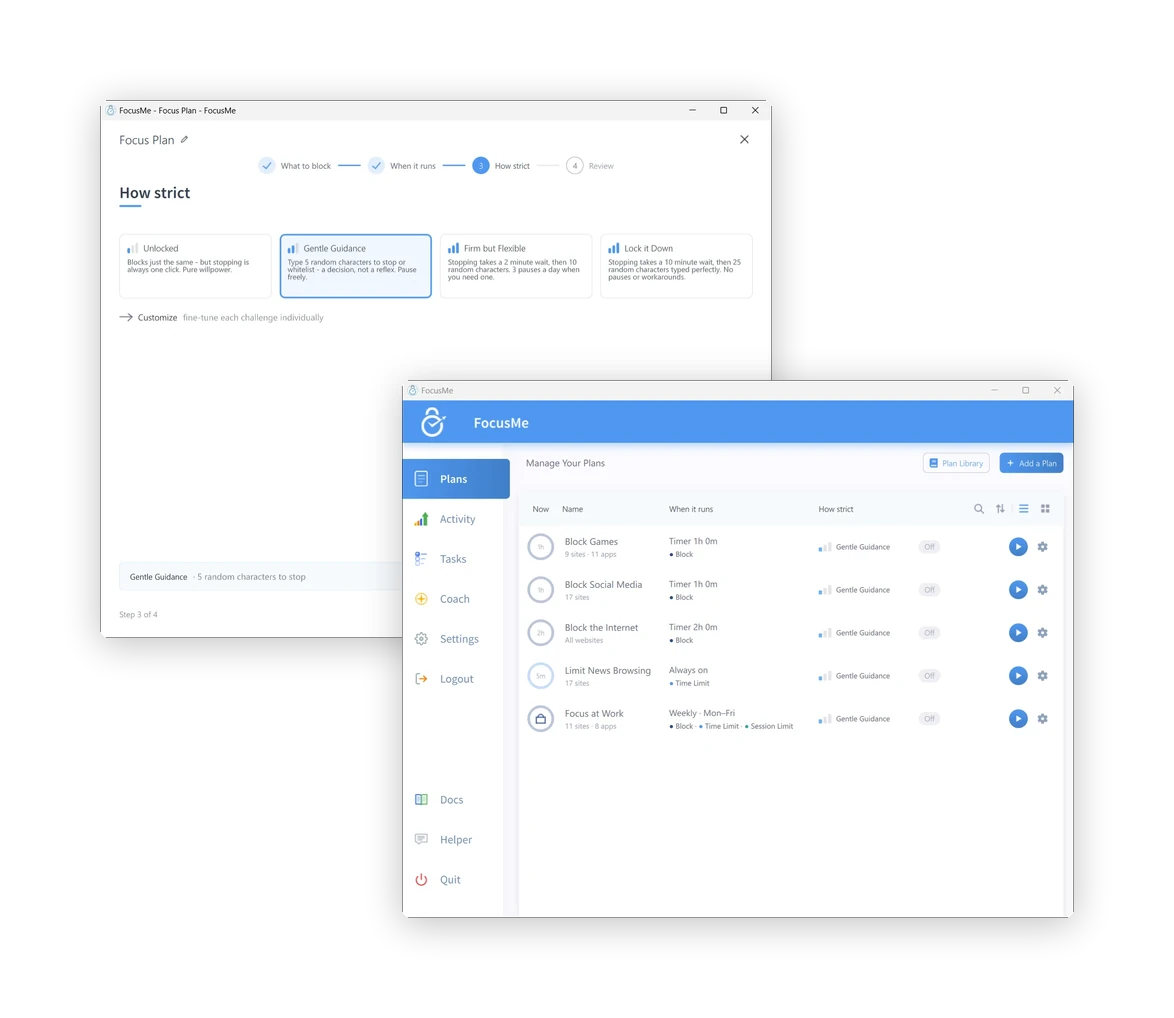
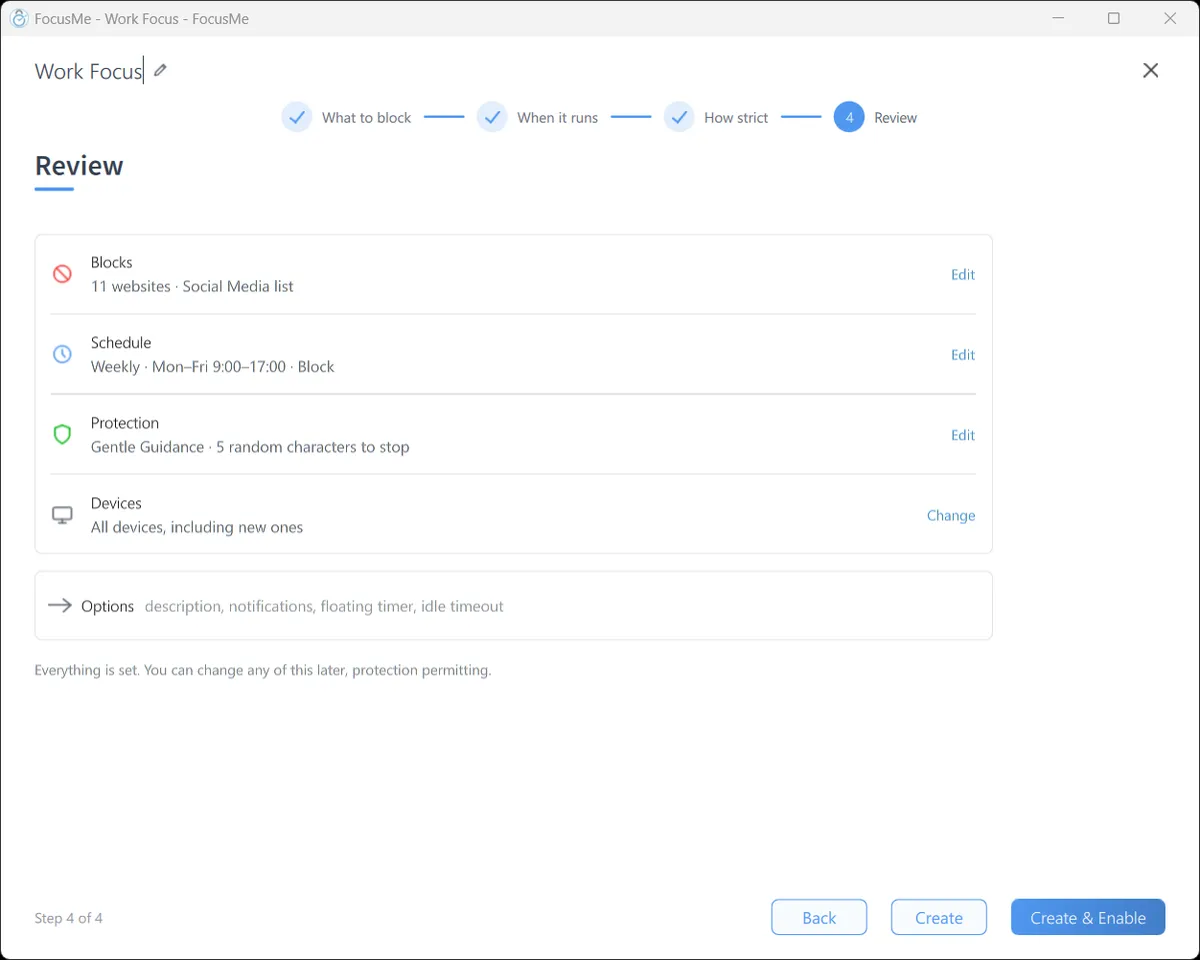
FocusMeのプランはすべて同じ方法で作成されます。ブロックする内容、時間、そして厳格さを指定するだけです。ウィザードが4つのステップで手順を案内し、初回起動時のクイックセットアップでは2つの質問に基づいて最初のプランが作成されます。プランライブラリには、ソーシャルメディア、ゲーム、ニュース、学習、睡眠など、あらかじめ用意されたプランが用意されているので、それらから始めることもできます。.
サイト名を入力するか、既成のリスト(ソーシャルメディア、ニュース、動画配信、メッセージング、ゲーム)をクリックするか、許可するサイト以外をすべてブロックします。アプリやゲームについては、「アプリケーション」タブに切り替えて、インストールされているものから選択するか、名前を入力します。例えば、youtube.com/shorts のようなパスを入力すると、サイトの一部がブロックされ、残りの部分は開いたままになります。.
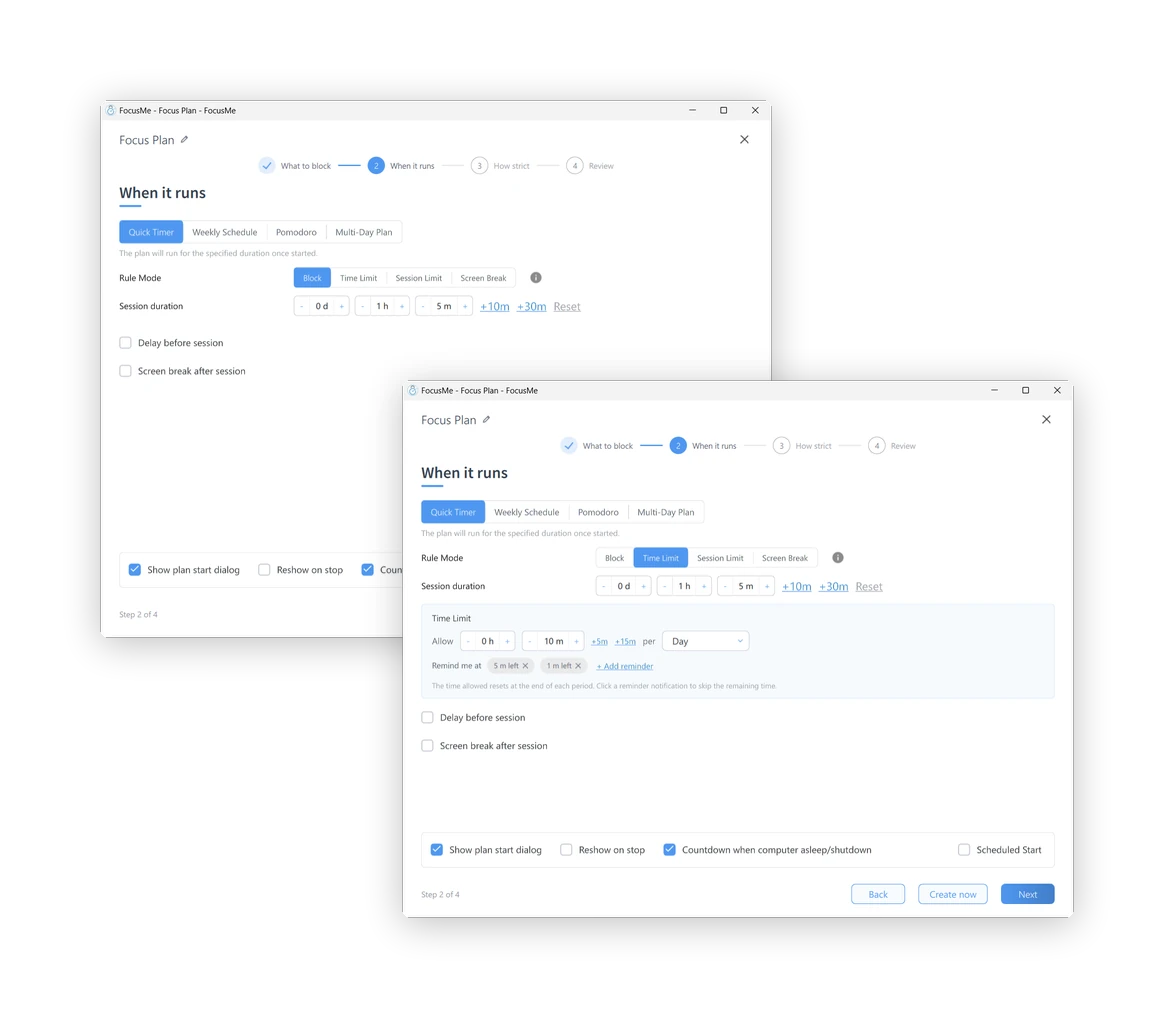
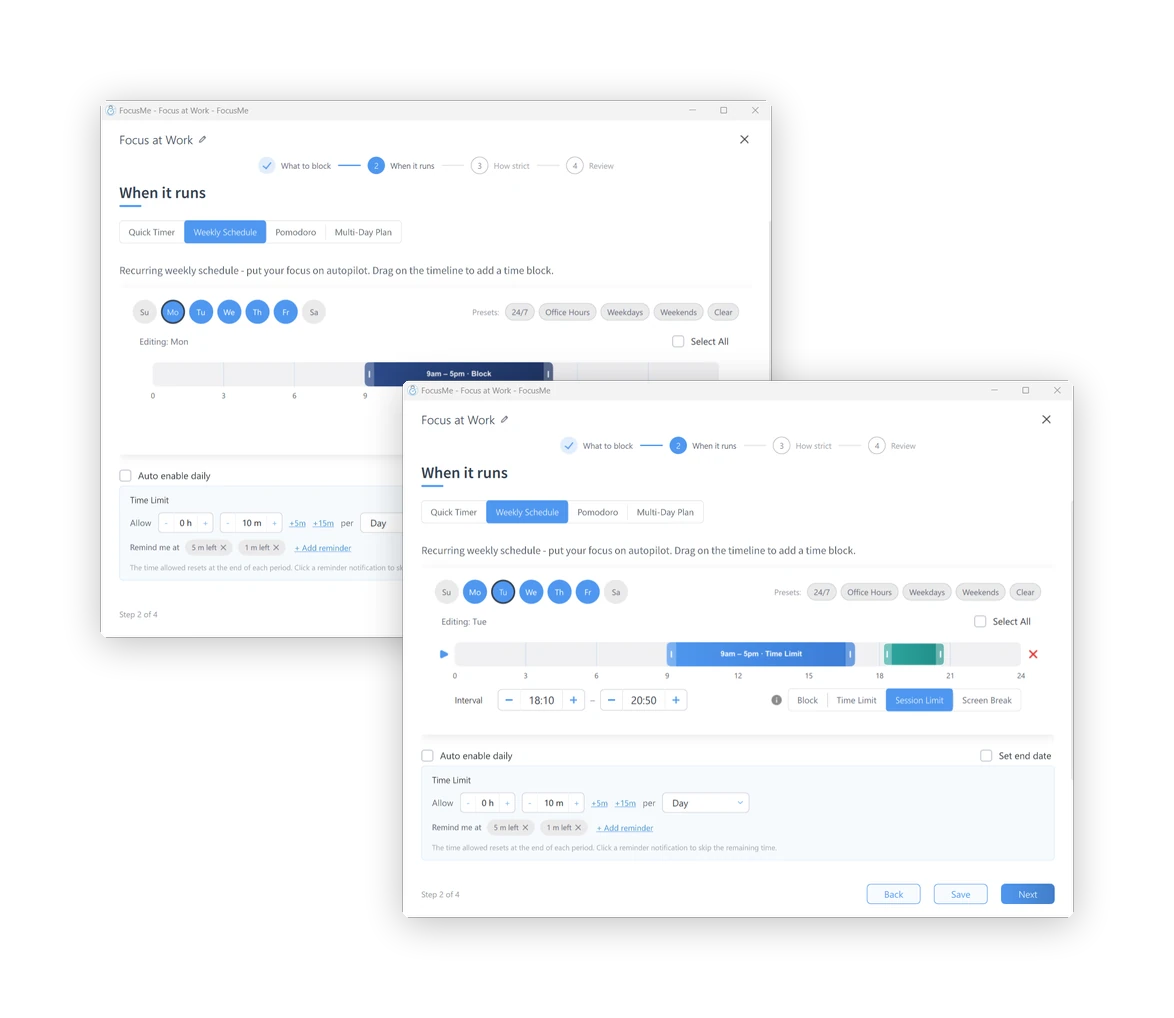
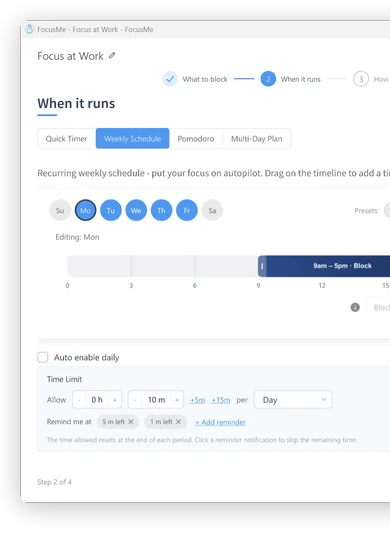
次の1時間のためのクイックタイマー。平日は午前9時から午後5時まで、または毎晩午後11時から午前7時まで自動的に実行される週間スケジュール。ポモドーロサイクル。試験週間のための複数日プラン。各インターバルは完全にブロック化することも、時間予算を設定することも、短いセッションをいくつか設けることも、画面休憩を強制することもできます。.
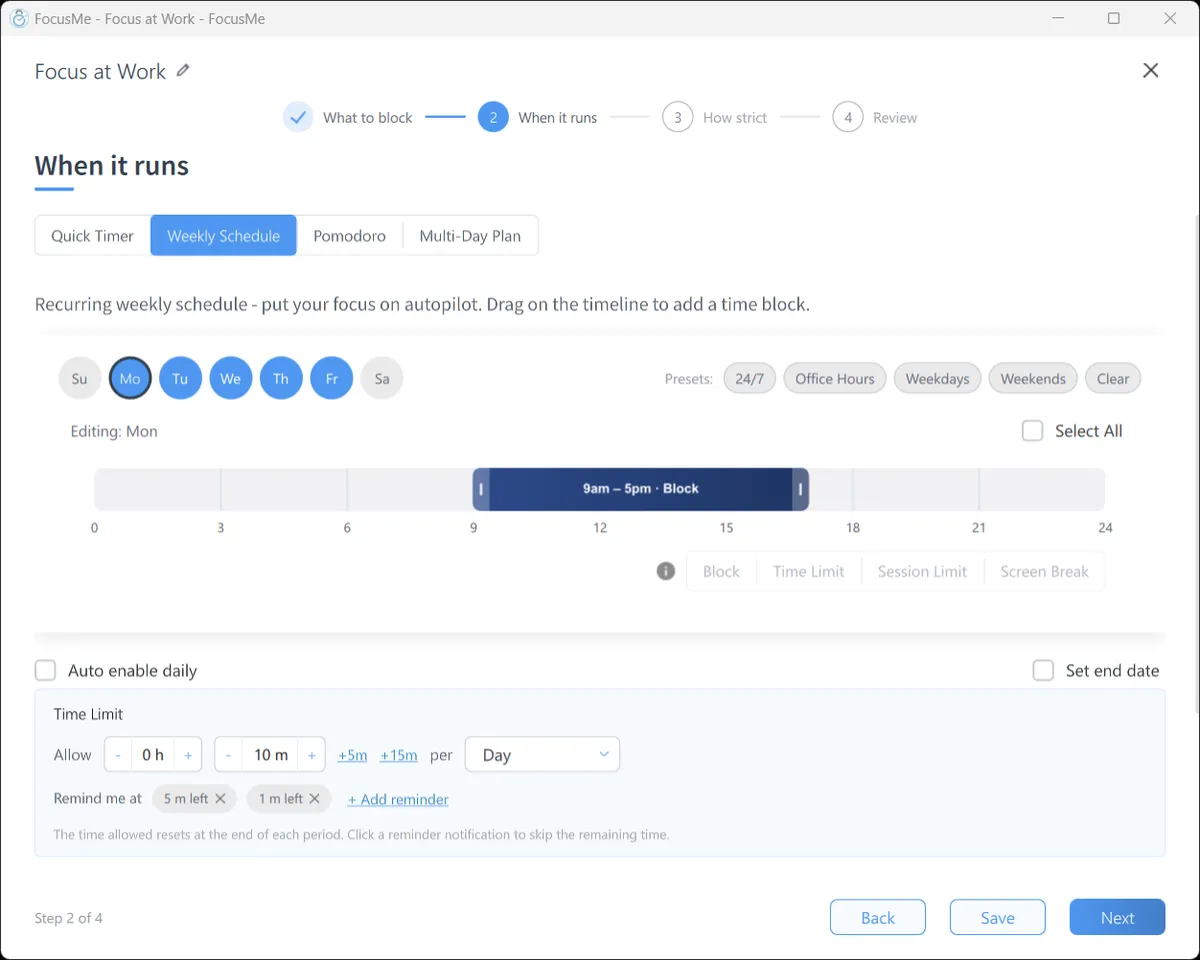
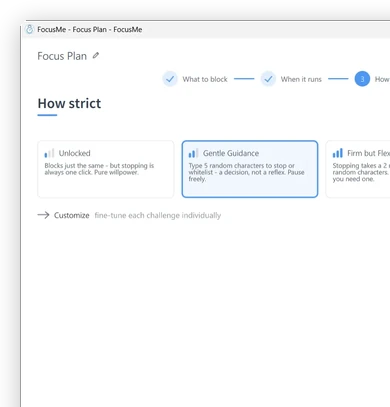
ロック解除されたブロックも同様ですが、停止はワンクリックです。「穏やかなガイダンス」では、ランダムな文字を5つ入力する必要があります。これは反射的な行動ではなく、決断です。「厳格だが柔軟」では、1日に1回の待機と3回の一時停止が追加されます。「完全にロック」では、25文字を完璧に入力した後、待機し、一時停止はできません。「カスタマイズ」の下にある「強制モード」では、プランが最後まで実行され、より厳しく設定することしかできません。.

プランがブロックする内容、実行日時、停止方法などが1ページに表示されます。「作成して有効化」をクリックすると、プランが開始されます。ブロックされたサイトは、どのブラウザでもFocusMeのブロックページが表示されます。ブロックされたアプリは、開いた瞬間に閉じられ、どのプランがブロックしたかを示すメッセージが表示されます。.
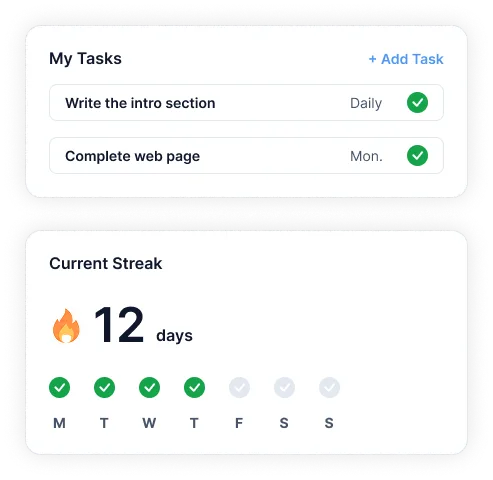
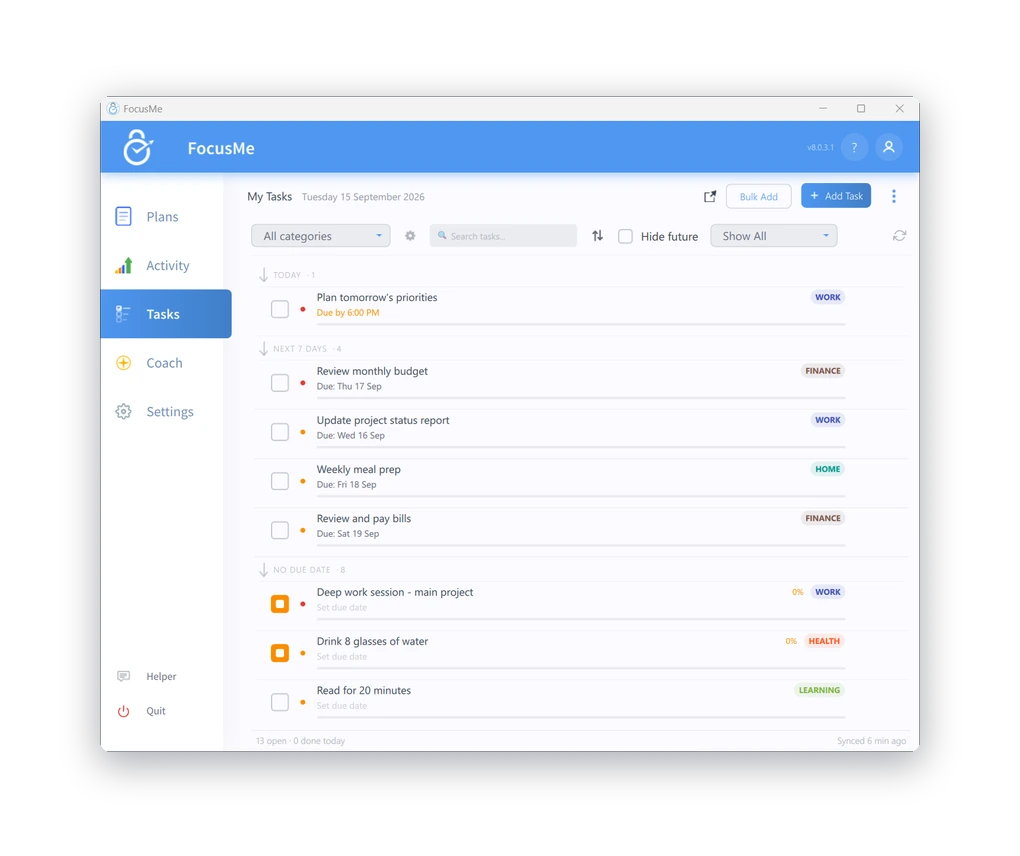
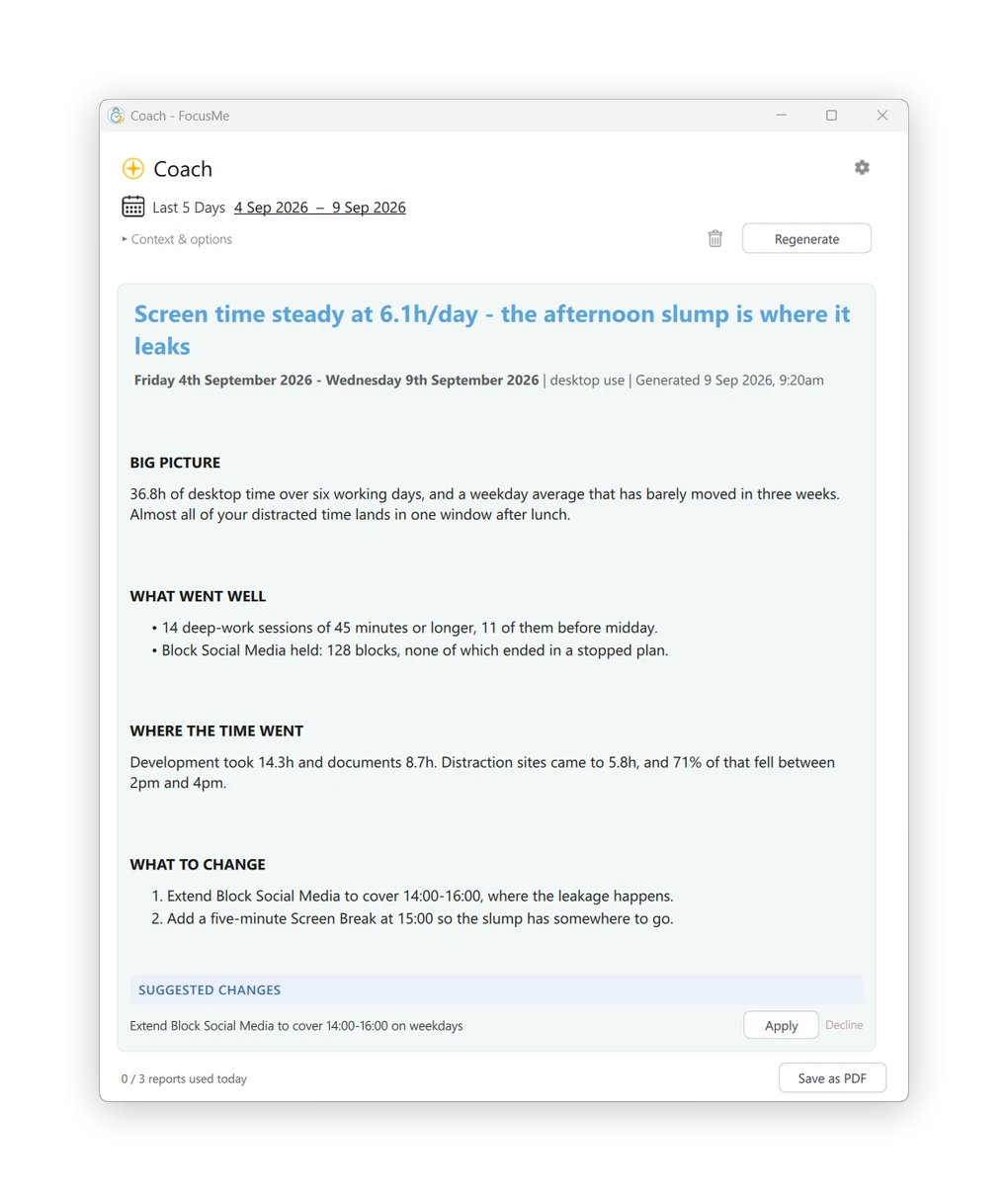
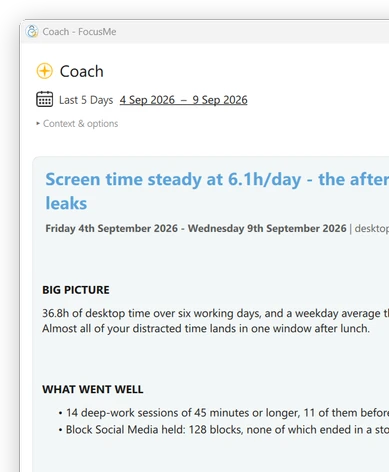
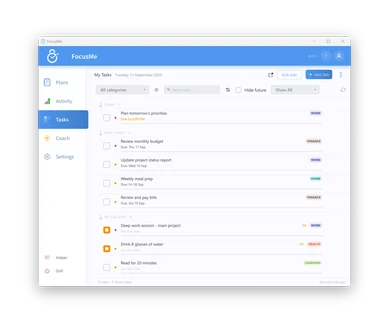
活動 アプリやサイトごとのアクティブ時間、ブロックされた妨害要素、そして今日または過去7日間の時間を一覧表示します。. タスク 計画の横にやることリストを置いておく。 AIコーチ あなたの1週間を読み取って、計画に具体的な変更を提案し、ワンクリックで適用できます。.

ウェブサイト、アプリ、キーワード、またはカテゴリをブロックする
15種類以上のブラウザに対応。.
より厳格な制御が必要ですか?ホワイトリストモードを使用してください。
必要なものだけを許可する。.
ニーズに合わせて様々なプランをご用意。すべてはあなた次第です。.
完全にブロックする
気を散らすもの。.
毎日設定
または時間単位の予算。.
打ち上げを制限し、
休憩を強制する。.
離れて
充電する。.
強力な保護オプションを活用して、設定した境界線をしっかりと守りましょう。.
計画はそのままに
安全な。.
ランダムに回答
変更を加えるための質問。.
より厳格な保護
深い焦点。.
誰かを招待して
責任を負う。.
計画はそのままに
安全な。.
ランダムに回答
変更を加えるための質問。.
より厳格な保護
深い焦点。.
誰かを招待して
責任を負う。.
自分に合ったルーティンを作りましょう。.
スケジュール、サイクル、
あなたのライフスタイルに合ったプログラム。.
プランライブラリを閲覧して開始します
実績のあるシステム構成で。.
タスクを管理し、連続記録を築き、定期的なルーティンを作成する
FocusMeの内部。.
集中力を維持し、進捗状況を1か所で管理しましょう。.
AIコーチがあなたの進捗状況を分析します
そして明確な洞察を与え、
成長を促す行動。.
プランはすべてのデバイス間で自動的に同期されます。.
複数のプランを同時に実行し、
詳細な洞察に基づいた進歩。.

FocusMeを利用して本当に大切なことに時間を費やす10万人以上の仲間入りをしましょう。.