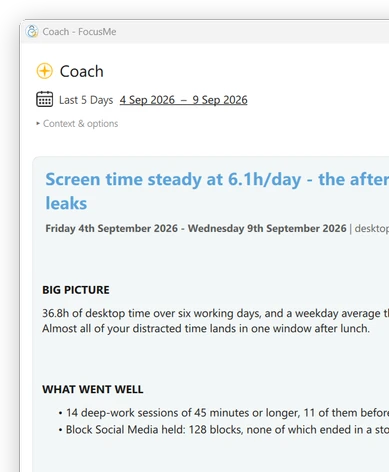

차단할 항목
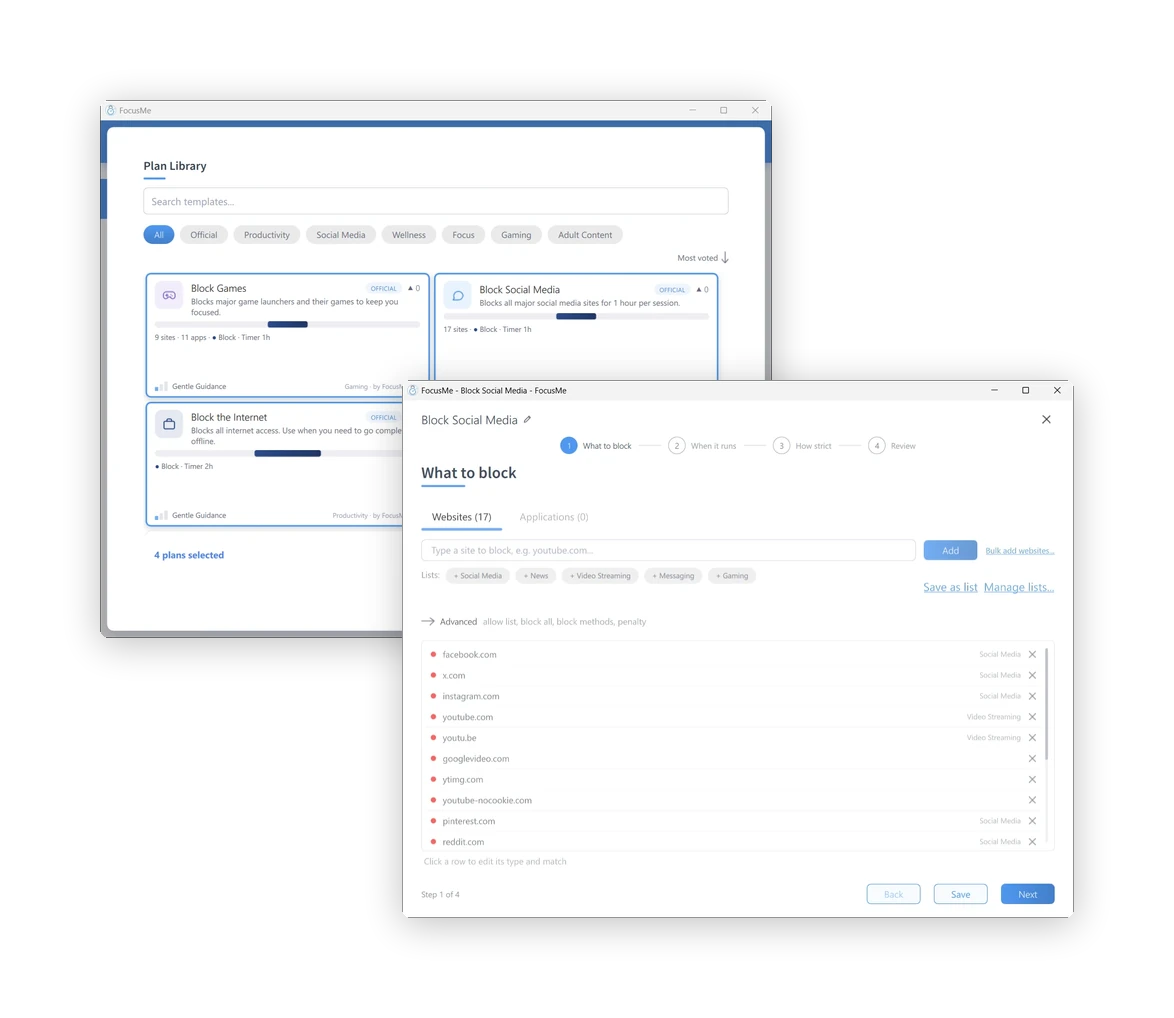
사이트 주소를 입력하거나, 미리 만들어진 목록(소셜 미디어, 뉴스, 비디오 스트리밍, 메시징, 게임)을 클릭하거나, 허용한 사이트를 제외한 모든 사이트를 차단할 수 있습니다. 앱 및 게임의 경우 애플리케이션 탭으로 이동하여 설치된 앱 중에서 선택하거나 이름을 입력하세요. youtube.com/shorts와 같은 경로를 입력하면 사이트의 일부만 차단하고 나머지는 그대로 사용할 수 있습니다.

경계를 설정하고, 집중력을 유지하며, 지속적으로 노력하십시오.
목표에 맞춰 설계된 시스템을 통해 실력을 향상시키세요.
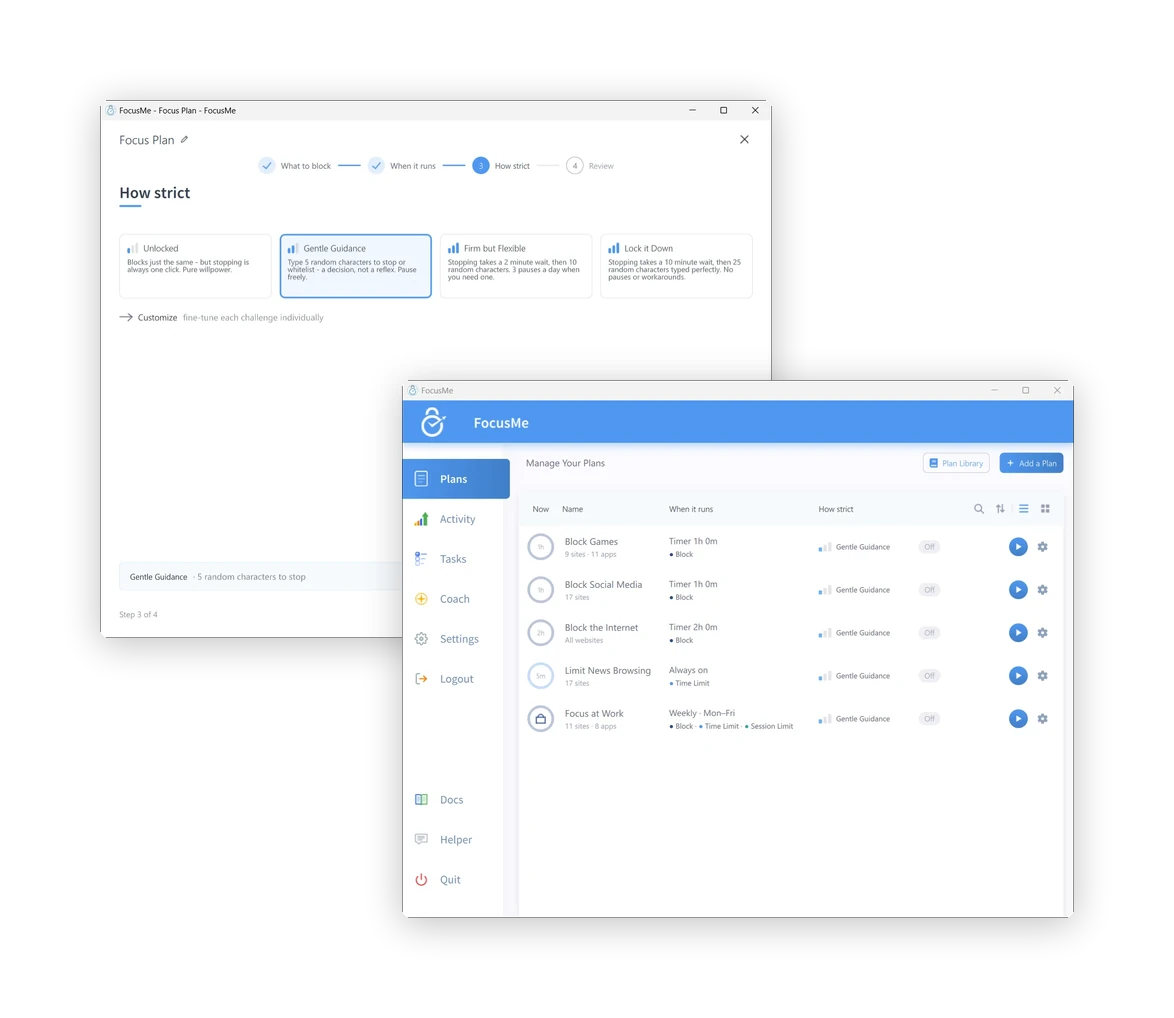
FocusMe의 모든 플랜은 동일한 방식으로 구성됩니다. 차단할 내용, 시간, 그리고 차단 강도를 설정하면 됩니다. 마법사가 4단계로 플랜 설정을 안내하며, 처음 실행 시 빠른 설정 기능을 사용하면 두 가지 질문만으로 첫 번째 플랜을 생성할 수 있습니다. 플랜 라이브러리에는 소셜 미디어, 게임, 뉴스, 학습, 수면 등 다양한 분야에 맞는 미리 만들어진 플랜이 있으므로, 원하는 플랜을 선택하여 시작할 수도 있습니다.
사이트 주소를 입력하거나, 미리 만들어진 목록(소셜 미디어, 뉴스, 비디오 스트리밍, 메시징, 게임)을 클릭하거나, 허용한 사이트를 제외한 모든 사이트를 차단할 수 있습니다. 앱 및 게임의 경우 애플리케이션 탭으로 이동하여 설치된 앱 중에서 선택하거나 이름을 입력하세요. youtube.com/shorts와 같은 경로를 입력하면 사이트의 일부만 차단하고 나머지는 그대로 사용할 수 있습니다.
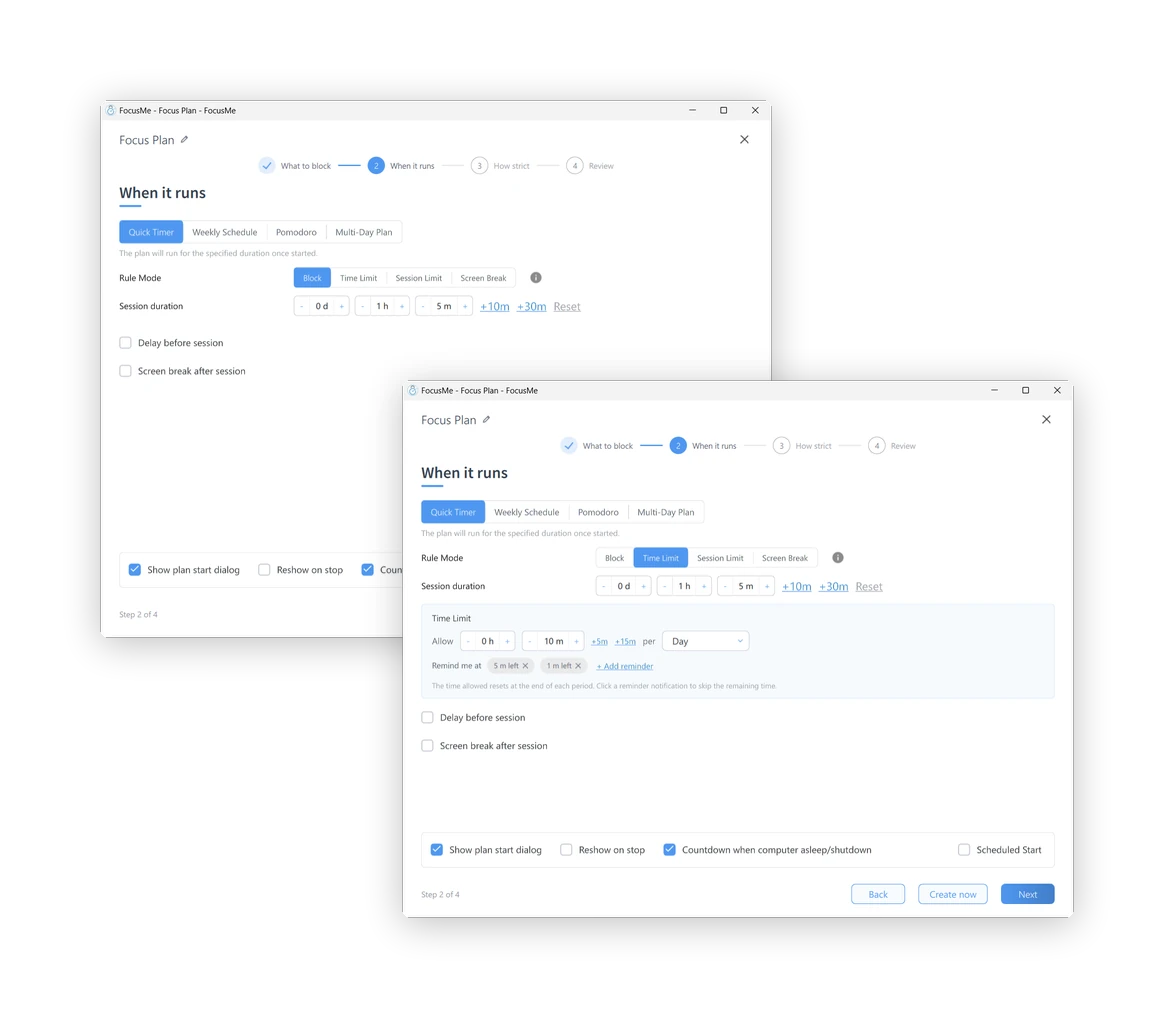
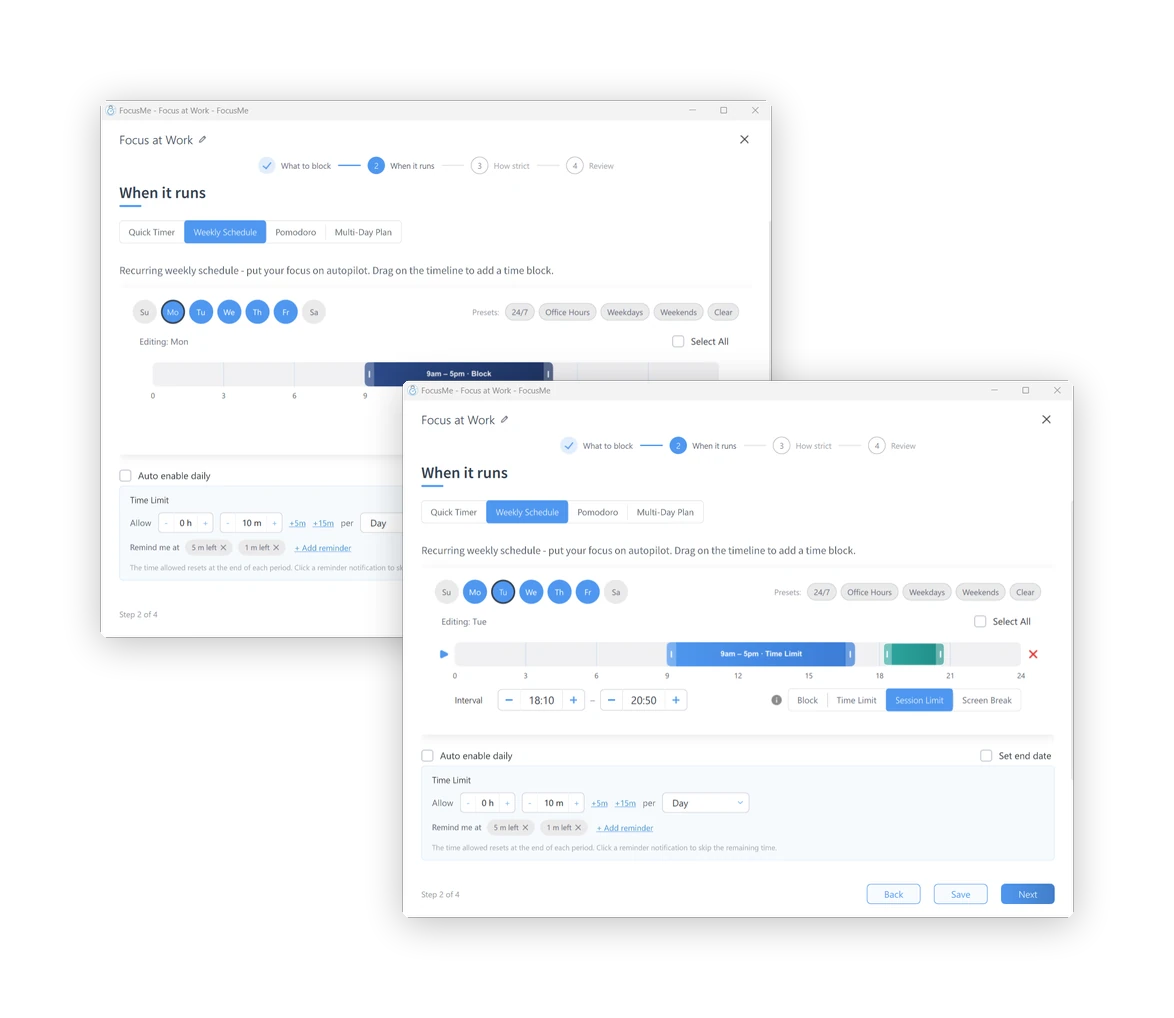
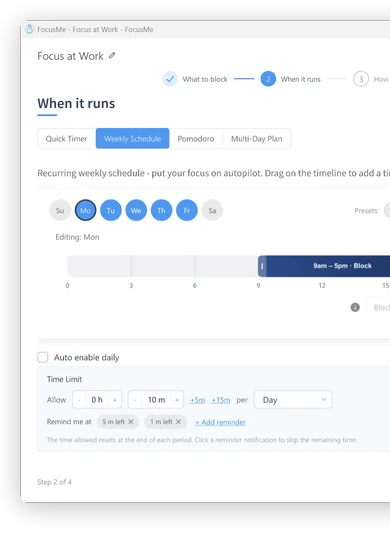
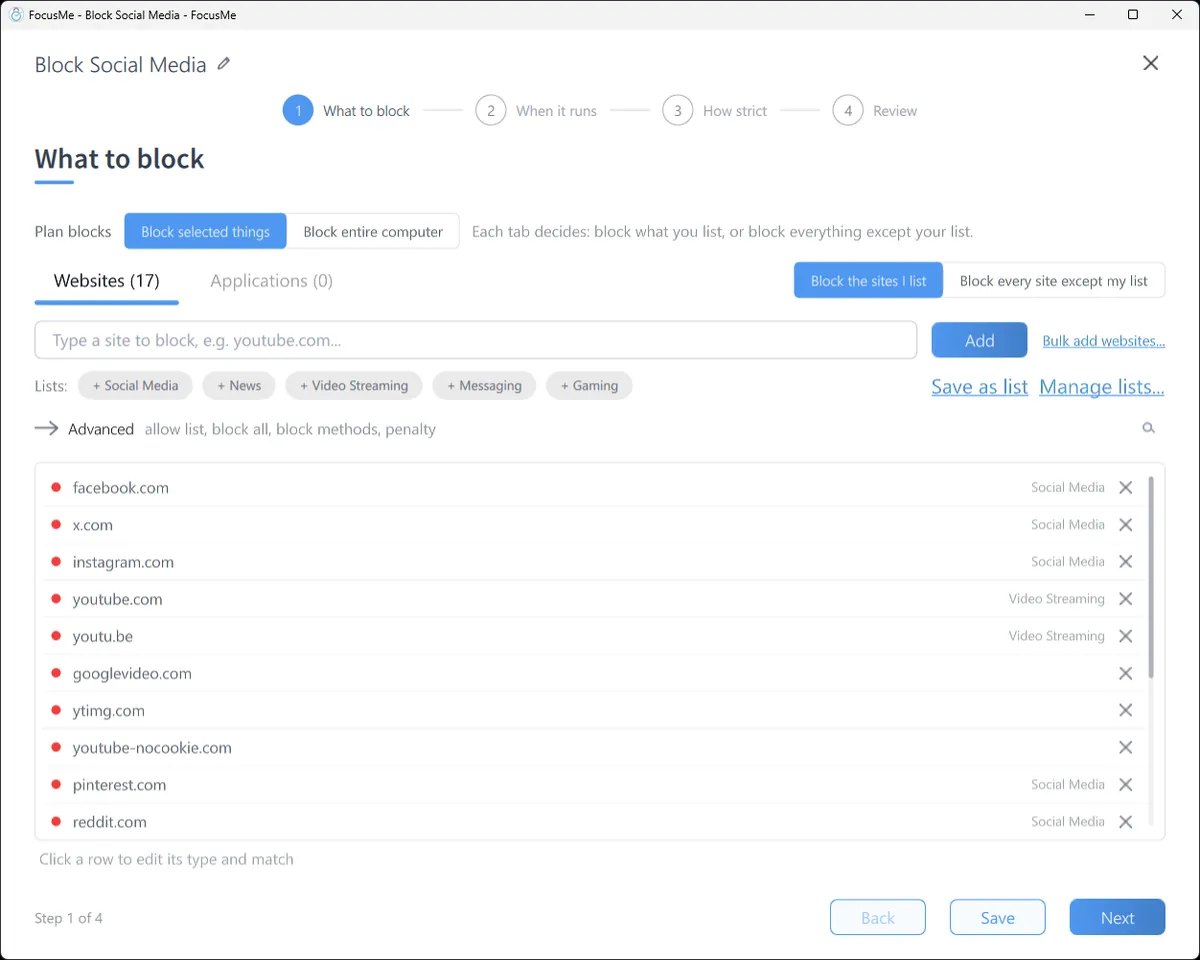
다음 한 시간을 위한 빠른 타이머. 자동으로 실행되는 주간 일정: 평일 오전 9시부터 오후 5시까지, 또는 매일 밤 11시부터 오전 7시까지. 포모도로 사이클. 시험 주간을 위한 여러 날짜 계획. 각 간격은 완전히 차단하거나, 시간 예산을 설정하거나, 짧은 세션을 여러 번 허용하거나, 화면 휴식을 강제할 수 있습니다.
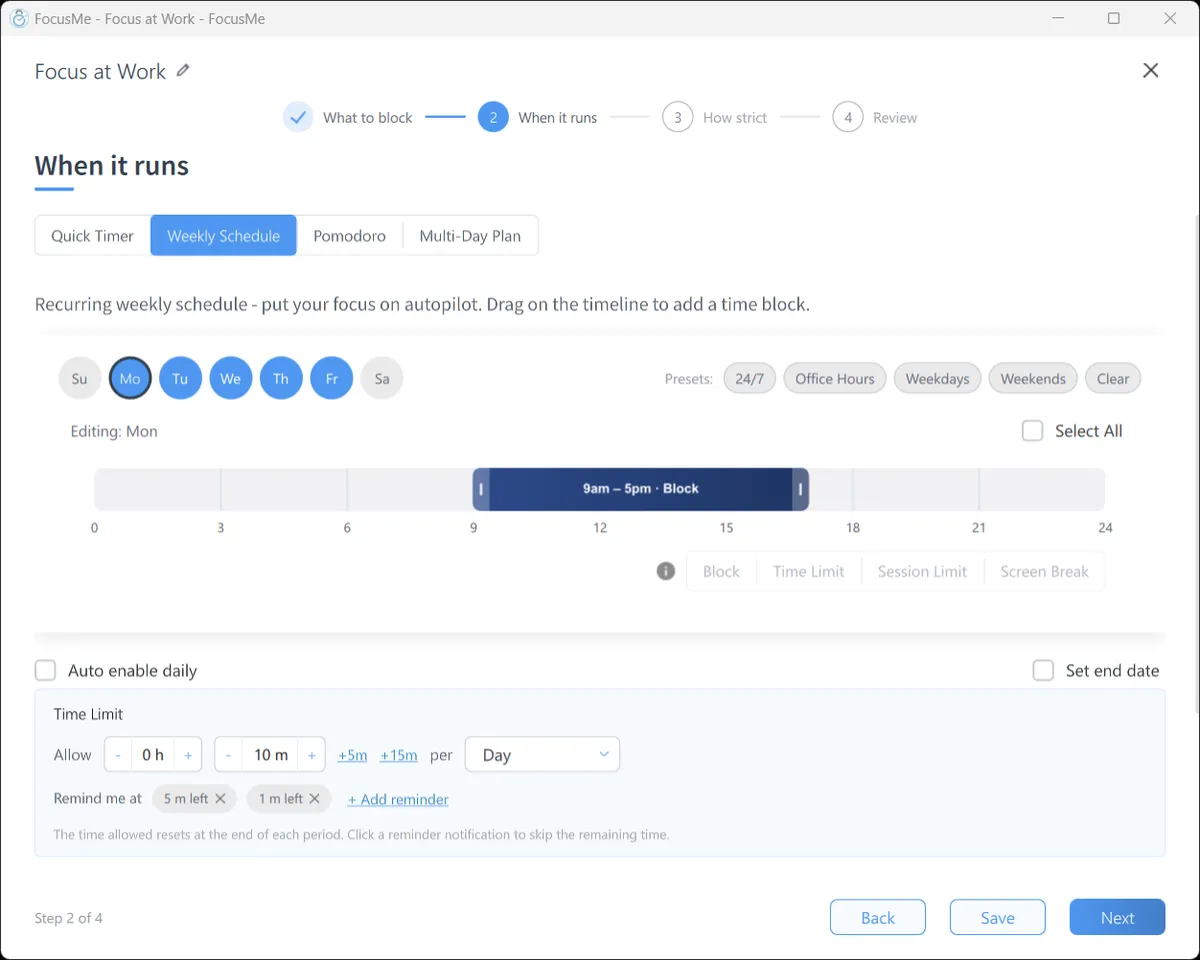
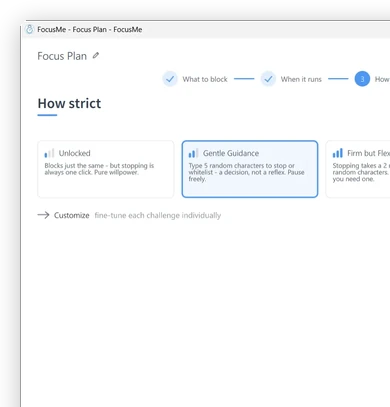
잠금 해제된 블록은 똑같이 작동하지만, 한 번의 클릭으로 멈출 수 있습니다. 부드러운 안내는 무작위로 다섯 글자를 입력하도록 요청합니다. 반사적인 입력이 아닌 신중한 판단이 필요합니다. 확고하지만 유연한 모드는 대기 시간과 하루에 세 번의 일시 정지를 추가합니다. 완전히 잠금 모드는 25개의 글자를 완벽하게 입력한 후 대기 시간을 추가하고 일시 정지를 허용하지 않습니다. 사용자 지정 메뉴의 강제 모드는 계획이 끝까지 실행되며, 더 엄격하게 설정하는 방법만 있습니다.

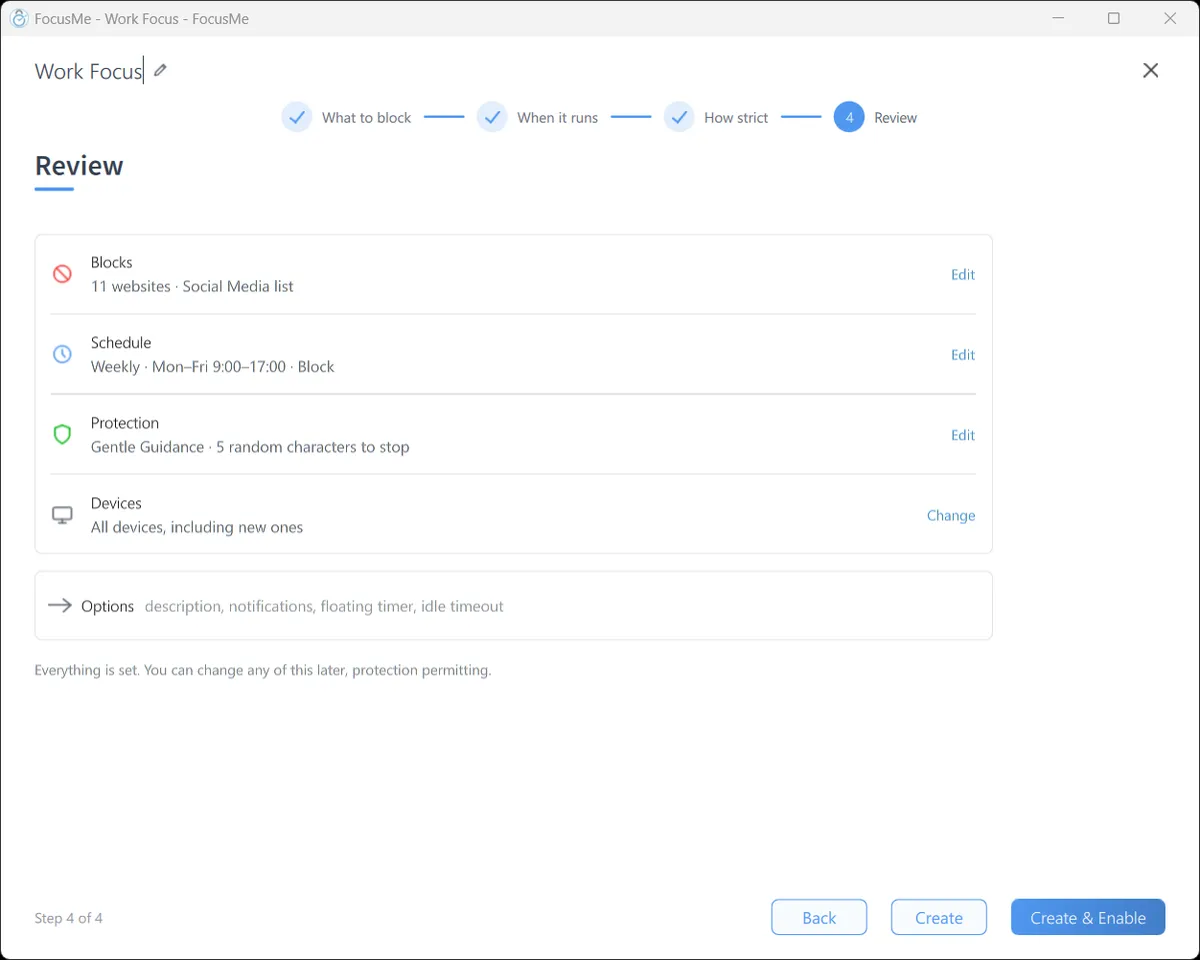
한 페이지에 차단 대상, 실행 시점, 중지 방법이 표시됩니다. '생성 및 활성화'를 클릭하면 차단 기능이 시작됩니다. 차단된 사이트는 모든 브라우저에 FocusMe 차단 페이지를 표시하고, 차단된 앱은 실행되는 즉시 종료되며 어떤 차단 기능이 적용되었는지 알려줍니다.
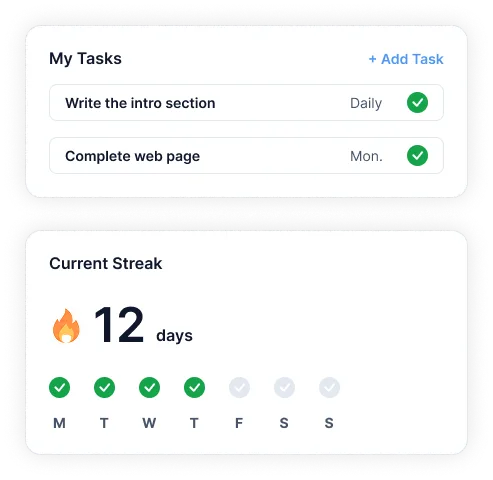
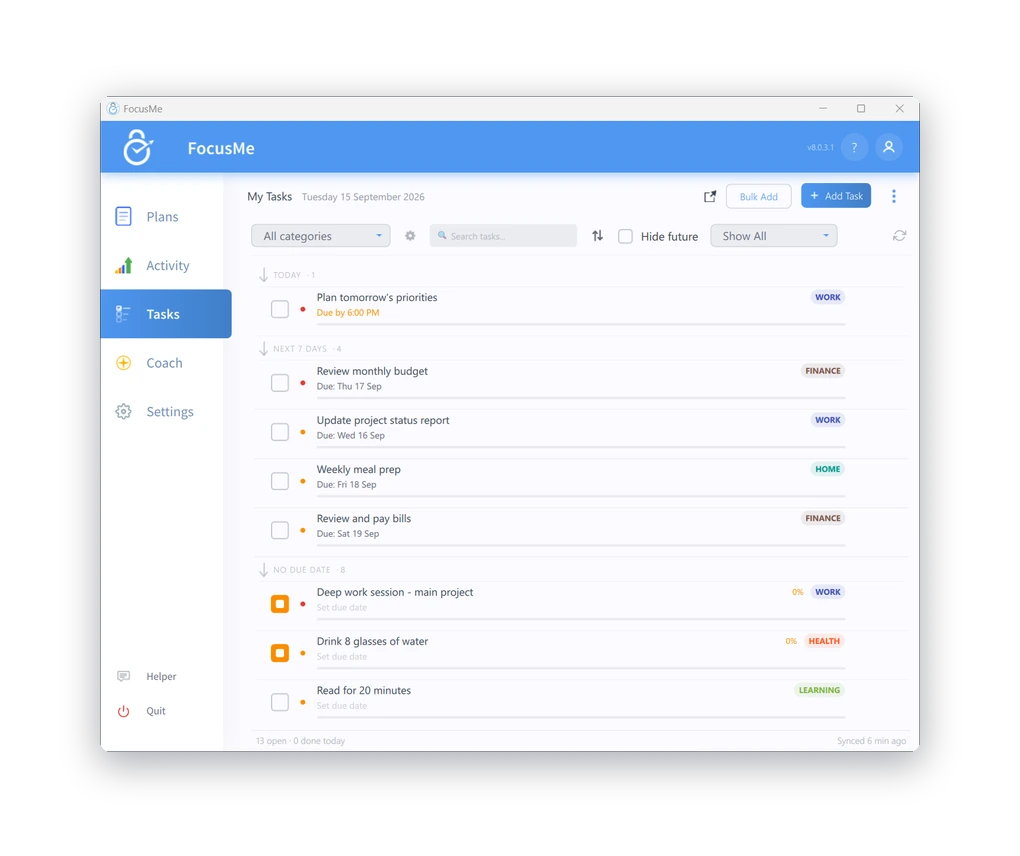
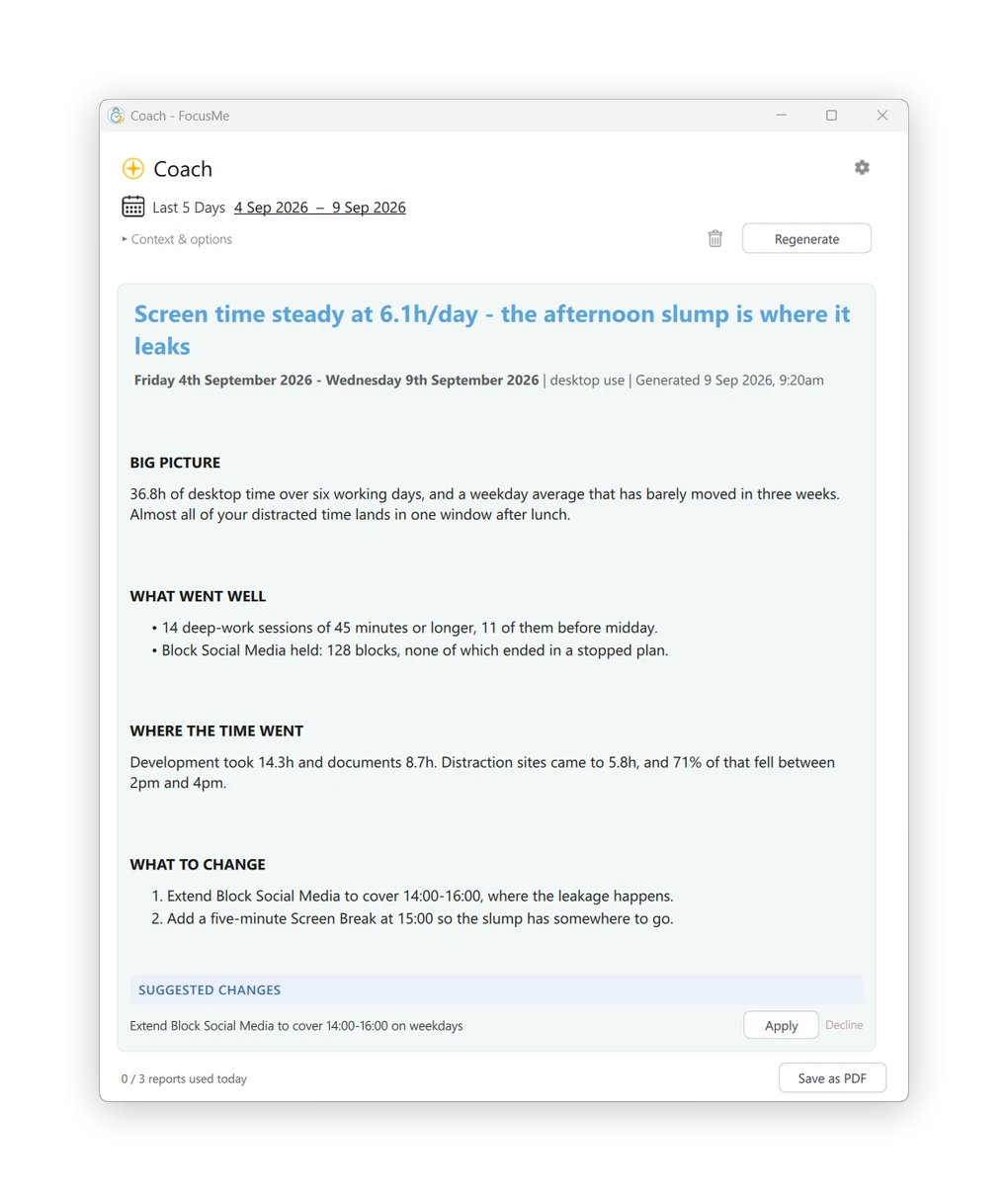
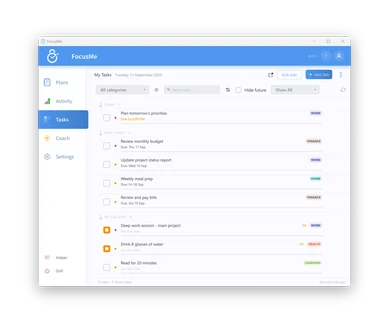
활동 오늘 또는 지난 7일 동안 앱 및 사이트별 활성 시간, 차단된 방해 요소, 그리고 되찾은 시간을 보여줍니다. 과제 계획표 옆에 할 일 목록을 적어 두세요. AI 코치 한 주간의 데이터를 분석하여 클릭 한 번으로 적용할 수 있는 구체적인 계획 변경 사항을 제안합니다.

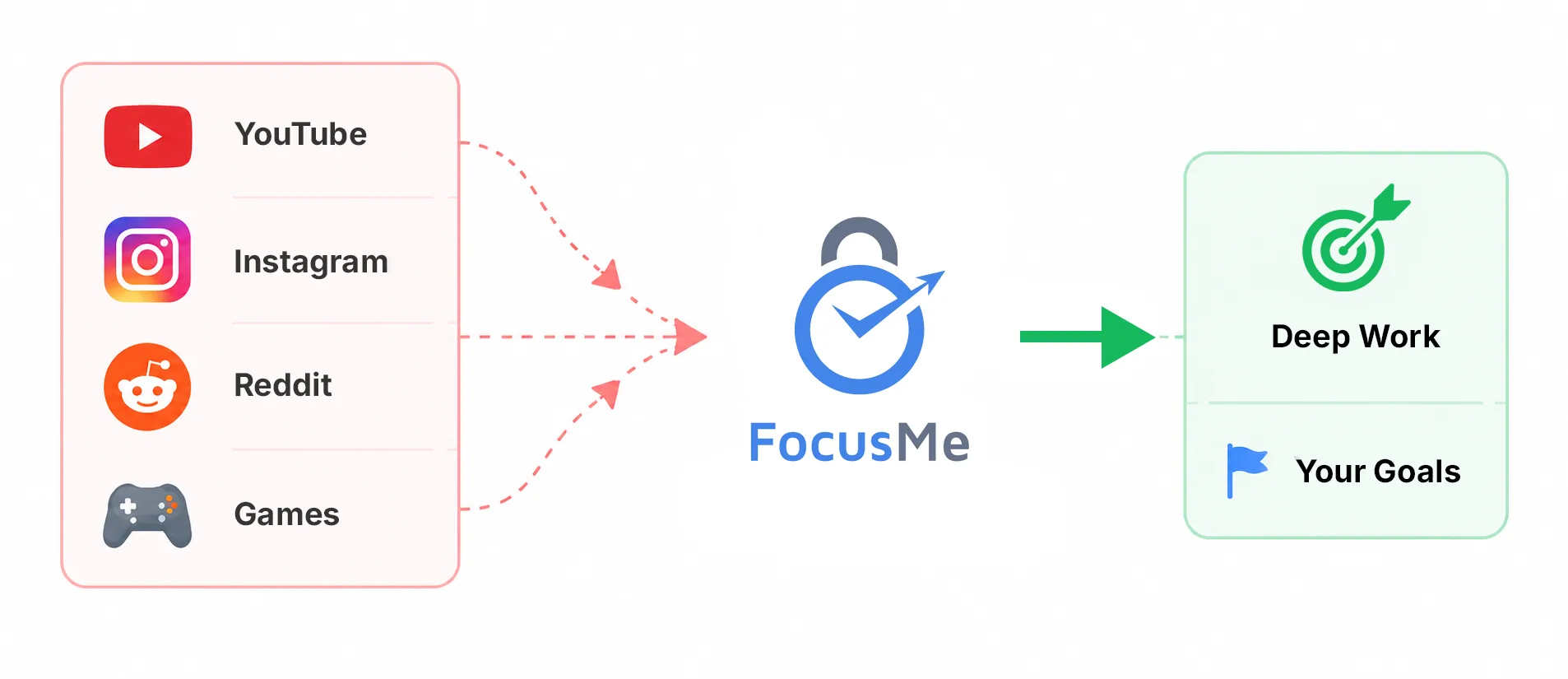
웹사이트, 앱, 키워드 또는 카테고리를 차단하세요.
15개 이상의 브라우저에서 작동합니다.
더욱 엄격한 제어가 필요하신가요? 화이트리스트 모드를 사용하세요.
필요한 것만 허용하도록 합니다.
필요에 맞는 다양한 플랜이 있습니다. 모든 것은 당신의 선택에 달려 있습니다.
완전히 차단
방해 요소.
매일 설정
또는 시간당 예산.
발사 횟수를 제한하고
휴식 시간을 강제하십시오.
잠시 떨어져서
충전하세요.
강력한 보호 옵션을 활용하여 설정한 경계를 철저히 지키세요.
계획을 그대로 유지하세요
안전한.
무작위로 답변
변경을 위한 질문입니다.
더욱 엄격한 보호 조치
깊은 집중.
당신을 돌봐줄 사람을 초대하세요
책임감 있는.
계획을 그대로 유지하세요
안전한.
무작위로 답변
변경을 위한 질문입니다.
더욱 엄격한 보호 조치
깊은 집중.
당신을 돌봐줄 사람을 초대하세요
책임감 있는.
자신에게 맞는 루틴을 만드세요.
일정, 주기 등을 생성합니다.
당신의 생활 방식에 맞는 프로그램.
도면 라이브러리를 둘러보고 시작하세요
검증된 시스템을 갖추고 있습니다.
작업을 관리하고, 연속 기록을 쌓고, 반복적인 루틴을 만드세요.
FocusMe 내부.
집중력을 유지하고 진행 상황을 한 곳에서 추적하세요.
AI 코치가 여러분의 진행 상황을 분석합니다.
그리고 명확한 통찰력을 제공합니다.
성장에 도움이 되는 행동들.
요금제는 모든 기기에서 자동으로 동기화됩니다.
여러 계획을 동시에 실행하고 진행 상황을 추적하세요
상세한 분석을 통해 진전을 이루세요.

10만 명이 넘는 사람들이 FocusMe를 사용하여 중요한 일에 더 많은 시간을 투자하고 있습니다. 지금 바로 FocusMe를 사용해 보세요.