

iPhone, iOS 16 o versioni successive
Blocco di app e siti web per iPhone
Blocca le app e i siti web che ti distraggono sul tuo iPhone, secondo una pianificazione che puoi impostare, grazie alla funzione Tempo di utilizzo di iOS, che continua a funzionare anche quando FocusMe è chiuso.
Download gratuito. Non è necessario alcun account. Compatibile con iOS 16 e versioni successive.
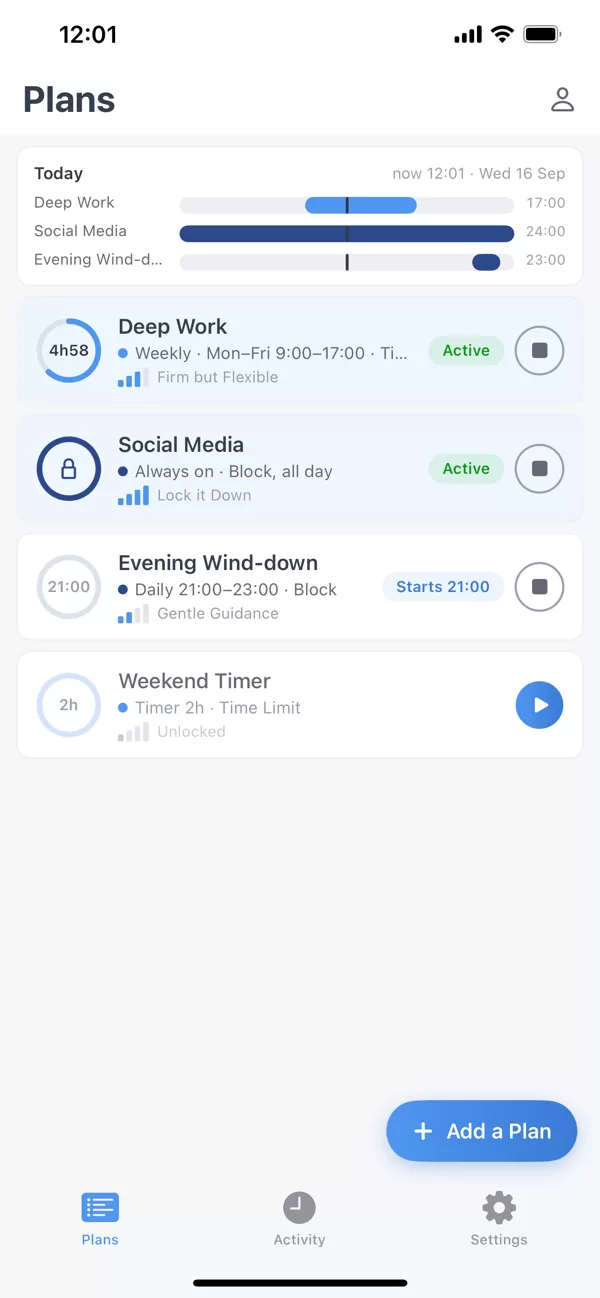
Cosa bloccare
App e intere categorie
Seleziona le app una per una, oppure un'intera categoria come Social o Giochi con un solo tocco. Apri un'app bloccata e vedrai lo scudo di FocusMe con il nome del piano attivo, anziché un semplice messaggio di sistema.
Siti web
Digita i siti che desideri bloccare e questi verranno bloccati in Safari e negli altri browser del telefono. Tutto ciò che è presente nell'elenco rimane bloccato per tutta la durata del piano, grazie a Tempo di utilizzo e non alla permanenza di FocusMe aperta, quindi chiudere l'app non cambia nulla.
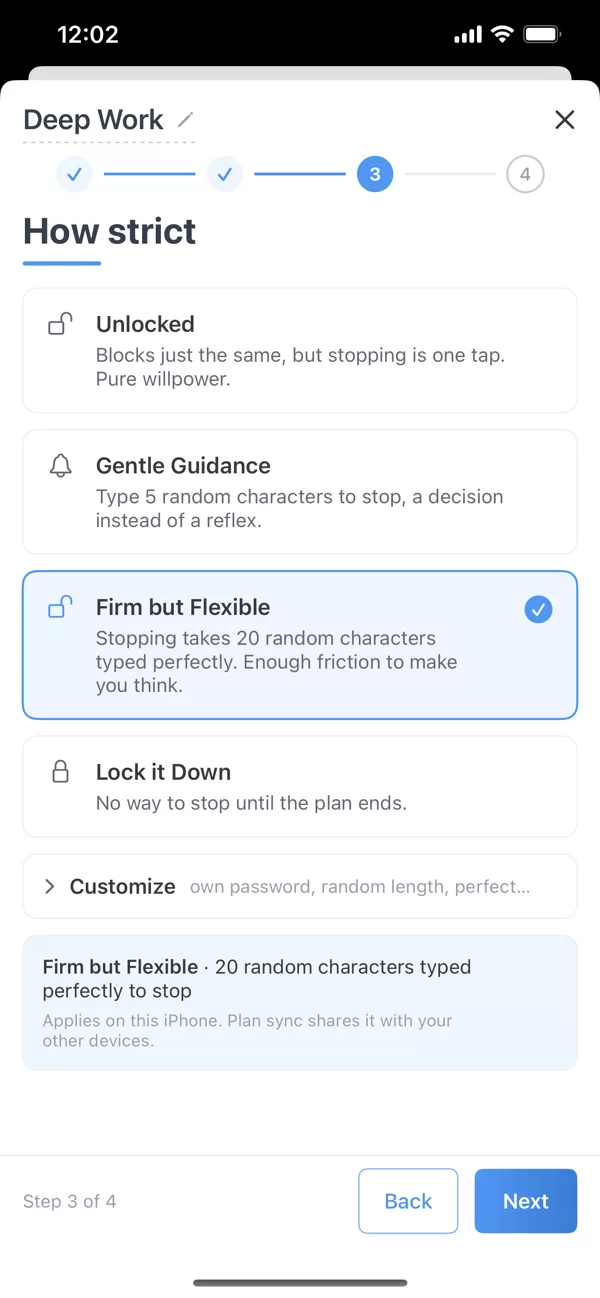
Impostando un programma una sola volta, questo inizierà e terminerà puntualmente, che tu te ne ricordi o meno. La barra "Oggi" nella parte superiore di "Programmi" mostra cosa è in esecuzione ora e cosa inizierà dopo, così la serata non riserva sorprese.
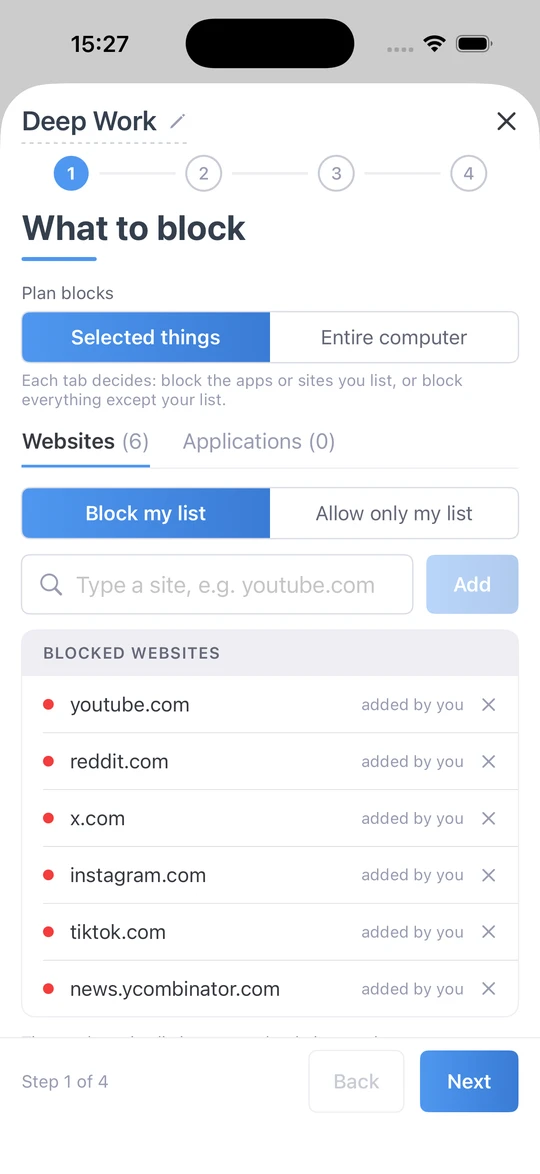
Quando funziona
Orari e limiti di tempo che corrono da soli
Un timer rapido per la prossima ora. Un programma settimanale, inclusa la notte: lavoro intenso dalle 9 alle 17 nei giorni feriali, relax serale dalle 21. Oppure un budget invece di un divieto: usa le app bloccate per un tempo prestabilito ogni giorno o ora, o per alcune brevi sessioni con pause intermedie, dopodiché saranno bloccate fino al periodo successivo.
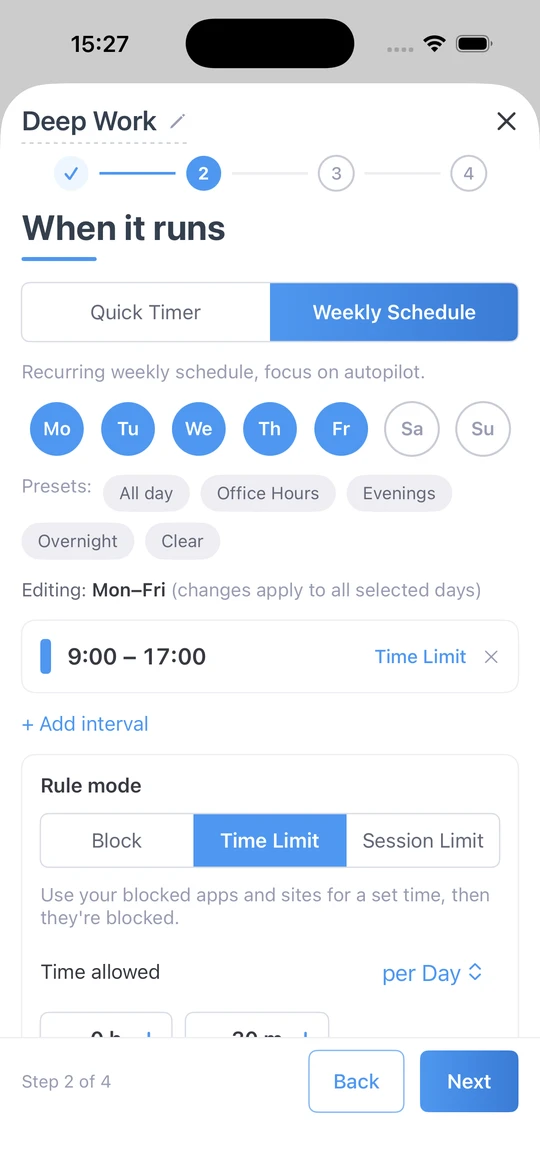
Quanto severo
Da una spinta a bloccarlo
Quattro livelli. I blocchi sbloccati rimangono invariati, ma per interrompere il programma basta un tocco. Guida delicata richiede di digitare cinque caratteri casuali prima che il piano si interrompa: una scelta, non un riflesso. Fermo ma flessibile richiede di digitare 20 caratteri in modo preciso. Blocca tutto non permette di interrompere il piano fino al suo completamento. La sincronizzazione del piano condivide l'impostazione con gli altri dispositivi.
Progettato per iPhone
Basato sul tempo trascorso davanti allo schermo.
Il framework stesso di Apple impone le tue impostazioni. Se chiudi FocusMe, il blocco continua.
I tuoi dati restano sul tuo iPhone
Apple conserva i dati di utilizzo di Tempo di utilizzo sul dispositivo. FocusMe te li mostra, senza mai lasciare il telefono.
Una schermata di blocco di marca
Lo scudo FocusMe e il nome del piano, ogni volta.
Categorie in un solo tocco
Blocca completamente le funzioni Social, Giochi o Intrattenimento, quindi aggiungi le eccezioni.
Funziona offline
Il blocco non richiede una connessione.
Piani che si sincronizzano
Con Premium, il piano che imposti sul tuo Mac o PC funziona anche sul tuo iPhone.
Guarda dove sono finite le ore
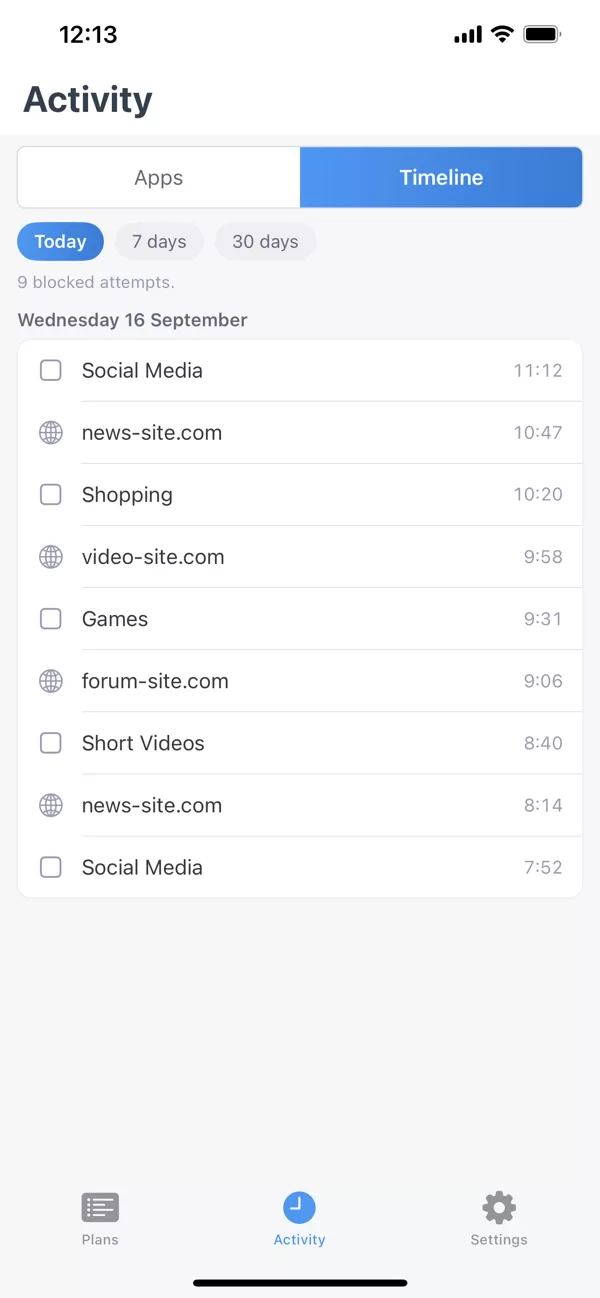
La scheda Attività mostra l'utilizzo delle app e le app bloccate da FocusMe, così puoi visualizzare le tue abitudini prima di modificarle.
Un unico account, il tuo iPhone e il tuo computer.
Accedi con lo stesso account per sincronizzare i tuoi piani e le tue attività tra iPhone e computer Windows o Mac, con FocusMe Premium. Premium è incluso in ogni licenza desktop, per un massimo di 2 dispositivi mobili. Non hai un computer? Abbonati a Premium direttamente dall'app. Per bloccare, programmare e impostare limiti di tempo non è necessario un account.
- Windows
- Mac
- Linux
- Android
- iPhone
Requisiti e download
- iOS
- 16 o versioni successive, su iPhone.
- Prendilo
- App Store. Download gratuito.
- Autorizzazione
- L'accesso a Tempo di utilizzo viene richiesto una sola volta al momento della creazione del primo piano.
- premi
- Sincronizza il piano con il tuo computer. Incluso in ogni licenza desktop (2 dispositivi mobili), oppure puoi abbonarti tramite l'app.
Domande frequenti
FocusMe per iPhone funziona senza computer?
Sì. Il blocco, la pianificazione, i limiti di tempo e i livelli di severità funzionano tutti direttamente dal telefono, senza bisogno di un account. Un computer o un abbonamento Premium aggiungono la sincronizzazione.
Perché richiede l'autorizzazione per Tempo di utilizzo?
Perché è Tempo di utilizzo di iOS che fa rispettare il piano. Ecco perché il blocco continua a funzionare anche quando FocusMe è chiuso e perché i dati di utilizzo rimangono sul telefono.
Esiste un limite al numero di app e siti web che posso bloccare?
iOS consente di avere 50 app e siti web attivi contemporaneamente, condivisi tra i piani tariffari in uso. Ogni categoria conta come un'unità, quindi bloccare i social network include tutte le app social in un unico blocco. FocusMe ti avvisa se un elenco supera questo limite.
Posso limitare il tempo invece di bloccare l'accesso?
Sì. Puoi utilizzare le app bloccate per un periodo di tempo prestabilito ogni giorno o ogni ora, oppure per alcune brevi sessioni con delle pause intermedie; dopodiché, rimarranno bloccate fino al periodo successivo.
Cosa succede se provo a interrompere un piano prima della scadenza?
Dipende dal livello di severità scelto. Sbloccato si ferma con un solo tocco. Guida delicata e Ferma ma flessibile richiedono una sfida di digitazione. Blocca tutto non prevede alcun modo di interruzione fino alla fine del piano.
FocusMe è gratuito su iPhone?
Il download è gratuito e le funzioni di blocco, programmazione e limiti di tempo non richiedono alcun account o pagamento. La versione Premium aggiunge la sincronizzazione con il computer; è inclusa nella licenza desktop o disponibile nell'app.
Pronto a prendere il controllo del tuo iPhone?
Scarica dall'App Store- Download gratuito
- Non è richiesto alcun account
- iOS 16 o versioni successive