
Come funziona FocusMe

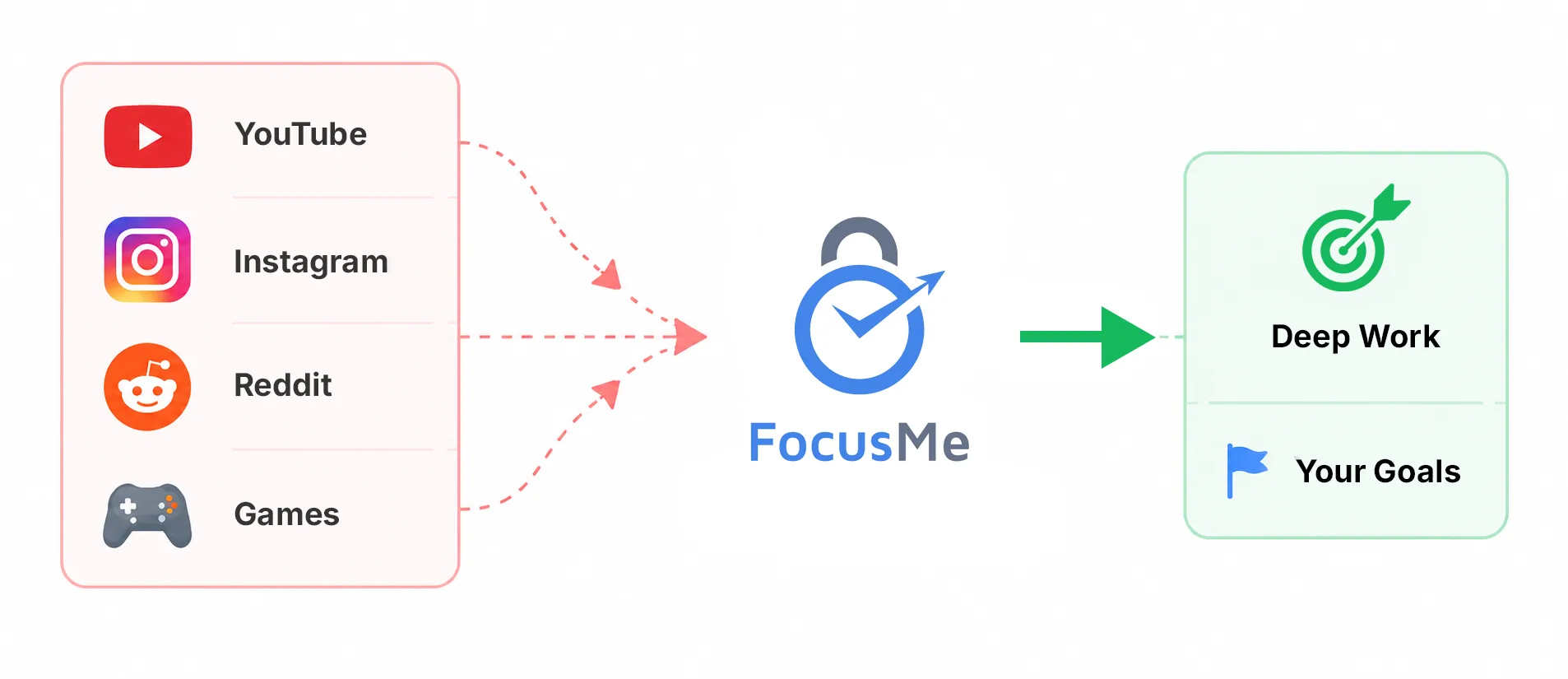
Crea dei limiti, mantieni la concentrazione e continua
Migliora con un sistema progettato in base ai tuoi obiettivi.

  • Blocco di siti web e app
  • Coach di produttività AI
  • Piani di focalizzazione flessibile

How it works, step by step

Every FocusMe plan is built the same way: say what to block, when, and how strict. The wizard walks you through it in four steps, and Quick Setup on first run builds your first plans from two questions. The Plan Library has ready-made plans for social media, games, news, study and sleep if you would rather start from one of those.

Cosa bloccare

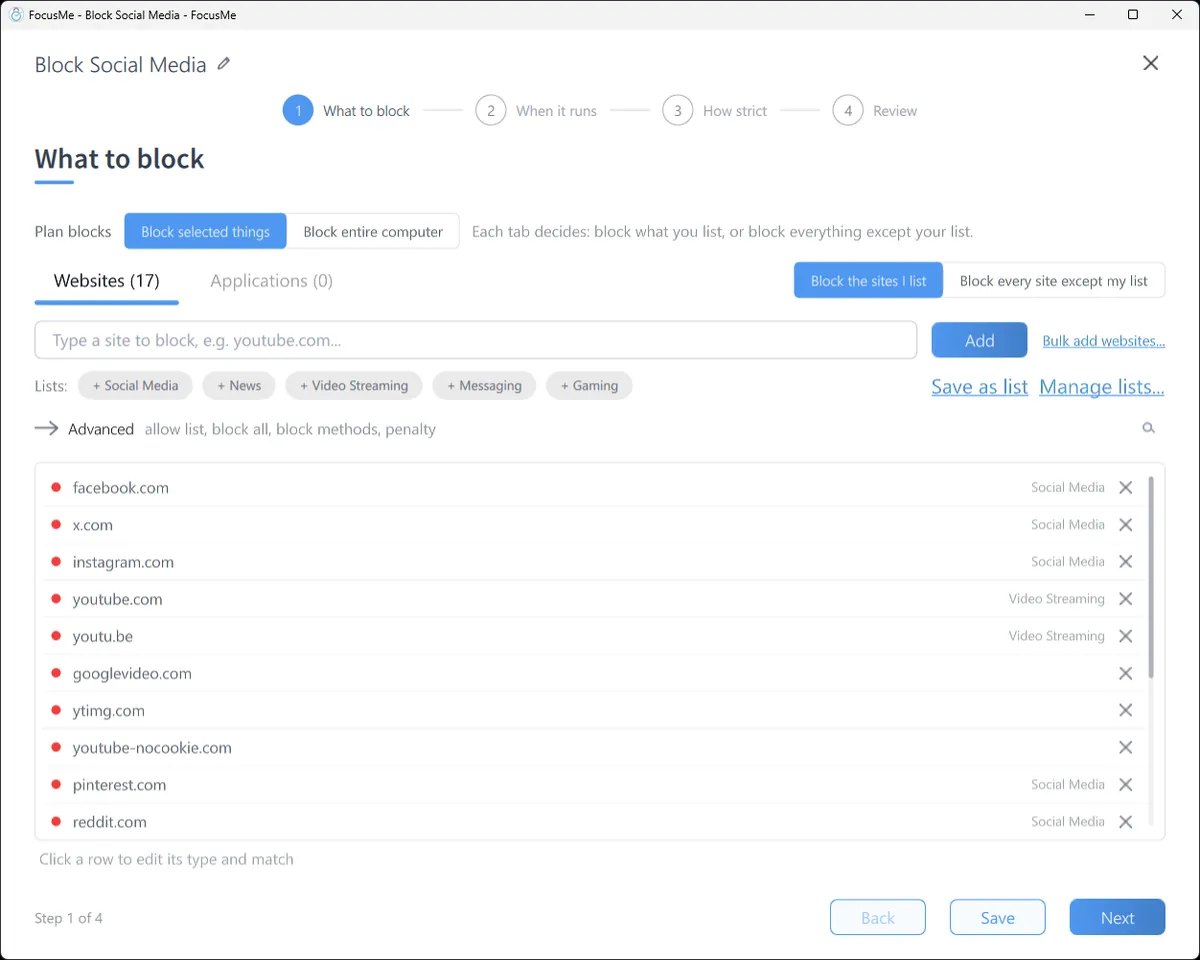
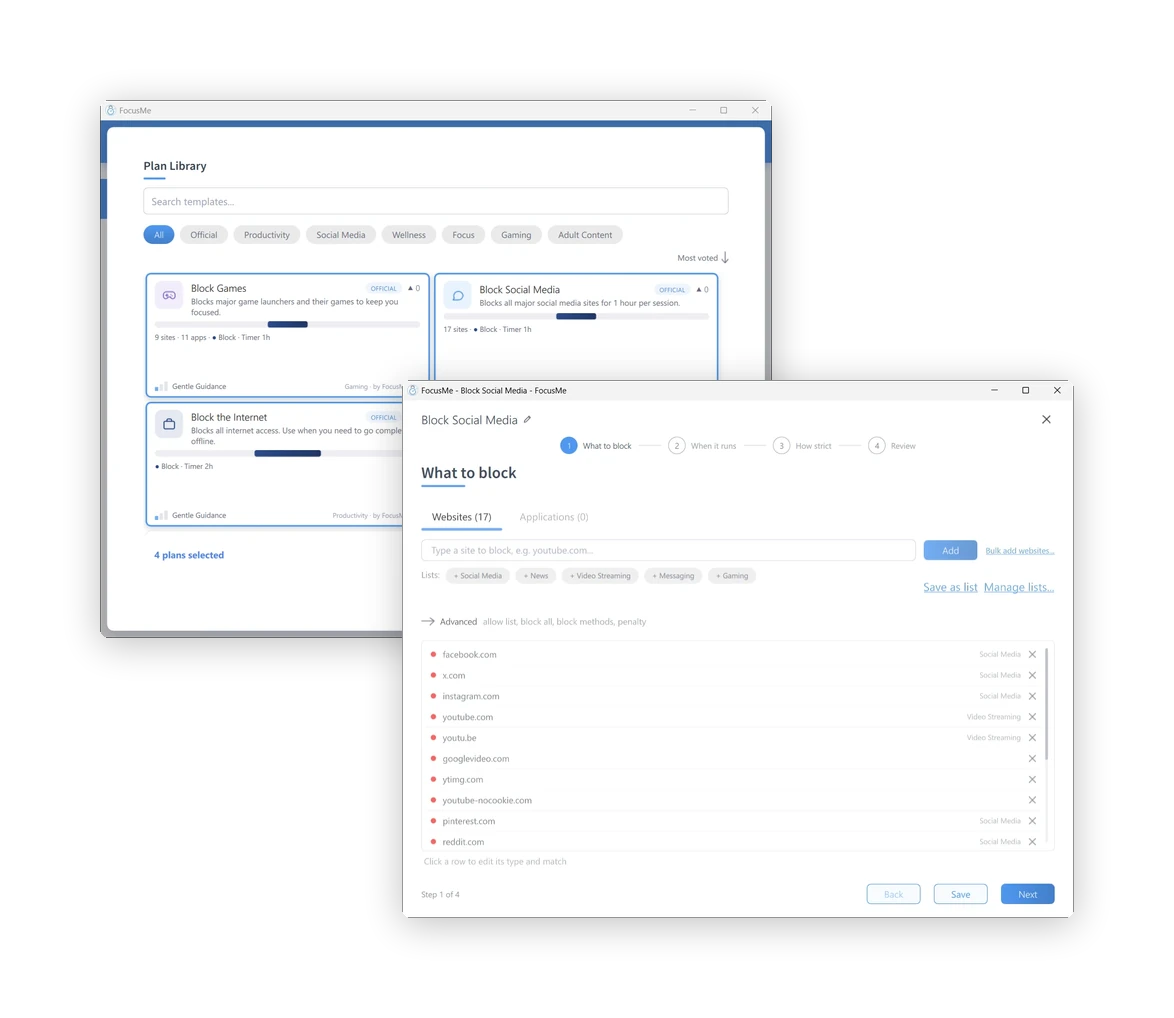
Type a site, click a ready-made list (Social Media, News, Video Streaming, Messaging, Gaming), or block every site except the ones you allow. Switch to the Applications tab for apps and games: pick from what is installed, or type a name. A path such as youtube.com/shorts blocks one part of a site and leaves the rest open.

Step 1, What to block: the Websites tab with a block list

Quando funziona

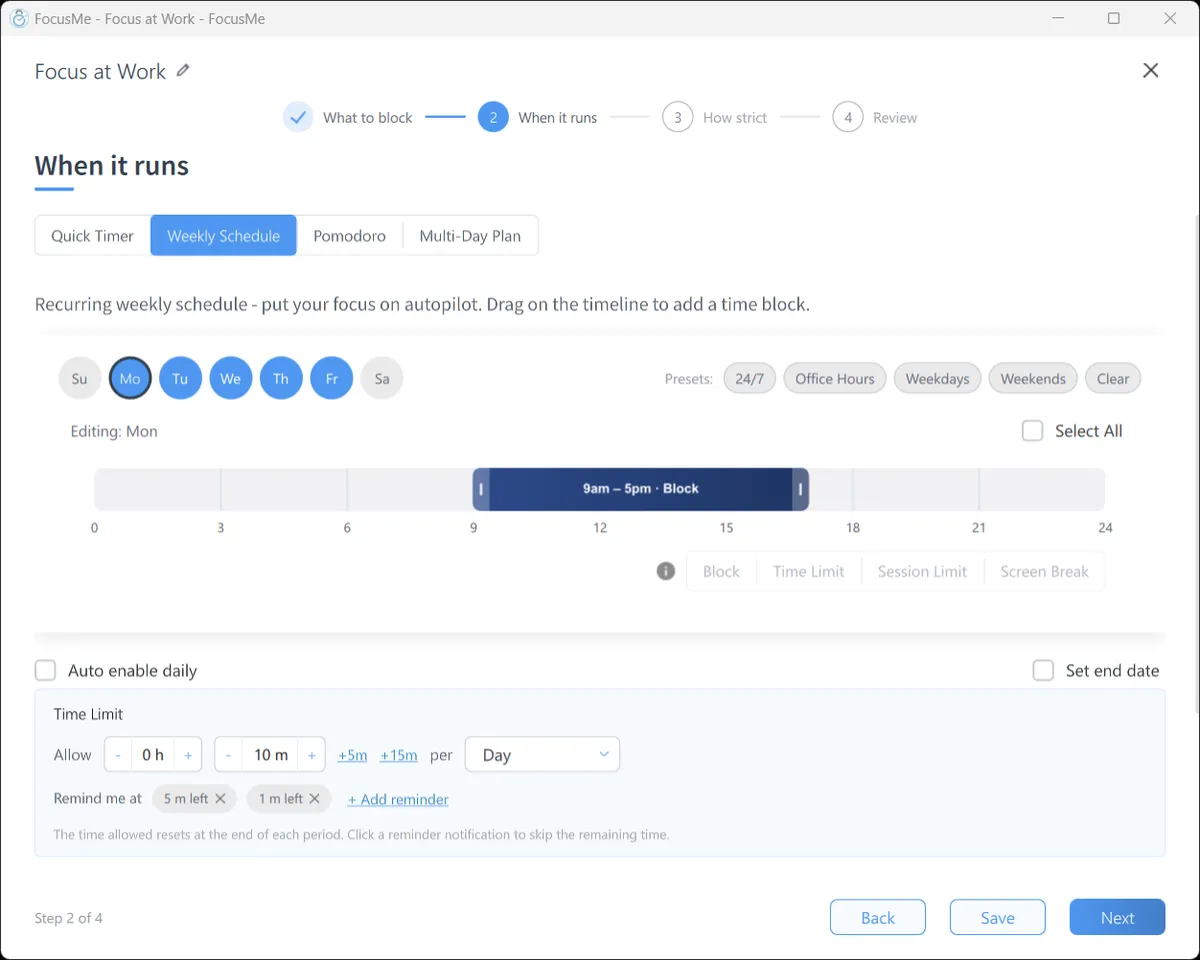
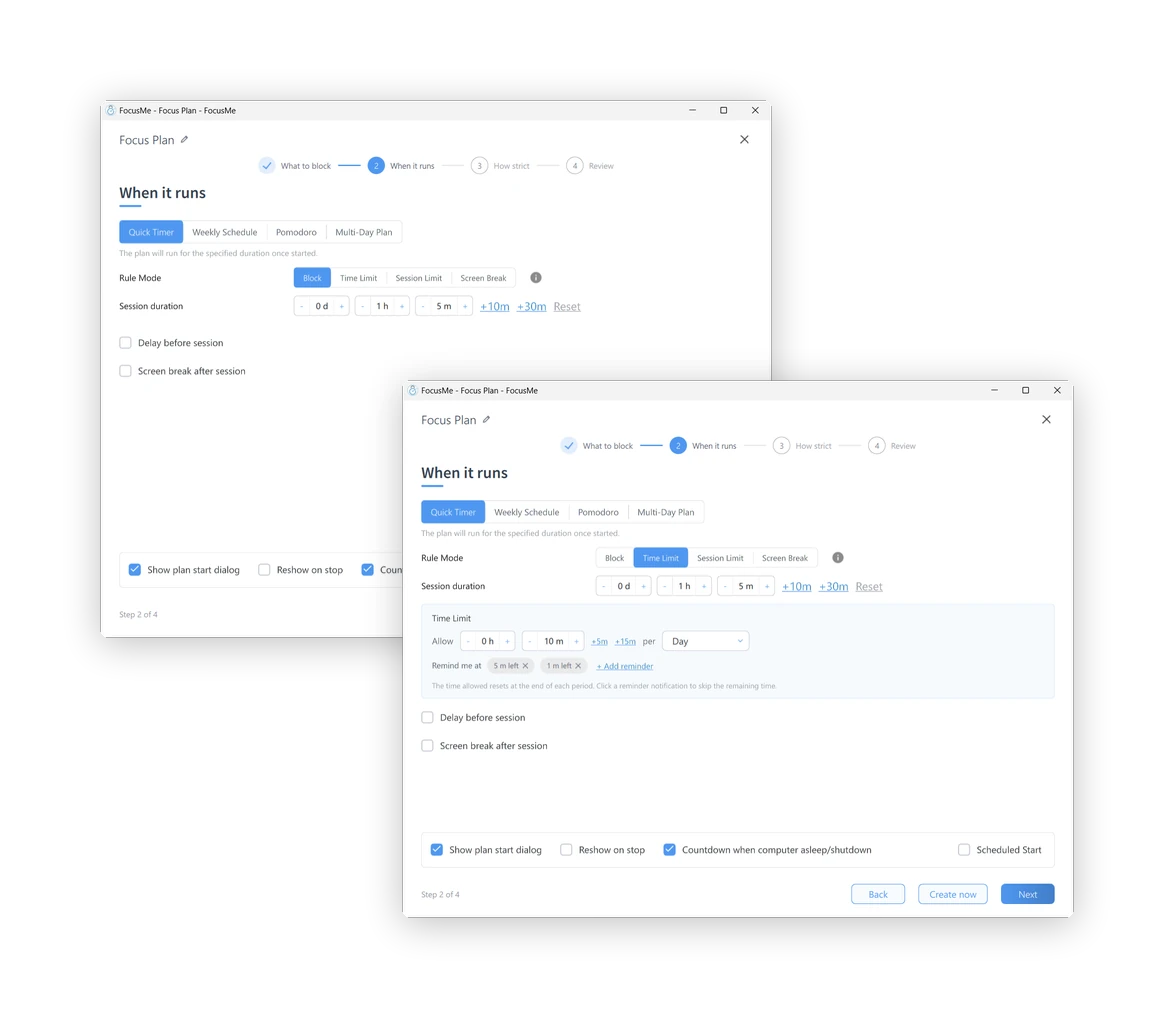
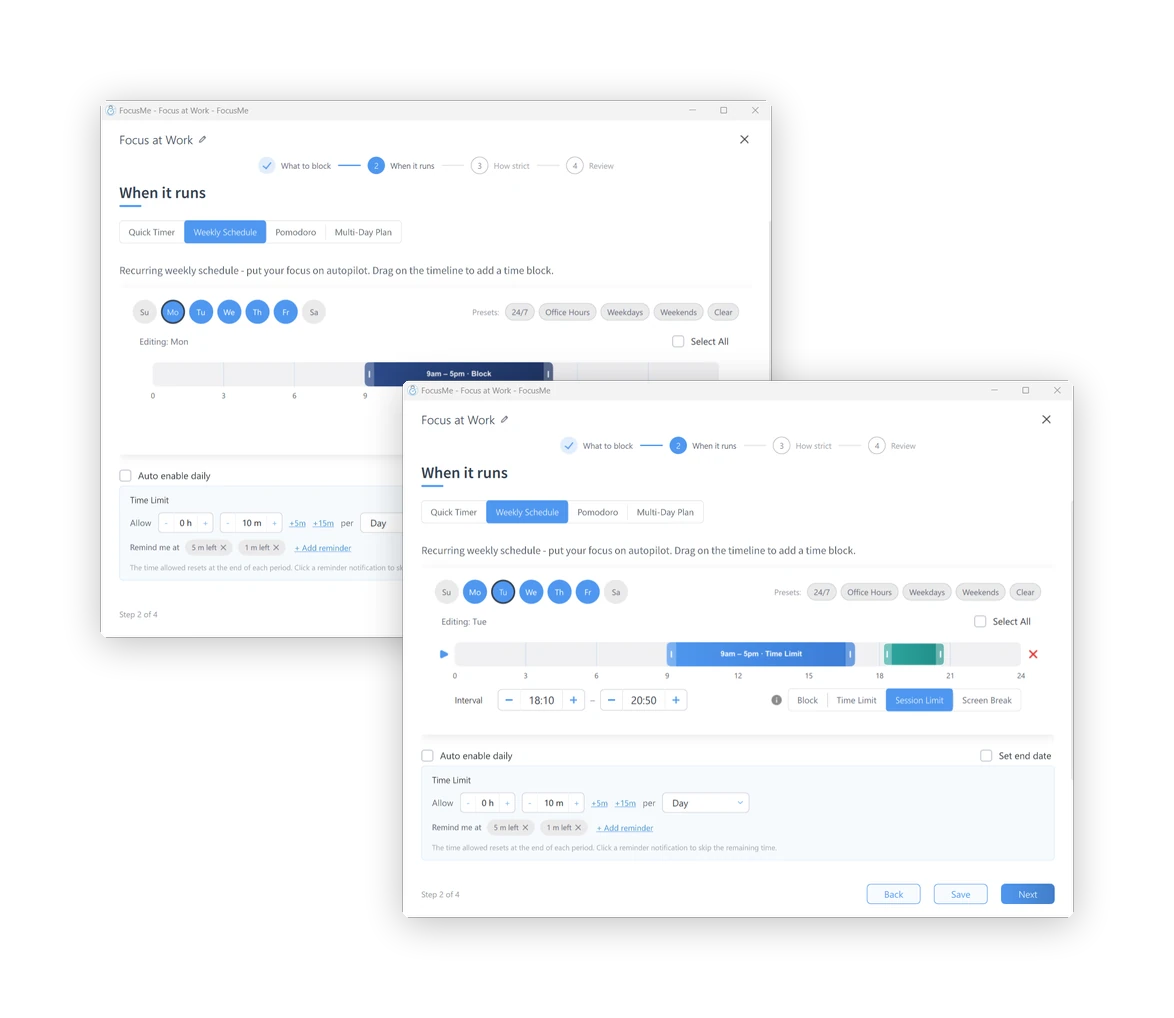
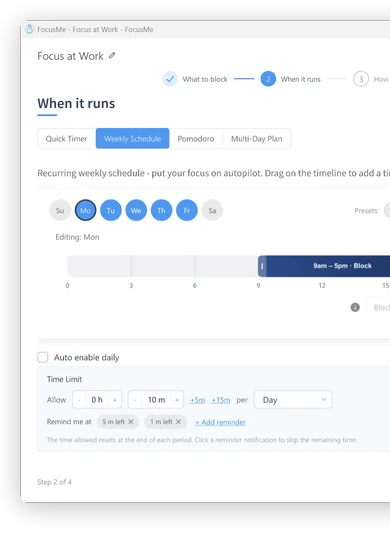
A Quick Timer for the next hour. A Weekly Schedule that runs itself: 9 to 5 on weekdays, or 11pm to 7am every night. A Pomodoro cycle. A Multi-Day Plan for exam week. Each interval can block outright, allow a time budget, allow a few short sessions, or enforce a screen break.

Step 2, When it runs: a weekly schedule on the timeline

Quanto severo

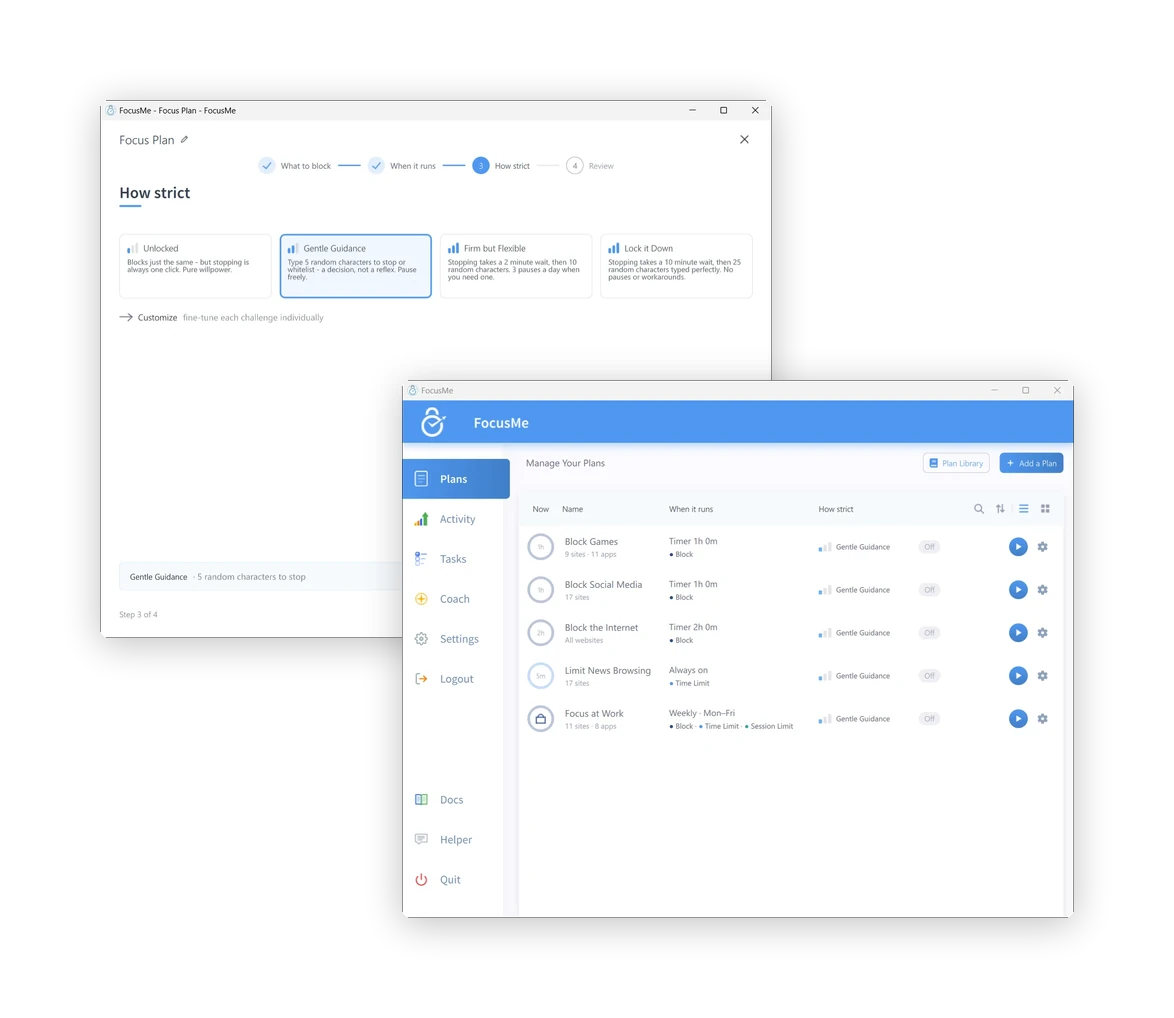
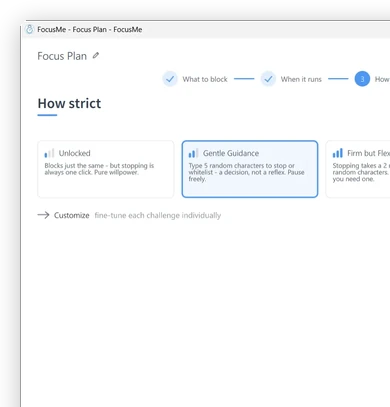
Unlocked blocks just the same, but stopping is one click. Gentle Guidance asks for five random characters: a decision, not a reflex. Firm but Flexible adds a wait and three pauses a day. Lock it Down means 25 characters typed perfectly, then a wait, and no pauses. Enforced Mode, under Customize, means the plan runs to its end and can only be made stricter.

Step 3, How strict: the four presets

Review and go

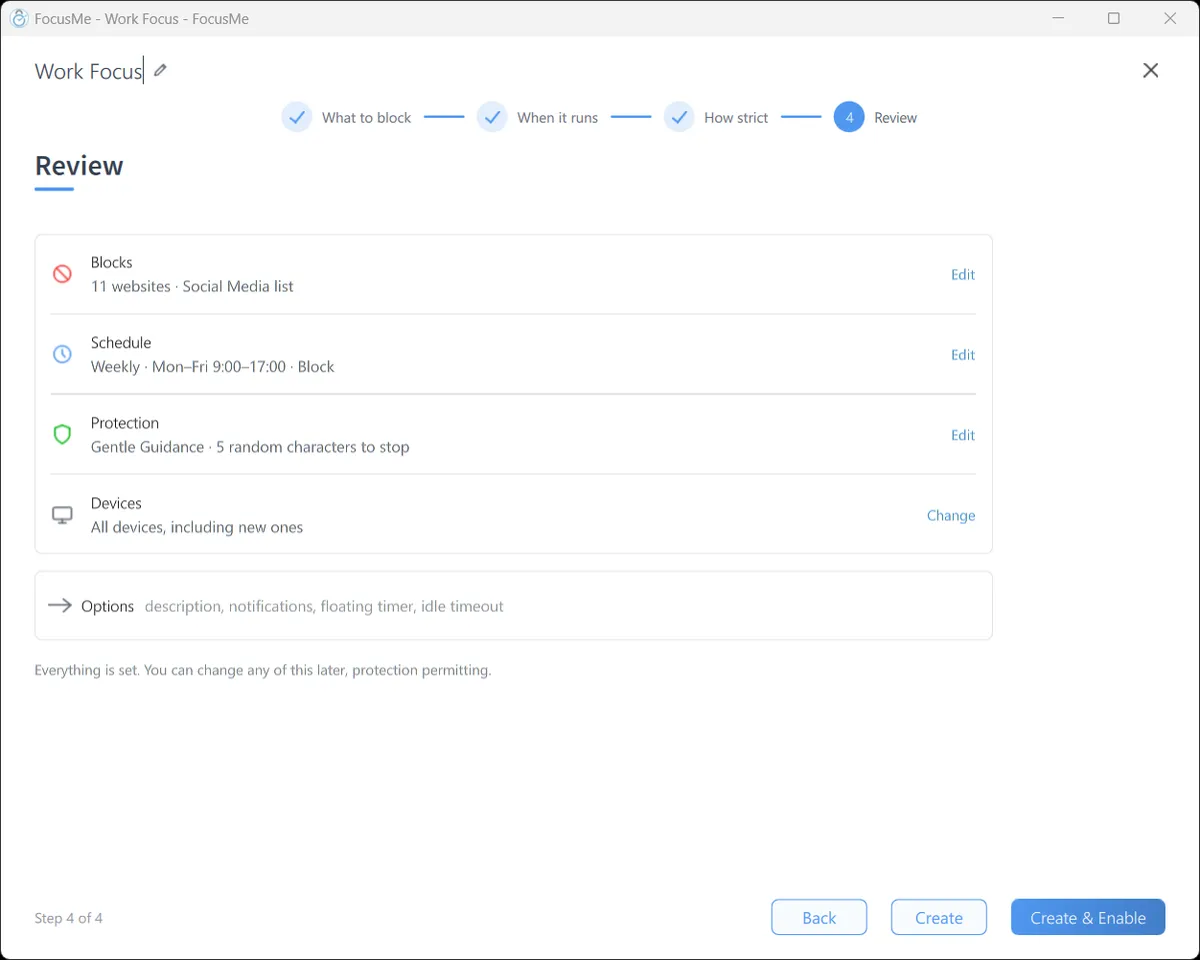
One page shows what the plan blocks, when it runs and what it takes to stop it. Click Create & Enable and it starts. Blocked sites show the FocusMe block page in every browser; a blocked app closes the moment it opens, with a message that says which plan did it.

Step 4, Review: the plan summary before it is enabled

Then see what changed

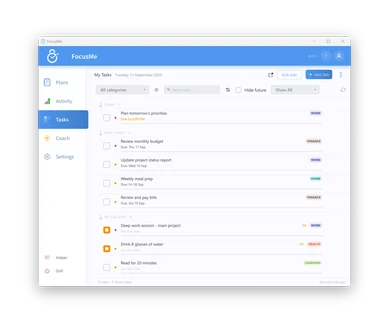
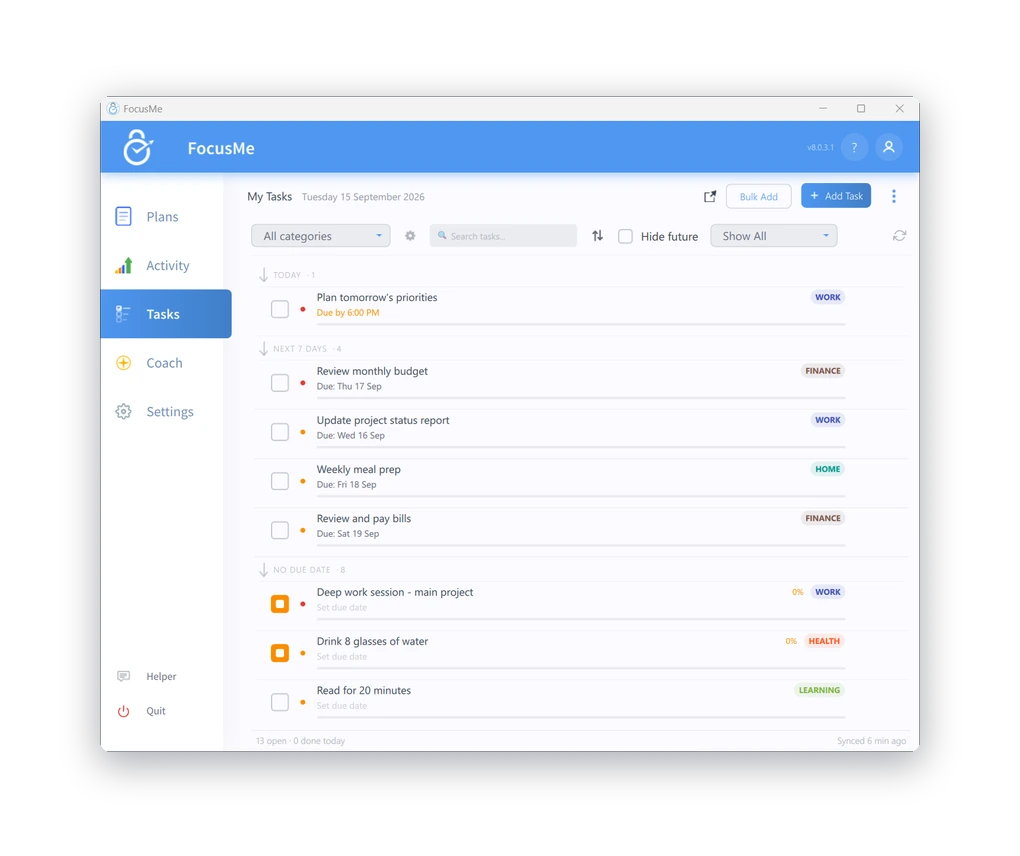
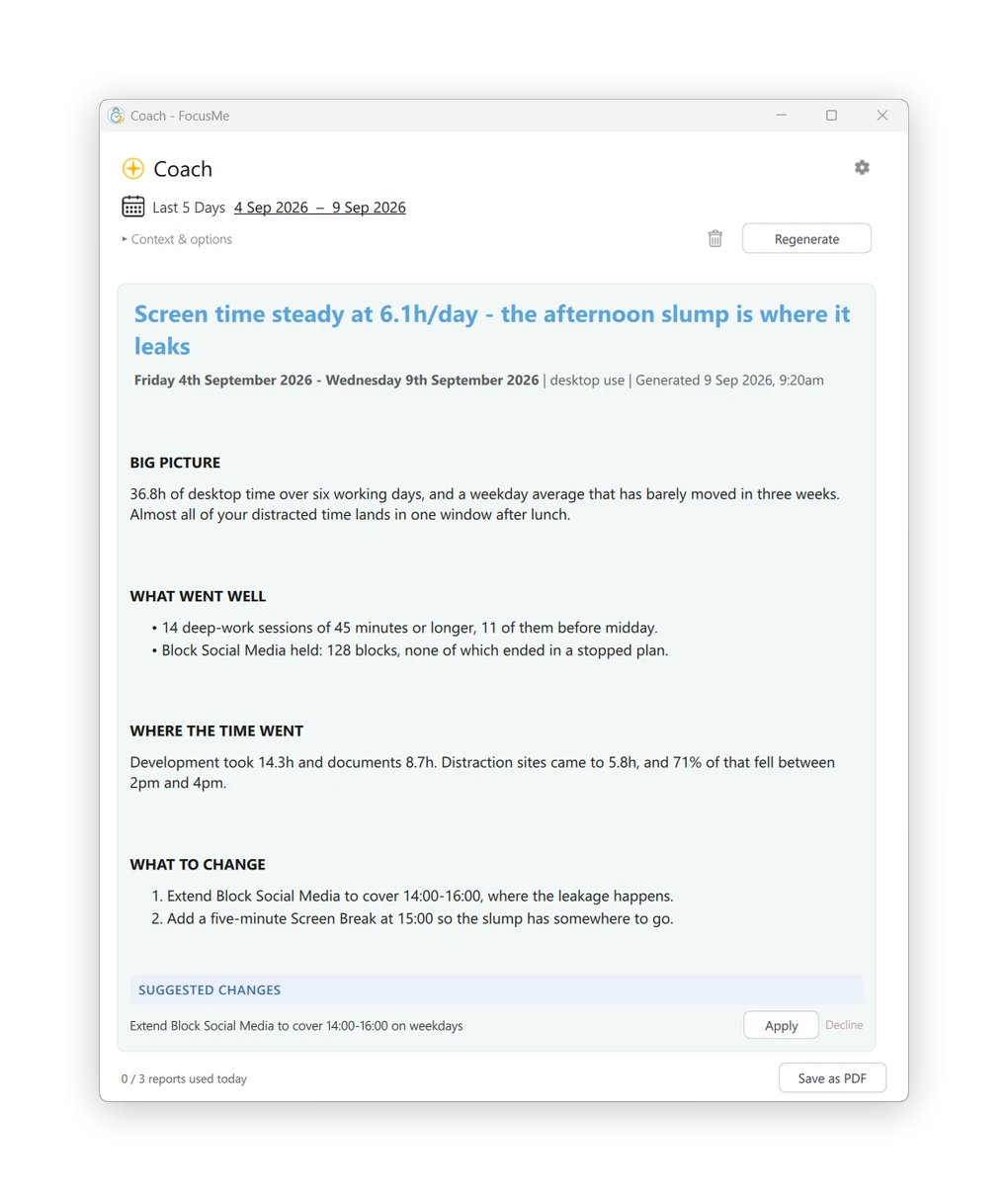
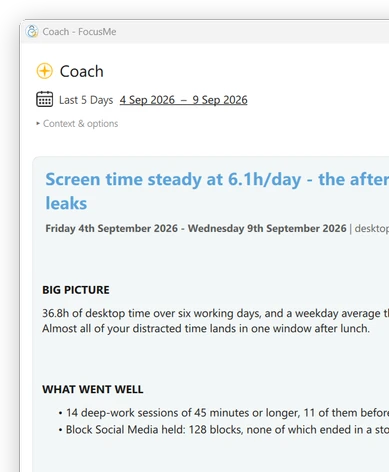
Activity shows active time per app and site, the distractions blocked and the time reclaimed, for today or the last seven days. Tasks keeps a to-do list beside your plans. The Allenatore AI reads your week and suggests concrete changes to your plans, applied in one click.

The Activity tab: last 7 days, active time, distractions blocked

Blocca ciò che ti distrae

Blocca siti web, app, parole chiave o categorie
su oltre 15 browser.

Hai bisogno di un controllo più rigoroso? Usa la modalità Lista bianca.
per consentire solo ciò di cui si ha bisogno.

Scegli come vuoi concentrarti

Piani diversi per esigenze diverse. Il controllo è nelle tue mani.

Bloccare

Blocca completamente
distrazioni.

Limiti di tempo

Impostato quotidianamente
o budget orari.

Limiti di sessione

Limitare i lanci e
imporre delle pause.

Interruzioni dello schermo

Allontanati e
ricaricare.

Aggiungi protezione quando conta davvero

Rispetta i limiti che hai stabilito grazie a potenti opzioni di protezione.

Password
Protezione

Mantieni i tuoi piani
sicuro.

Casuale
Sfide

Risposta casuale
domande per apportare modifiche.

Applicato
Modalità

Protezione più rigorosa per
profonda concentrazione.

Responsabilità
Partner

Invita qualcuno a tenerti
responsabile.

Password
Protezione

Mantieni i tuoi piani
sicuro.

Casuale
Sfide

Risposta casuale
domande per apportare modifiche.

Applicato
Modalità

Protezione più rigorosa per
profonda concentrazione.

Responsabilità
Partner

Invita qualcuno a tenerti
responsabile.

Pianifica la tua attenzione

Crea una routine che funzioni per te.
Crea programmi, cicli e
programmi adatti alla tua vita.

Sfoglia la libreria dei piani e inizia
con configurazioni collaudate.

Trasforma gli obiettivi in abitudini

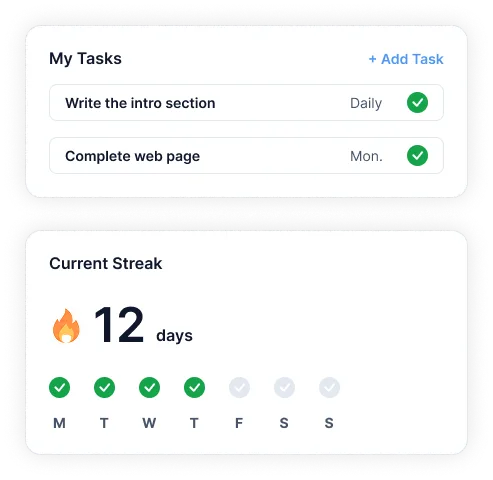
Gestisci le attività, crea sequenze vincenti e genera routine ricorrenti.
all'interno di FocusMe.

Rimani concentrato e monitora i progressi in un unico posto.

FocusMe goals and progress on a phone

Migliorare ogni settimana

Il tuo coach basato sull'IA analizza i tuoi progressi
e ti fornisce informazioni chiare e
azioni che ti aiutano a crescere.

Funziona su tutti i tuoi dispositivi

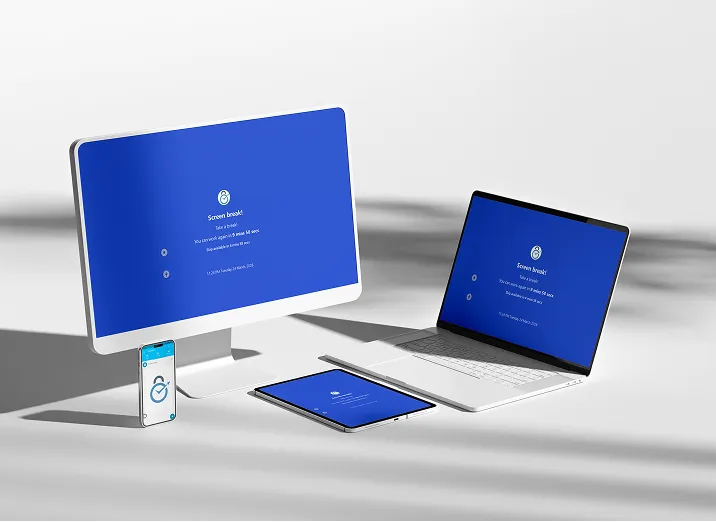
I tuoi piani si sincronizzano automaticamente su tutti i tuoi dispositivi.

Esegui più piani contemporaneamente e monitora il tuo
progressi con approfondimenti dettagliati.

FocusMe on Windows, Mac, Android and iPhone
  • Windows
  • macOS
  • Linux
  • Android
  • iOS

Pronti a riconquistare la vostra attenzione?

Unisciti a oltre 100.000 persone che utilizzano FocusMe per dedicare più tempo a ciò che conta davvero.

Utilizzerai questo indirizzo email e questa password nell'app FocusMe.

  • Prova gratuita di 14 giorni
  • Non è richiesta alcuna carta di credito.