
Cómo funciona FocusMe

Crea límites, mantente enfocado y continúa
Mejora con un sistema diseñado en función de tus objetivos.

  • Bloqueo de sitios web y aplicaciones
  • AI Productivity Coach
  • Planes de enfoque flexibles

How it works, step by step

Every FocusMe plan is built the same way: say what to block, when, and how strict. The wizard walks you through it in four steps, and Quick Setup on first run builds your first plans from two questions. The Plan Library has ready-made plans for social media, games, news, study and sleep if you would rather start from one of those.

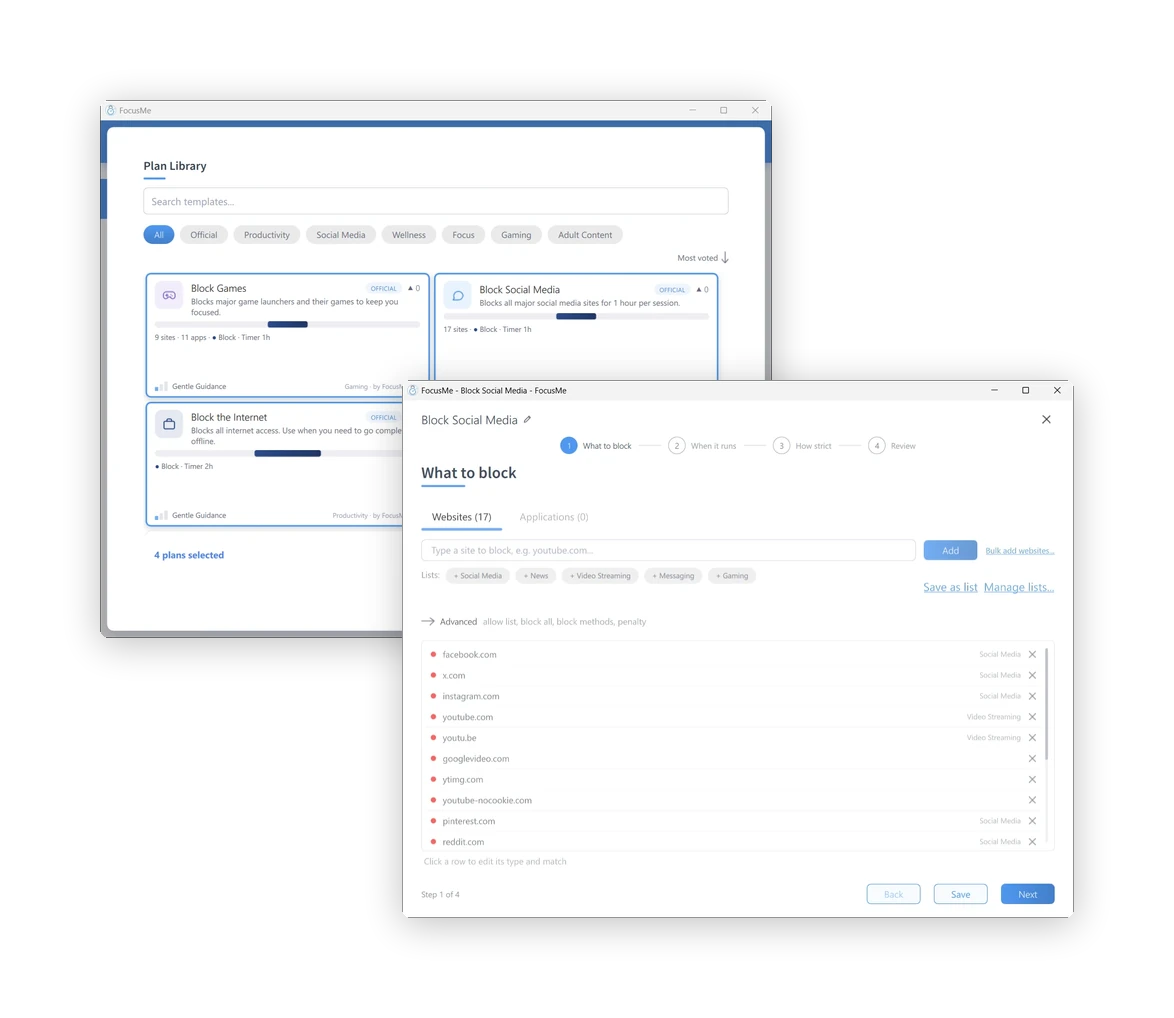
Qué bloquear

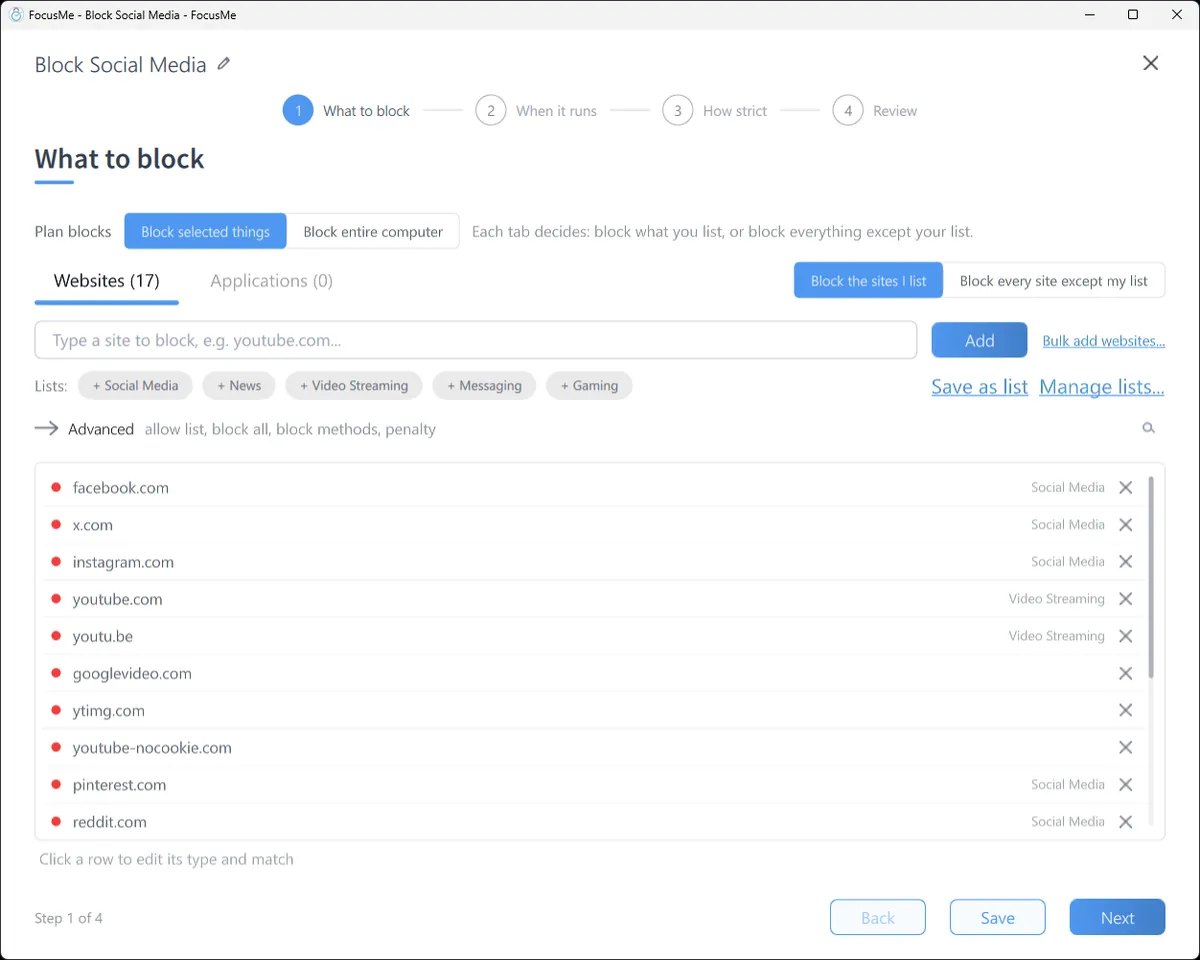
Type a site, click a ready-made list (Social Media, News, Video Streaming, Messaging, Gaming), or block every site except the ones you allow. Switch to the Applications tab for apps and games: pick from what is installed, or type a name. A path such as youtube.com/shorts blocks one part of a site and leaves the rest open.

Step 1, What to block: the Websites tab with a block list

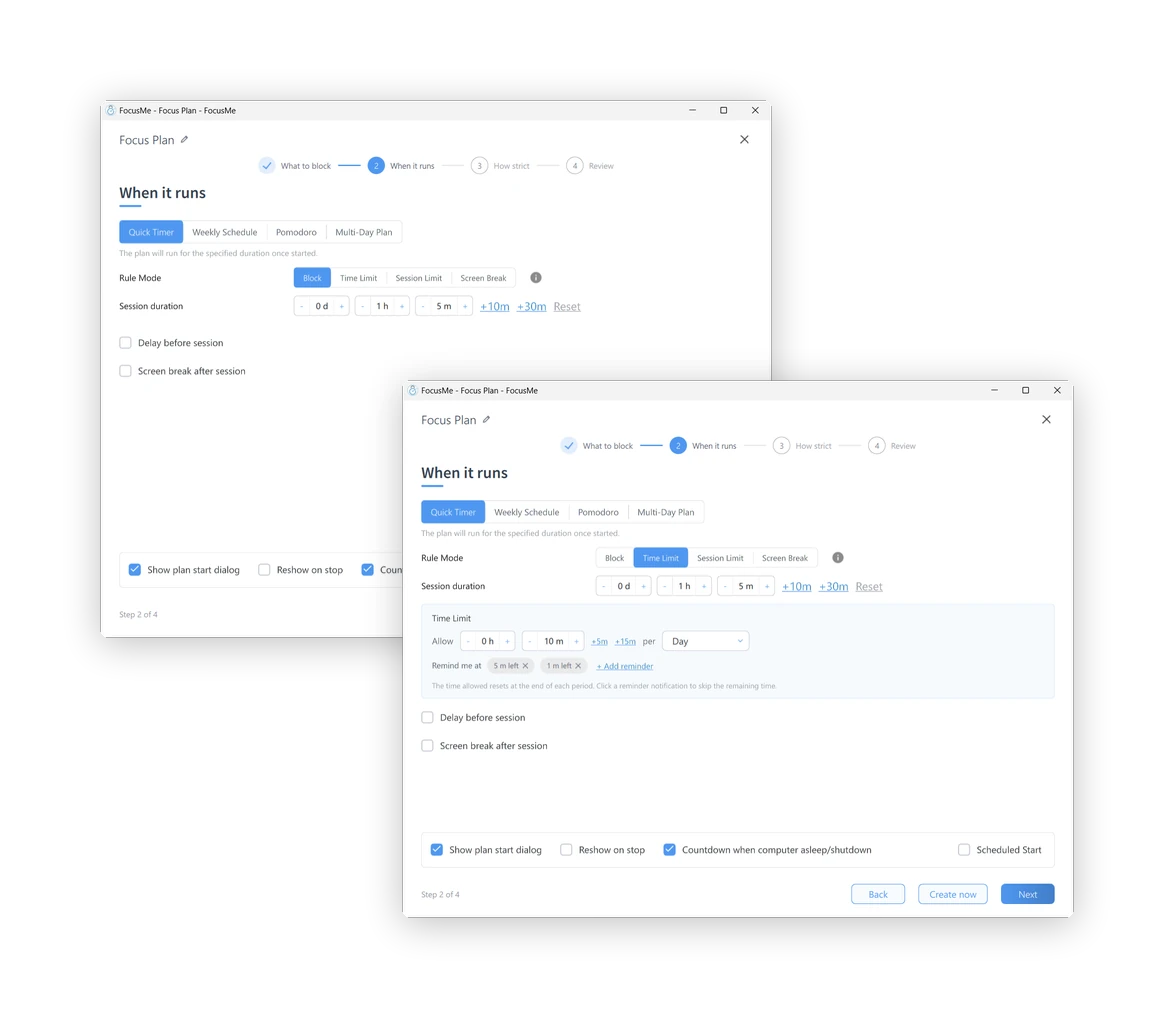
Cuando se ejecuta

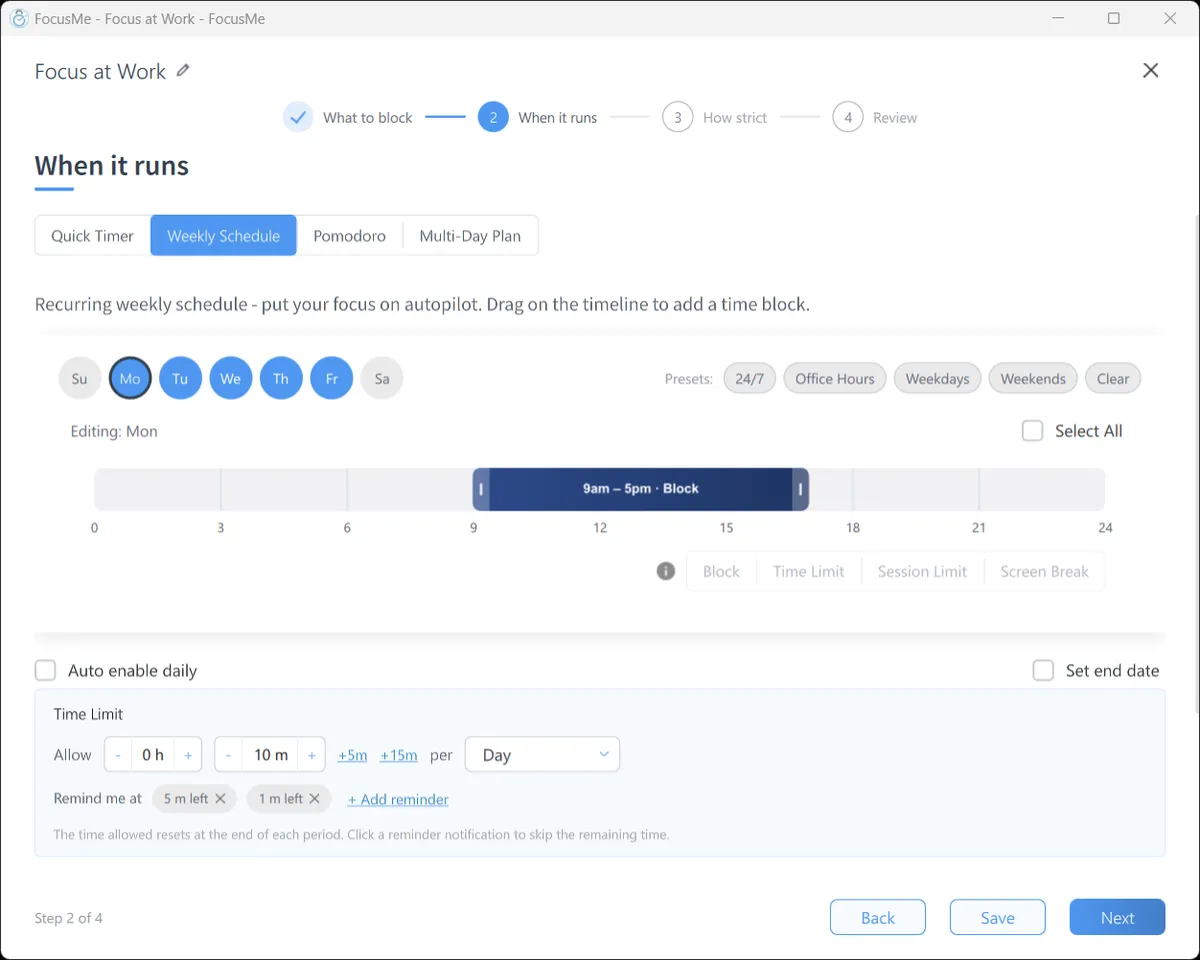
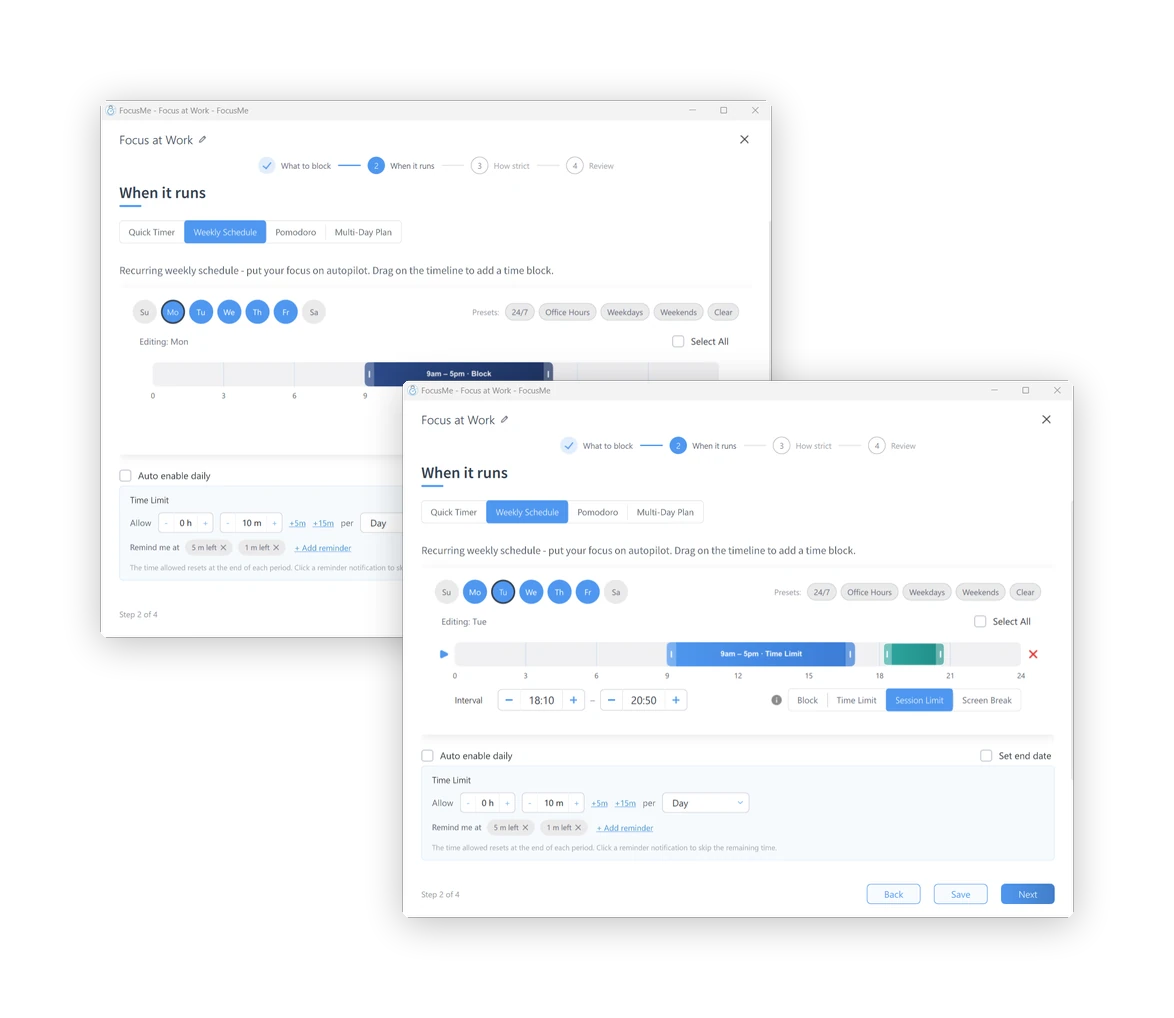
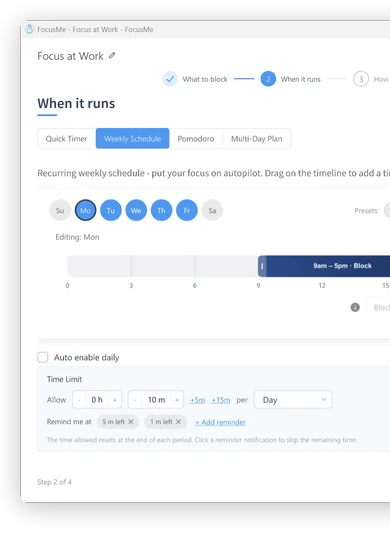
A Quick Timer for the next hour. A Weekly Schedule that runs itself: 9 to 5 on weekdays, or 11pm to 7am every night. A Pomodoro cycle. A Multi-Day Plan for exam week. Each interval can block outright, allow a time budget, allow a few short sessions, or enforce a screen break.

Step 2, When it runs: a weekly schedule on the timeline

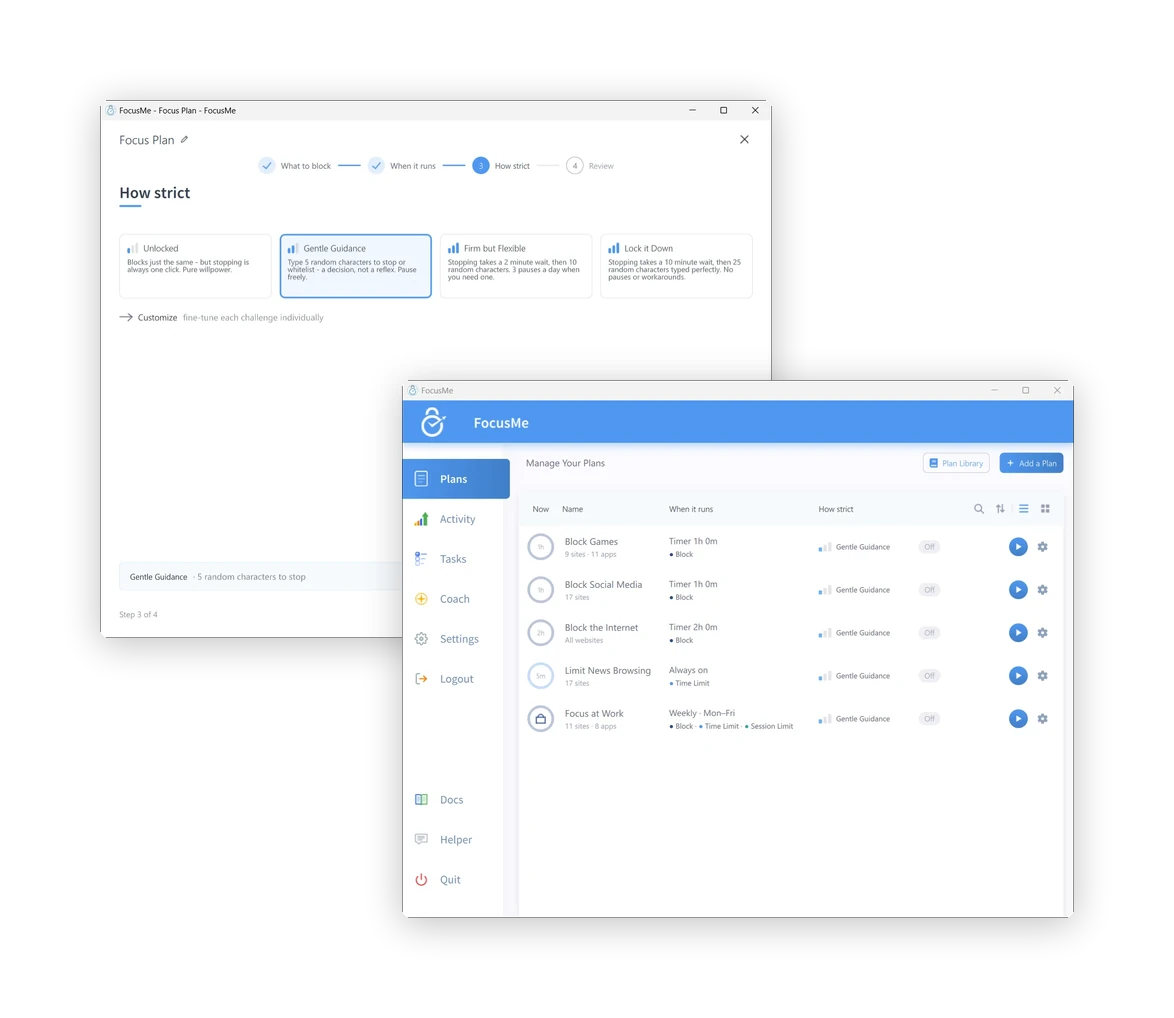
Qué estricto

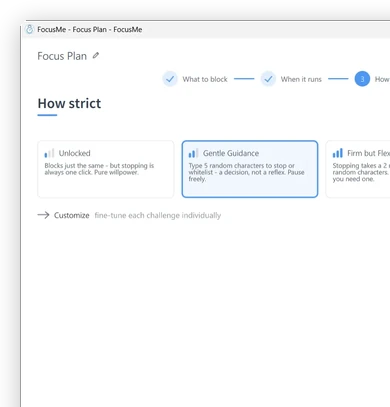
Unlocked blocks just the same, but stopping is one click. Gentle Guidance asks for five random characters: a decision, not a reflex. Firm but Flexible adds a wait and three pauses a day. Lock it Down means 25 characters typed perfectly, then a wait, and no pauses. Enforced Mode, under Customize, means the plan runs to its end and can only be made stricter.

Step 3, How strict: the four presets

Review and go

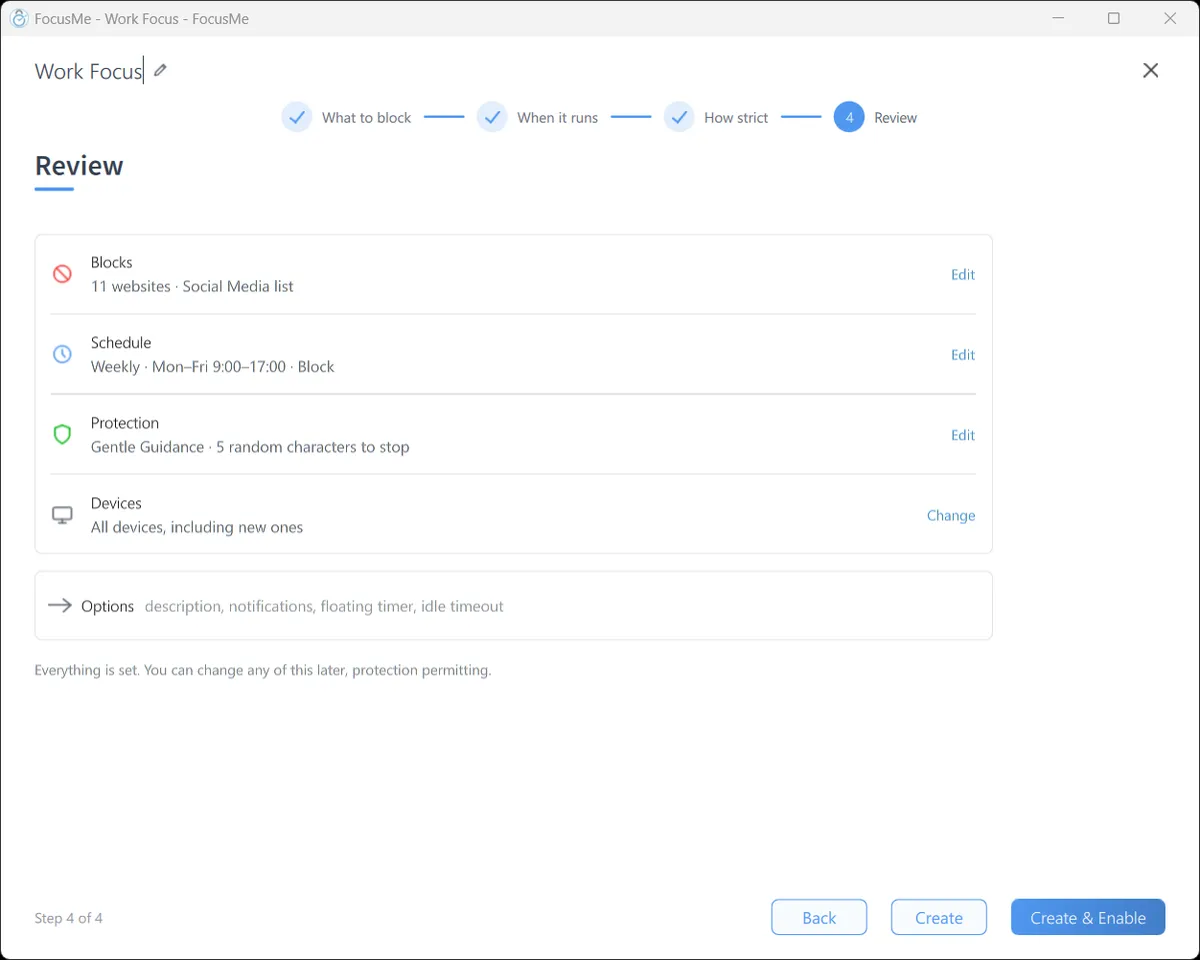
One page shows what the plan blocks, when it runs and what it takes to stop it. Click Create & Enable and it starts. Blocked sites show the FocusMe block page in every browser; a blocked app closes the moment it opens, with a message that says which plan did it.

Step 4, Review: the plan summary before it is enabled

Then see what changed

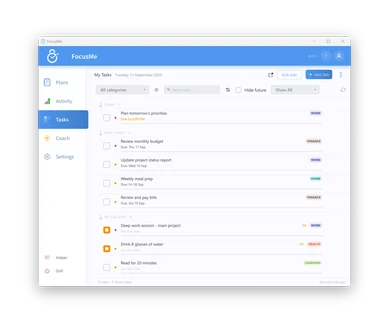
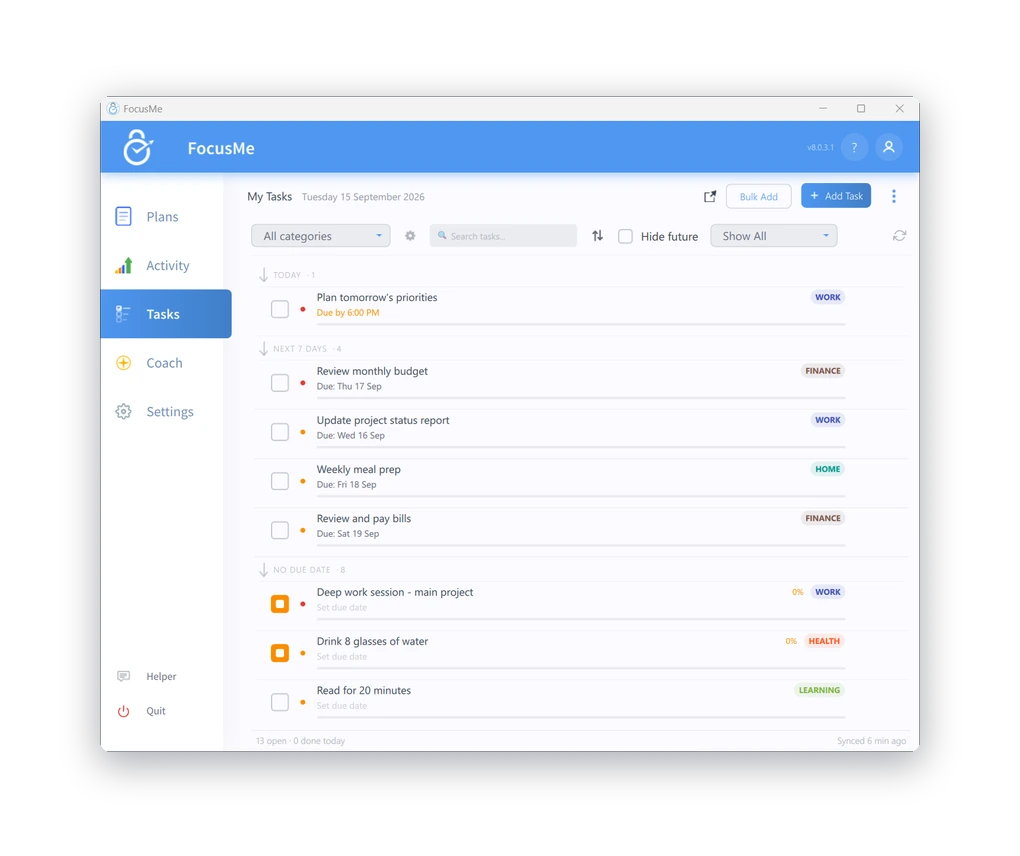
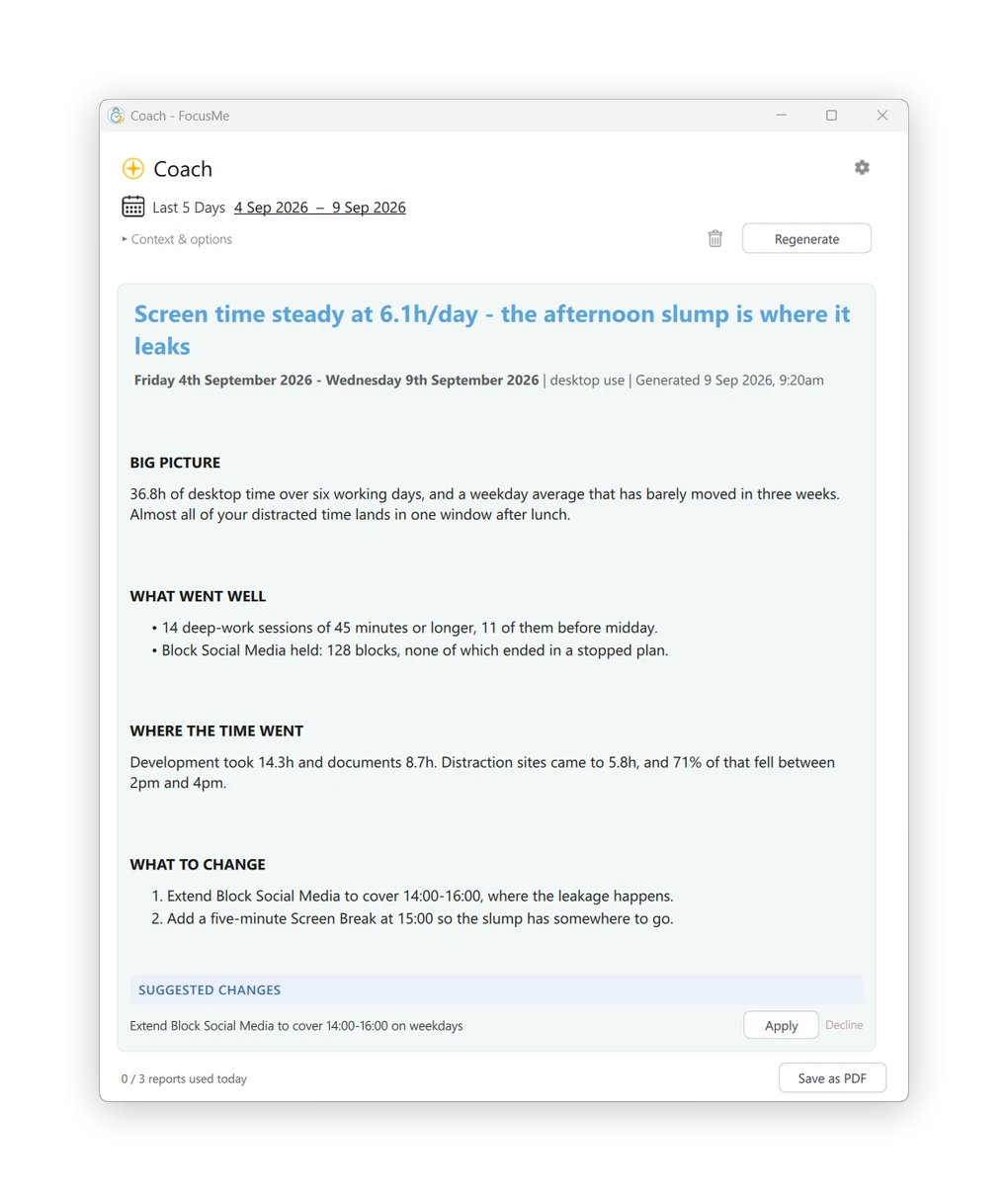
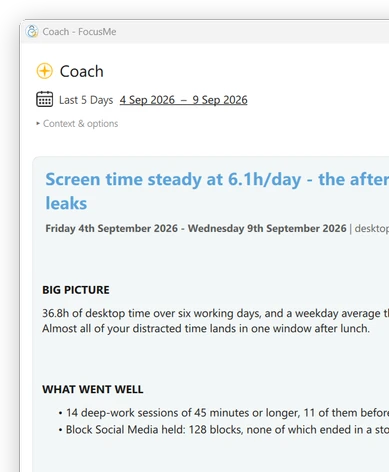
Activity shows active time per app and site, the distractions blocked and the time reclaimed, for today or the last seven days. Tasks keeps a to-do list beside your plans. The Entrenador de IA reads your week and suggests concrete changes to your plans, applied in one click.

The Activity tab: last 7 days, active time, distractions blocked

Bloquea lo que te distrae

Bloquear sitios web, aplicaciones, palabras clave o categorías.
En más de 15 navegadores.

¿Necesitas un control más estricto? Usa el modo de lista blanca.
para permitir solo lo que necesitas.

Elige cómo quieres enfocarte

Planes diferentes para necesidades diferentes. Tú tienes el control.

Bloquear

Bloquear completamente
distracciones.

Límites de tiempo

Establecer diariamente
o presupuestos por hora.

Límites de sesión

Limitar lanzamientos y
hacer cumplir los descansos.

Rupturas de pantalla

Aléjese y
recargar.

Añada protección cuando sea necesario.

Mantén tu compromiso con los límites que te has fijado gracias a nuestras potentes opciones de protección.

Contraseña
Protección

Mantén tus planes
seguro.

Aleatorio
Desafíos

Respuesta aleatoria
preguntas para realizar cambios.

Aplicado
Modo

Protección más estricta para
concentración profunda.

Responsabilidad
Fogonadura

Invita a alguien a que te cuide
responsable.

Contraseña
Protección

Mantén tus planes
seguro.

Aleatorio
Desafíos

Respuesta aleatoria
preguntas para realizar cambios.

Aplicado
Modo

Protección más estricta para
concentración profunda.

Responsabilidad
Fogonadura

Invita a alguien a que te cuide
responsable.

Planifica tu enfoque

Crea una rutina que funcione para ti.
Crear horarios, ciclos y
Programas que se adaptan a tu vida.

Explore la biblioteca de planos y comience
con configuraciones probadas.

Convierte tus objetivos en hábitos.

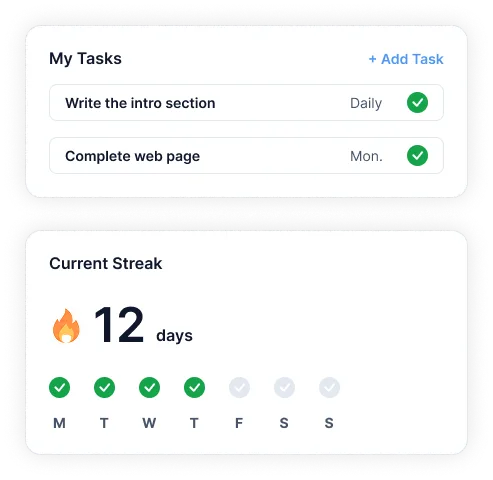
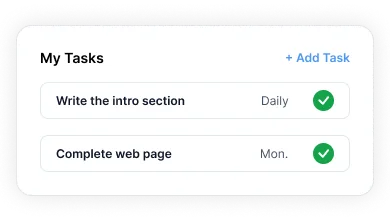
Gestiona tareas, crea rachas y establece rutinas recurrentes.
Dentro de FocusMe.

Mantente concentrado y realiza un seguimiento de tu progreso en un solo lugar.

FocusMe goals and progress on a phone

Mejora cada semana

Tu entrenador de IA analiza tu progreso.
y te brinda información clara y
acciones que te ayudan a crecer.

Trabaja en todos tus dispositivos.

Tus planes se sincronizan automáticamente en todos tus dispositivos.

Ejecuta varios planes simultáneamente y realiza un seguimiento de tus resultados.
Progreso con información detallada.

FocusMe on Windows, Mac, Android and iPhone
  • Windows
  • macOS
  • Linux
  • Android
  • iOS

¿Listo para recuperar tu atención?

Únete a más de 100.000 personas que usan FocusMe para dedicar más tiempo a lo que realmente importa.

Utilizarás este correo electrónico y contraseña en la aplicación FocusMe.

  • Prueba gratuita de 14 días
  • No se requiere tarjeta de crédito